






The short answer
If you're starting with engraving on wood, leather, and cardboard on a small budget, a diode laser is a good first step. If you need acrylic, regularly cut plywood thicker than 4 mm, or fill orders in batches, get a CO₂. And if your main material is metal, both are the wrong choice: for marking metal, you need a fiber laser.
Why they cut different materials
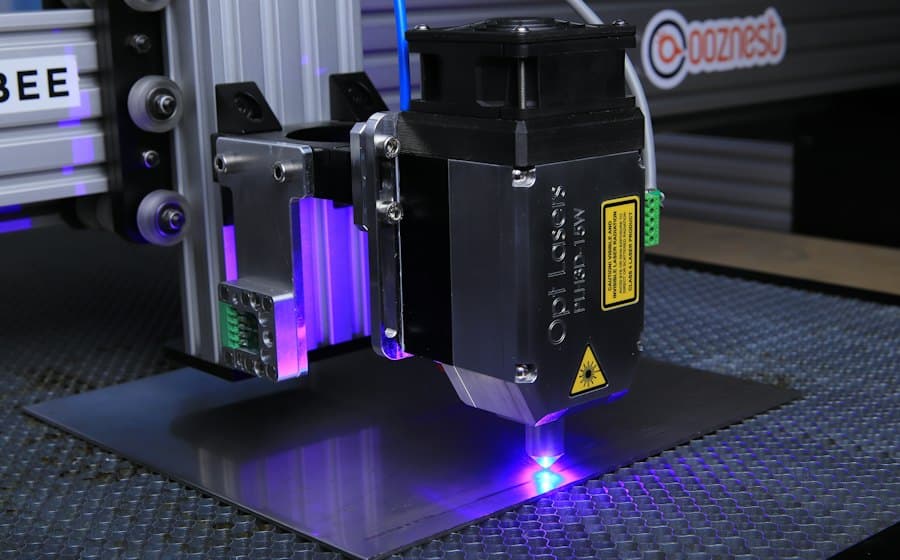
The key difference is the wavelength of the light. A diode laser emits blue light at about 450 nanometers. Dark, matte surfaces absorb it well, while clear and blue materials simply let the beam pass through. That's why a diode can't cut clear acrylic, no matter how many passes you make.
A CO₂ laser emits an infrared beam at 10,600 nanometers. Almost every organic material, as well as acrylic and glass, absorbs this beam. That's why a CO₂ laser cuts acrylic with a flame-polished edge and can engrave glass and stone.
Comparison table
| Property | Diode | CO₂ |
|---|---|---|
| Wavelength | ~450 nm, blue | 10,600 nm, infrared |
| Typical power | 5–40 W optical | 40–150 W |
| Work area | Usually up to 400×400 mm | From 600×400 to 1300×900 mm and up |
| 4 mm plywood | 2–4 passes, slow | One pass, fast |
| Clear acrylic | Can't cut it | Cuts it with a polished edge |
| Glass and stone | Limited, with a coating | Engraves |
| Bare metal | Very limited | Not without a special marking spray |
| Space needed | A workbench | 3–6 m² plus an exhaust vented outside |
| Extra costs | Protective enclosure, Air Assist | Water chiller, tube, mirrors, lens |
| Approximate price | 1,500–5,000₾ | 8,000–30,000₾ |
Prices are approximate and depend on the supplier, shipping, and customs.
Power: what the number in the listing means
Diode laser listings often show two numbers: electrical power and optical power. "80 W" is often the electrical figure, while only about 10 W actually reaches the material. Compare optical power only. A CO₂ tube also loses power over time, so when you buy a used machine, ask how many hours the tube has run.
When a diode laser is enough
- You're testing a business idea and don't yet know whether orders will be steady.
- You mostly engrave wood, bamboo, and leather: signs, keychains, coasters.
- You work at home or in a small room and don't have a dedicated space.
When a CO₂ is worth it
- Customers ask for acrylic: signs, displays, house numbers, gift boxes.
- You regularly cut 4–6 mm plywood or MDF, and time is money. In our lab, a 100 W CO₂ cuts a small plywood box in a few minutes, while a 20 W diode, with several passes, takes up to half an hour.
- You work with large sheets and nest parts on a single sheet to cut down on waste.
Hidden costs
- Exhaust and ventilation. Both lasers produce smoke. You need either an exhaust that vents the air outside or a filter.
- Consumables. A CO₂ glass tube lasts a few thousand hours and then has to be replaced. The lens and mirrors need regular cleaning and occasional replacement.
- Chiller. A CO₂ tube needs water cooling. Tubes above 80 W need a compressor chiller.
- Software. LightBurn is the most popular program, and it's paid. The software bundled with cheap machines is often clunky.
- Tests. Every new material needs a power-and-speed test grid. Build that material and time into your prices.
Before buying a machine, rent hours in a lab and make your first 50 items. You'll learn which materials you actually use, how many minutes each item takes, and whether there's real demand. After that, the choice gets much easier.
Safety with either type
- Even a reflected beam from an open diode laser is dangerous to your eyes. Use a closed enclosure or safety glasses certified for that specific wavelength. Regular sunglasses won't do.
- Never leave a running laser unattended. Always keep a fire extinguisher nearby.
- Never cut PVC or vinyl: they burn and release chlorine, which is harmful to your health and corrodes the machine's metal parts.
What we chose for our lab
Our lab has a 100 W CO₂ laser with a 1300×900 mm work area. Students work with plywood, MDF, acrylic, and leather and cut large sheets, so a diode wouldn't be enough for us. In the first module of the course, we compare all three laser types, CO₂, fiber, and diode, so graduates can choose their own machine with confidence.
 Course at TDSLaser Cutting & Engraving6 weeks · 36 h · Starts 14 OctDetails
After you finish the Laser Cutting and Engraving course, you can rent the lab's machine by the hour. That way you can fill your own orders before you buy a machine. If you'd like to try it for a single day first, check out our laser workshops.