







CNC Machining: 3D Design, CAM & Operation
Not active at the momentOn-siteHybridLanguage: Georgian
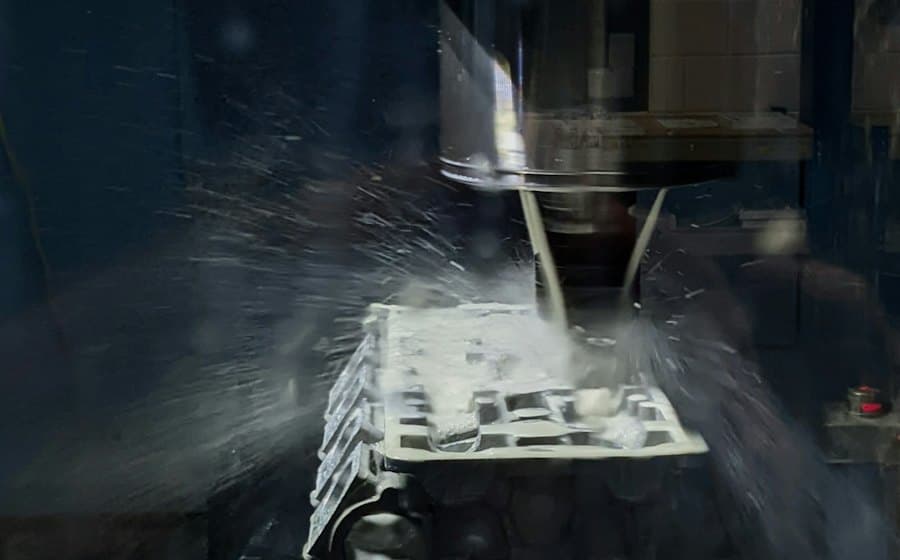
From furniture to signage: 3D modeling, CAM toolpaths in VCarve, choosing bits and safely running a CNC router on a 1300×2500 mm bed.
01
Who it is for
01Furniture makerPrecise and fast
02DesignerLarge format
03After the laser courseThe next machine
02
What you will learn
- 2D and 3D models for machining
- CAM: profile, pocket, V-carve
- Bit diameter, spindle speed, feed rate
- Workholding and setting zero
- Reading G-code
- A furniture part and a sign
03
Tools and equipment
VCarve ProFusion 360 CAMG-code1300×2500 · 2.2 kW
04
Groups & times
New dates will be announced soon. Leave your contact and we will let you know first.
05
How it works
- Day 0Application
Form or call
- Days 0–3Group and payment
Buying the course
- Week 1Orientation
Getting started
- 8 weeksLearning
16 classes
- Final weekFinal project
- AfterwardCertificate
with QR verification
06
Syllabus
4 modules · 9 topics · 16 sessions · 48 hours
01Safety and the machineWeek 1 · 2 topics
- 1.1How the machine is builtTheory
- 1.2Safety and workholdingPractice
OutcomeSign-off
02CAMWeeks 2–4 · 3 topics
- 2.1Profile and pocketPractice
- 2.2V-carve and textPractice
- 2.3Choosing bitsTheory
OutcomeWooden sign
033D carvingWeeks 5–6 · 2 topics
- 3.13D reliefPractice
- 3.2Finishing and polishingPractice
Outcome3D panel
04ProjectFinalWeeks 7–8 · 2 topics
- 4.1Furniture partProject
- 4.2Assembly and presentationPresentation
OutcomeCertificate
07
Frequently asked questions
Is the laser course a prerequisite?
No, but knowing a vector graphics program will help.
Is wood included?
Yes, MDF and 18 mm plywood throughout the course.
Can I get a refund?
If you decide after the first session that you can't continue the course, you can request a full refund. To do so, contact us within 24 hours of the end of the first session, before the next session starts.

Questions?
InactiveReservations open