AI Employees: Grok Bot and ChatGPT Dots
 18+Your first AI employee



Build your first AI employee: one that does not just answer questions but gets work done. It sorts your email, prepares sales and content, and sends you a briefing every morning. Four hands-on sessions, no code, and you stay in control of the result.
Who it is for
What you will learn
- What an AI assistant and a bot are, and where they help in everyday work
- How to write a good instruction (prompt) and check what the AI answers
- Building a Custom GPT in ChatGPT: knowledge files, role and tone
- Grok Bot: a bot that handles your email, calendar and documents
- A team of bots, each with its own area, such as career, social media or learning
- Automatic routines: daily reminders, reports and inbox sorting
- Safety and ethics: personal data, mistakes and checking the AI
- Final project: you build your own bot and present it
Tools and equipment
Groups & times
Times don't work for you? Let us know and we'll email you when the next group opens.
How it works
- Day 0Application
Form or call
- Days 0–3Group and payment
Buying the course
- Week 1Orientation
Safety, accounts
- 2 weeksLearning
4 classes
- Final weekFinal project
Presentation to a jury
- AfterwardCertificate
with QR verification
Syllabus
01Build your first AI employeeSession 1 · 2.5 h · 4 topics
- 1.1Chatbot, automation or agent: what is the differenceTheory
- 1.2Grok Bot and ChatGPT Dots: context, memory and accessTheory
- 1.3The four parts of an instruction: goal, context, limits, reportPractice
- 1.4An AI Inbox Manager on test emailsPractice
OutcomeAI Inbox Manager: sorted email and draft replies
02An AI sales and marketing teamSession 2 · 2.5 h · 4 topics
- 2.1Custom GPTs: knowledge files, role and brand voicePractice
- 2.2Market research, segments and lead priorityPractice
- 2.3Personal offers and a content planPractice
- 2.4Fact-checkingPractice
OutcomeA research brief, five personal offers or a 7-day content plan
03Agents that work on a scheduleSession 3 · 2.5 h · 3 topics
- 3.1Scheduled tasks and proactive alertsPractice
- 3.2Email, calendar and documents: connecting appsPractice
- 3.3Human approval and least accessTheory
OutcomeDaily Business Briefing: the day’s priorities and tasks every morning
04Your AI team: project labFinalSession 4 · 2.5 h · 3 topics
- 4.1A team of bots: who does whatPractice
- 4.2Five test cases, cost and qualityProject
- 4.3Final demoPresentation
OutcomeA demo of your own bot and a 14-day plan for using it
Lecturer
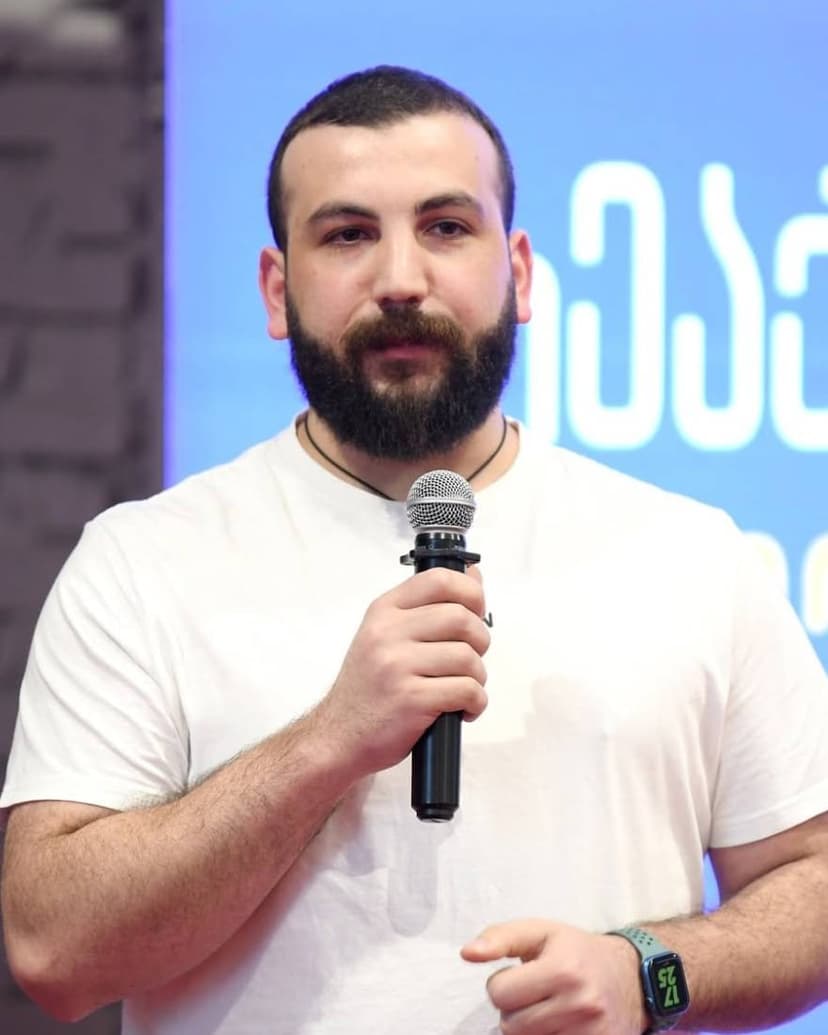
AI and robotics researcher, tech entrepreneur
AI and robotics researcher, tech entrepreneur and teacher who makes artificial intelligence accessible to everyone. Founder and director of the AI and Robotics Research Lab at Ilia State University, and head of the university’s Center for Technology Entrepreneurship and Innovation. Builds and uses AI bots and automation in daily work, teaching and content creation. Founded the Georgian Robotics Association (GRA), the tech media outlet TechCrush and Tbilisi Digital School. Since 2017 has taught programming, robotics and AI to thousands of people. Named to Forbes Georgia’s 30 Under 30.
Frequently asked questions
Do I need to know how to code?
No. Everyday computer and email skills are enough. Bring a laptop: you build the bot in your own account so you can keep using it after the course.
Do I need Grok Bot and ChatGPT Dots?
Both are new, run on paid plans and are not yet open in every country. Before the course we check your access together. If you do not have it, you work with the lecturer’s live demo and build the same task with ChatGPT, a Custom GPT or Make/n8n.
Will the bot send emails for me?
Only with your approval. The bot gets as little access as it needs: sending email, payments and changing data all wait for your OK. On the course you learn to write these rules for it.
What data do we work with?
A test inbox, anonymised emails, a sample Google Sheet and a short description of your product or service. We do not use real customers’ personal data.
How does a session work?
Each session is 2.5 hours: a live demo, then about an hour of practice on your own business, then testing and feedback. You leave every session with something that works.
What is the final project?
You choose one: an AI Inbox Manager (sorting and draft replies), an AI Sales & Marketing Agent (research, offers, content calendar) or an AI Daily Business Briefing (a daily summary and priorities). You present a demo with five test cases and a 14-day plan.
Can I get a refund?
After the first class, we refund 100%. After that, refunds are prorated for the remaining classes.