AI Business Co-Pilot: From Assistants to AI Agents
 18+AI agents for small business

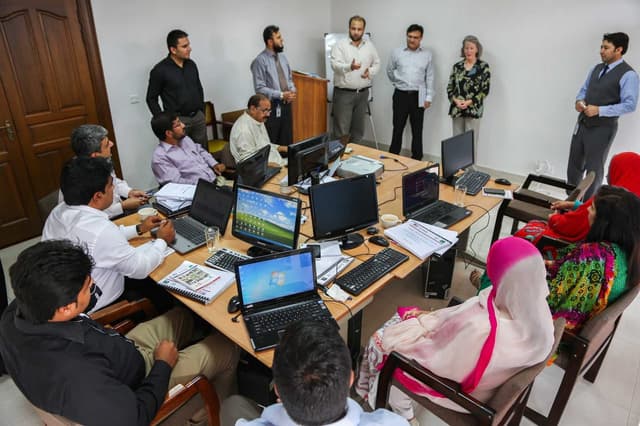
In eight hands-on sessions you build an AI-powered working system for your own business: content and marketing, customer requests, an assistant that knows your company, automations and an agent that does the work with your approval. No coding: the goal is a measurable result with a small team and budget.
Who it is for
What you will learn
- An AI map: three processes in your business where AI saves time
- A prompt library and instructions in your brand’s voice
- An assistant that answers from your catalogue, prices and FAQ
- A Make automation: form → lead sheet → AI category → team alert
- An AI agent with clear permissions and human approval
- A weekly management report and a 30-day rollout plan
Tools and equipment
Groups & times
Times don't work for you? Let us know and we'll email you when the next group opens.
How it works
- Day 0Application
Form or call
- Days 0–3Group and payment
Buying the course
- Week 1Orientation
Safety, accounts
- 4 weeksLearning
8 classes
- Final weekFinal project
Presentation to a jury
- AfterwardCertificate
with QR verification
Syllabus
01AI as your everyday business assistantSession 1 · 2.5 h · 3 topics
- 1.1What AI does in a small business: ChatGPT, Claude and GeminiTheory
- 1.2Prompts, context and reusable instructionsPractice
- 1.3Mapping the processes in your businessPractice
OutcomeAn AI use map and a five-prompt library
02AI for marketing: from idea to content planSession 2 · 2.5 h · 3 topics
- 2.1Target segments, the offer and brand voiceTheory
- 2.2A 7-day post plan, ad copy and a visual briefPractice
- 2.3Adapting for each channel and fact-checkingPractice
OutcomeA mini campaign and a content quality checklist
03AI in sales and customer communicationSession 3 · 2.5 h · 3 topics
- 3.1Taking in requests, sorting and prioritising themPractice
- 3.2Sales scripts, proposals and follow-upsPractice
- 3.3When a person has to step inTheory
OutcomeA lead sheet and a library of replies
04An AI assistant that knows your companySession 4 · 2.5 h · 3 topics
- 4.1RAG made simple: an assistant grounded in your documentsTheory
- 4.2Catalogue, prices and FAQ in one knowledge basePractice
- 4.3Testing the assistant with real questionsPractice
OutcomeA FAQ assistant and its test results
05Your first automation: Make and n8nSession 5 · 2.5 h · 3 topics
- 5.1Trigger, action, filter: Make or n8nTheory
- 5.2Form → lead record → AI category → team alertPractice
- 5.3Errors, duplicates and logsPractice
OutcomeA working automation and a test log
06An AI agent that gets work doneSession 6 · 2.5 h · 3 topics
- 6.1Agent, bot or workflow: what is the differenceTheory
- 6.2Make AI Agents and n8n Agents: tools and actionsPractice
- 6.3Human approval: what the agent may and may not doPractice
OutcomeAn agent prototype and its permission rules
07AI in management: numbers and decisionsSession 7 · 2.5 h · 3 topics
- 7.1Analysing the sales sheet and KPIsPractice
- 7.2A weekly management report with AIPractice
- 7.3ROI, cost control and safetyTheory
OutcomeA weekly report and a 30-day rollout plan
08Your AI micro-system: final project and demoSession 8 · 2.5 h · 3 topics
- 8.1The full flow: request → data → AI reply → your approval → reportProject
- 8.2Quality testing and real-world limitsProject
- 8.3Presenting the projectPresentation
OutcomeA working prototype, a demo and a how-to
Lecturer

Software Engineer, EPAM
Software engineer, mobile app developer and technology trainer. Works at EPAM, with many years of building with and teaching React.js and React Native, and has worked on international digital products. Co-founder of DanceScore, a platform that digitises how DanceSport competitions are run. Has taught young people and mentored their tech projects. Currently focused on the practical use of AI, AI agents and business process automation.
Frequently asked questions
Do I need to know how to code?
No. Everything is built in visual tools, without code. Basic email, Google Sheets and social media skills are enough. Bring a laptop: you build the assistant and the automations in your own accounts so you can keep using them after the course.
How does a session work?
Each session is 2.5 hours and follows the same pattern: a short case, a live demo, then about an hour and a half of practice on your own task. At the end you test each other’s work in pairs. You leave every session with something finished.
Will I work with my own business data?
You can bring your own business case or work with a training demo business: we give you a product catalogue, customer requests and a sales sheet. Instead of real customers’ numbers and orders we use anonymised or test records.
Will the AI agent make decisions for me?
No. The agent gets limited permissions: anything involving money, messages to customers or changing data waits for your approval. On the course you learn to write the agent’s rules and keep a log of what it does.
What is the final project?
You choose one: a lead agent for an online shop (request → FAQ → lead sheet → reply for approval), a communication agent for a service business (question → category → meeting offer) or an AI system for a sole trader (content plan, requests and a weekly report).
Do I need paid subscriptions?
We mostly work with free plans and trials: the free Make and n8n plans are enough. At the end we tell you which subscriptions are worth it for your business and what they cost per month.
Can I get a refund?
After the first class, we refund 100%. After that, refunds are prorated for the remaining classes.