





Robotics and Electronics 7–9: from mBot to Your Own Otto Robot
 Ages 7–9კოდი, რომელიც რობოტს ამოძრავებს
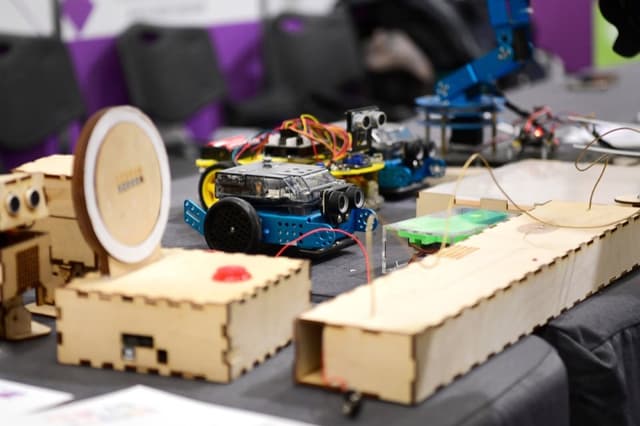
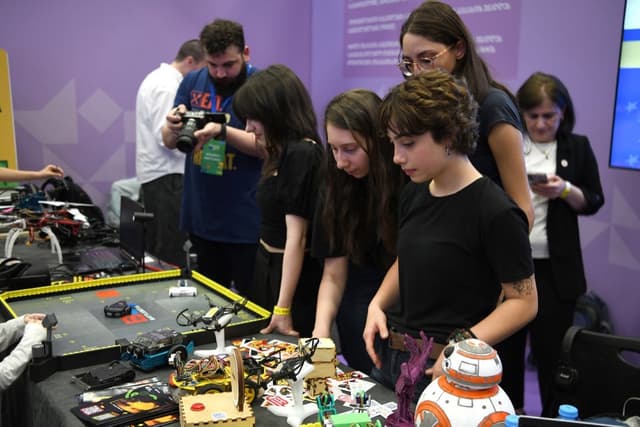
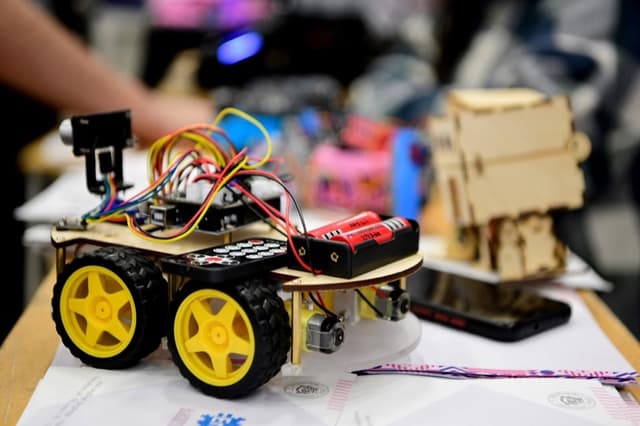
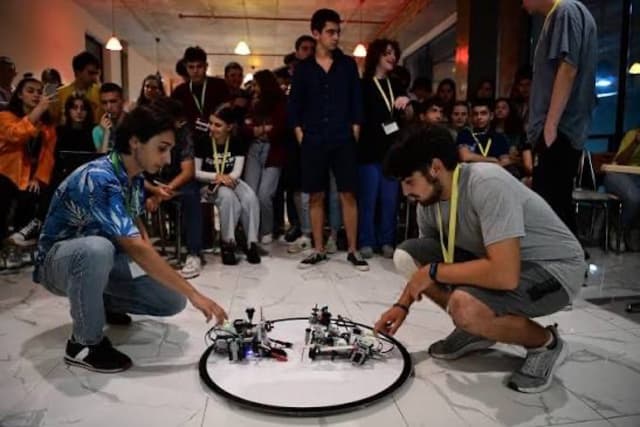
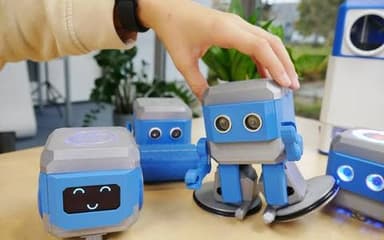
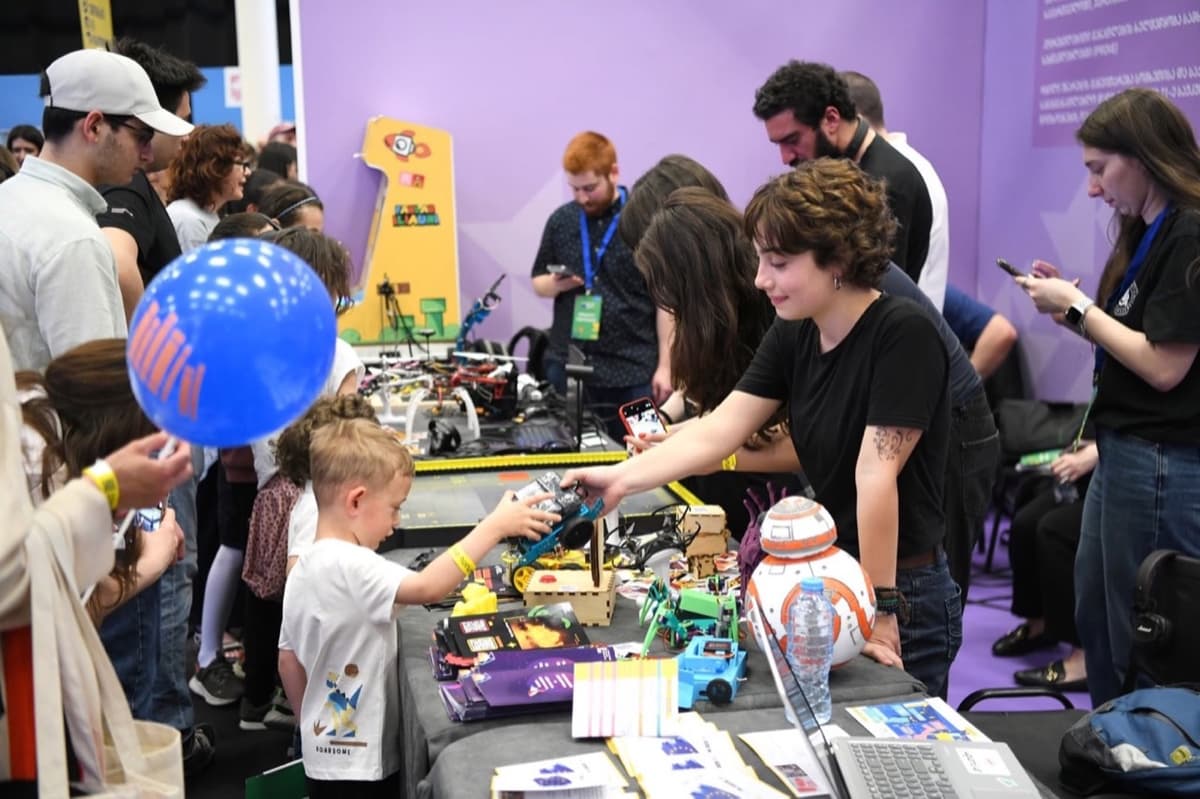
This robotics and electronics course is designed for children aged 7–9 who are interested in technology, how robots work and making their own devices. The program combines robotics, electronics basics, block-based programming and engineering design. Through play, experiments and hands-on tasks, students learn how robots are built and get to know electronic components, sensors and how they are controlled. The course is divided into three phases and builds from simple to complex. In the first phase, children use the mBot robot to learn the basics of block programming and how to control movement and sensors. In the next phase, they get to know electronic circuits and Arduino basics and create devices that respond to sound, light and movement. In the final phase, they bring together what they have learned by building, programming and testing their own Otto robot. Throughout the course, children develop logical and algorithmic thinking, problem-solving, teamwork and creativity. Each phase includes hands-on projects, and when the full program ends, every student will have an Otto robot they built and programmed with their own hands.
Hands-on robotics and electronics teaching, all the learning resources needed and building their own OttoBot robot
- Use of mBot robots and Arduino learning kits
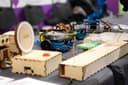
- Laser-cut and 3D-printed parts
- Materials for the hands-on tasks
- Competitions, medals and a certificate
- Anything else the lessons need for the best results, the school provides
- Nothing extra to buy
Who it is for
What you will learn
- Build a simple circuit with a battery, an LED, a switch and a motor
- Assemble a robot with a screwdriver from picture instructions
- Program with blocks: sequences, loops, events, conditions and a simple variable
- Use sensors: distance, line, light and a push button
- Program a line follower and a sumo robot for a competition
- Drive a car from a phone over Bluetooth
- Calibrate servo motors and build a walking robot
- Present their own robot to parents and friends
Tools and equipment
Phases
Phase 1 · 20 Nov – 31 Jan · 16 sessions · Phase price 830₾The world of mBot: my first robot
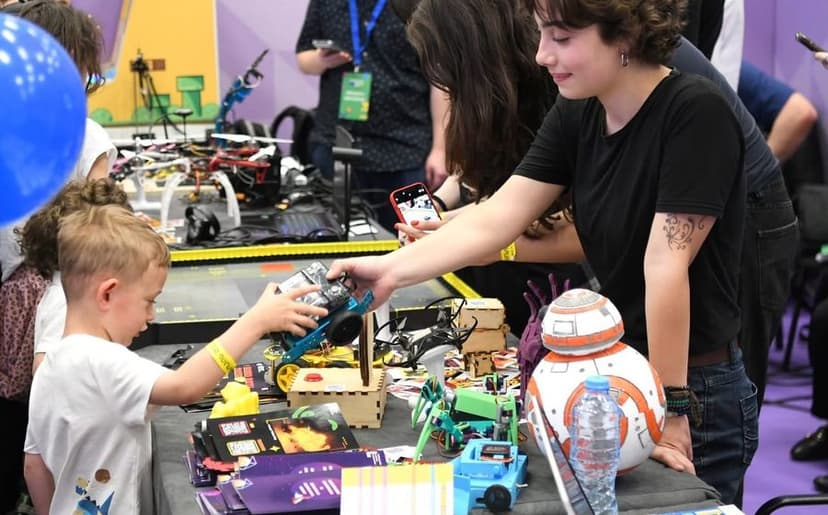
We start with a paper circuit and then build the mBot robot. With blocks the kids teach it to move, draw, dance, spot obstacles and follow a line.
Finished projects- Drawing robot The mBot holds a marker and draws squares, stars and flowers using loops.
- Disco robot Wearing a costume the child decorated, the robot dances, flashes its lights and plays a tune at once.
- Maze escape The robot sees the walls with its ultrasonic sensor and finds the way out by itself.
- mBot festival A mini-olympics for parents where the kids run the stations themselves.
Your child keeps: A light-up card and a mini traffic light, A name keychain, a ruler and arrow tokens, A marble maze, a spinning top and a robot driving licence, A decorated costume, a bulldozer blade and a medal
Phase 2 · 1 Feb – 4 Apr · 16 sessions · Phase price 830₾Competitions: sumo and line racing
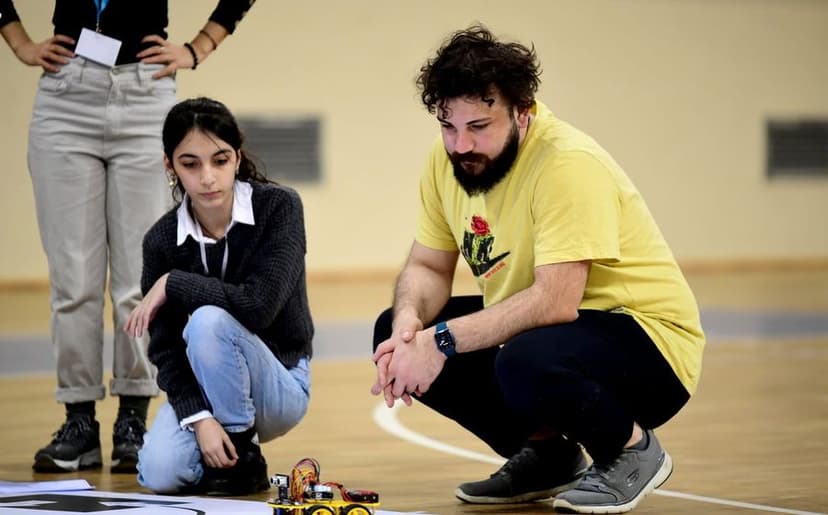
In pairs, the kids build an Arduino car with screwdrivers and plug-in wires and program it with blocks. The phase ends with the TDS Junior Sumo Cup, where parents get to play too.
Finished projects- Line-following car Two infrared sensors see the black line and keep the car on the track.
- Phone-controlled car A Bluetooth module receives commands from a phone, and the car plays robot football.
- Sumo robot The car searches for its opponent, pushes it out of the ring and avoids the ring's edge.
Your child keeps: A hand fan and a doorbell, A gear toy, a number-plate keychain and a finish flag, A whistle, a mini cone and a tabletop sumo game, Their own sumo blade, a wheel cap and the Sumo Cup award
The Arduino robot car to take home: for an extra fee, a manager will tell you the details
Phase 3 · 5 Apr – 13 Jun · 16 sessions · Phase price 825₾Otto: my walking robot
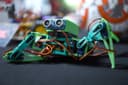
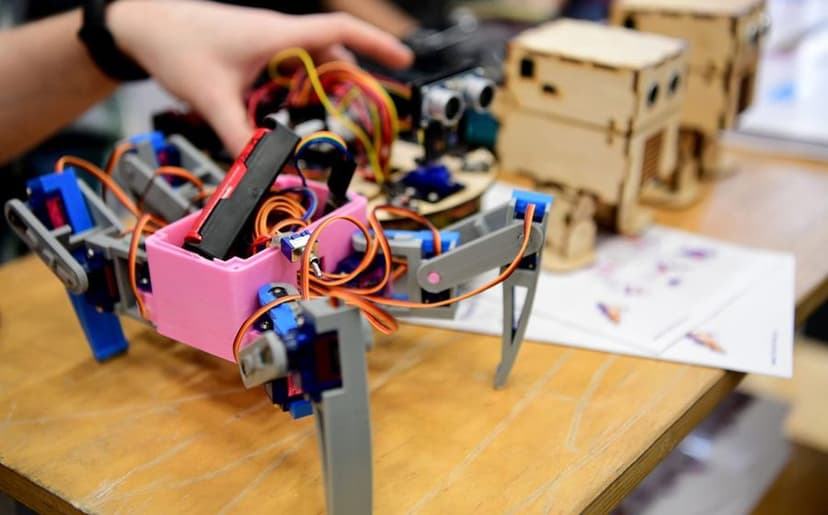
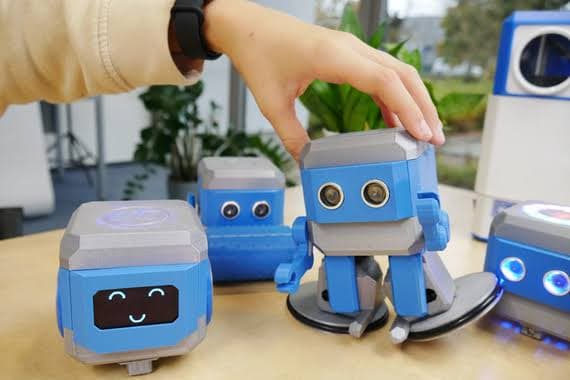
Every child builds their own Otto robot: a 3D-printed body, an Arduino Nano and four servo motors. They teach it to walk, dance, show emotions and avoid obstacles, and after the talent show they take it home.
Finished projects- My Otto A fully assembled and calibrated walking robot in the colours the child picked.
- Otto's dances and emotions Movement and sound together become a dance, joy, surprise or sadness.
- Talent show Each Otto performs its own act on stage when the child waves a hand in front of its eyes.
Your child keeps: Their own Otto robot with a stand and a USB cable, Otto accessories and stickers, A protractor and emotion tokens, A year medal, a certificate and the robot passport
Every phase starts a new theme and ends with a finished project, so your child can also join at the start of any phase.
- Their own Otto robot, built, programmed and taken home by the child
- Individual work and prototypes made during the course.
- Laser-cut accessories: an mBot costume
- 3D-printed parts: Otto hats, a wheel cap, a whistle
- Projects from all three phases and the digital certificates the program provides.
- Skills in working with mBot, Arduino, electronic circuits and sensors.
Groups & times
Times don't work for you? Let us know and we'll email you when the next group opens.
How it works
- Day 0Application
Free consultation
- Days 1–3Choosing a group
By age and level
- Before the startGroup and payment
Monthly
- 7 months · 3 phasesClasses in the lab
48 classes
- Every monthOpen lesson
With parents attending
- At the endCertificate
and exhibition
Syllabus
Phase 1: The world of mBot: my first robot
01Electricity and my mBot3 sessions · 3 topics
- 1.1The secret of electricity: a light-up cardTheory
- 1.2My first robot: building the mBotPractice
- 1.3The robot follows commandsPractice
OutcomeA light-up card, an assembled mBot and a first program that drives the robot to the treasure
02Drawing and dancing robot3 sessions · 3 topics
- 2.1Drawing robot: loopsProject
- 2.2Light and sound: a traffic lightPractice
- 2.3Robot discoProject
OutcomeRobot drawings, a mini traffic light and a costumed robot that dances at the press of a button
03The robot's eyes3 sessions · 3 topics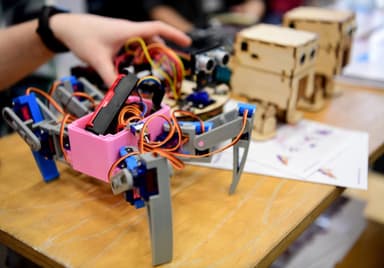
- 3.1The robot's eyes: the ultrasonic sensorTheory
- 3.2“Don’t touch me!”: avoiding obstaclesPractice
- 3.3Bulldozer: cubes and a bladeCompetition
OutcomeA robot that measures distance, avoids obstacles and clears cubes with its blade
04Line, light and shadow3 sessions · 3 topics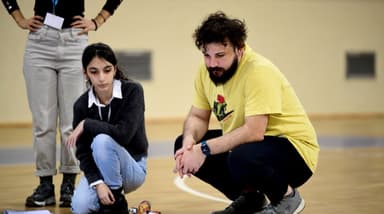
- 4.1Black and white: the line sensorTheory
- 4.2Line-following mBotCompetition
- 4.3Day and night: the light sensorPractice
OutcomeAn mBot that follows a figure-eight track and a robot that reacts to shadows
05Maze, parking and the festival4 sessions · 4 topics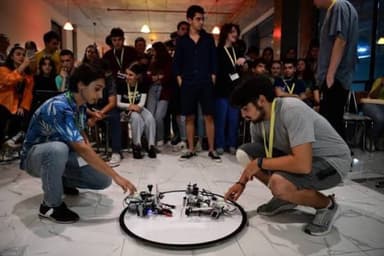
- 5.1Maze escapeProject
- 5.2Parking and the driving licenceCompetition
- 5.3Getting ready for the festivalProject
- 5.4mBot festivalPresentation
OutcomeA maze-escaping robot, a driving licence and the mBot festival for parents
Phase 2: Competitions: sumo and line racing
06My Arduino car4 sessions · 4 topics
- 6.1Motor and switch: a hand fanTheory
- 6.2Building the chassis: wheels and motorsPractice
- 6.3Arduino: the car's brainPractice
- 6.4First drive: the straight arrowPractice
OutcomeAn assembled and programmed Arduino car that drives straight and turns
07Sensors and the line race4 sessions · 4 topics
- 7.1Button and horn: the start rulePractice
- 7.2Invisible light: TCRT5000Theory
- 7.3Line-following carProject
- 7.4Line raceCompetition
OutcomeA line-following car with a start button and a prize from the line race
08Phone control and robot football3 sessions · 3 topics
- 8.1Driving from a phone: BluetoothPractice
- 8.2Robot footballCompetition
- 8.3Obstacle coursePractice
OutcomeA car driven from a phone that can also avoid obstacles on its own
09Sumo: TDS Junior Sumo Cup5 sessions · 5 topics
- 9.1The sumo body: a robot wrestlerProject
- 9.2Don't fall off! Edge detectionPractice
- 9.3Find and push: sumo strategyProject
- 9.4Getting ready for the cupCompetition
- 9.5TDS Junior Sumo CupPresentation
OutcomeAn autonomous sumo robot and a tournament in front of parents
Phase 3: Otto: my walking robot
10Servos and building Otto4 sessions · 4 topics
- 10.1The robot's muscle: the servo motorTheory
- 10.2The Otto kit and centring the servosPractice
- 10.3Legs and feetPractice
- 10.4Brain, eyes and voicePractice
OutcomeA fully assembled Otto that moves and makes its first sounds
11Otto walks, dances and feels4 sessions · 4 topics
- 11.1Calibration: Otto stands straightPractice
- 11.2First stepsPractice
- 11.3Otto dancesProject
- 11.4Sounds and emotionsPractice
OutcomeA calibrated Otto that walks, dances and shows emotions
12Otto sees and gets a style4 sessions · 4 topics
- 12.1Ultrasonic eyesTheory
- 12.2Otto's mazeProject
- 12.3Otto's style: accessoriesProject
- 12.4My Otto's storyProject
OutcomeAn Otto that avoids obstacles and has its own look and story
13Otto talent showFinal4 sessions · 4 topics
- 13.1The talent actProject
- 13.2Otto olympicsCompetition
- 13.3Dress rehearsalProject
- 13.4Otto talent show and graduationPresentation
OutcomeA talent act on stage, a year certificate and an Otto the child takes home
Frequently asked questions
Can my child join in the middle of the year?
Yes, at the start of each phase: in early February and early April. The first session of each phase goes over the basics again, and each new student is paired with a current student as a mentor. In phase 3, a new student's project starts with a simple design.
What if my child misses a session?
Missed sessions are not made up individually and are not refunded. If needed, the student can check the topic and assignments of the missed lesson with the trainer.
What is included in the course fee?
The course fee covers hands-on teaching, use of the learning robots, electronics kits and lab equipment, the learning materials needed and building the projects in the program. The mBot robots, Arduino learning kits and shared lab equipment are for teaching and do not become the child's property. When the third phase ends, the student keeps the Otto robot they built with their own hands, with its components, as well as their individual work and prototypes.
Does my child need a laptop or computer?
No. The computers, robots, components and tools needed for the course are all provided on site.
Is it safe?
The hands-on tasks are suited to the children's age and are done under the trainer's supervision. Before starting work, children learn the safety rules, and they use suitable learning components.
Can siblings enroll together?
Yes, the second child gets a 15% discount. To get it, please contact our manager.
What if my child misses a lesson?
If a lesson is missed, the fee is not refunded. However, the trainer will help the student go over the missed material and catch up, so they can continue the course without falling behind.
 Ages 13–17 · 2 weeksStarts: 12 Decრობოტიკისა და ელექტრონიკის ექსპრესკურსი - 13-17 წელი250₾full course
 Ages 10–12 · 2 weeksStarts: 11 DecRobotics and Electronics 10–12: Arduino, a Robot Car and a Robotic Arm200₾full course · Kit includedAges 10–12 · 7 months · 3 phasesStarts: 24 NovRobotics and Electronics 10–12: Arduino, a Robot Car and a Robotic Arm380₾per month · Kit included