Coding for kids starts at 5–7 with play: ScratchJr on a tablet and puzzles without a computer. Ages 7–10 are the years of Scratch and a first robot; from 11–14 children move on to Python, micro:bit and Arduino; from 15, to text languages and their own projects. More than the language, what matters is that something working gets built in every lesson.
One of the most common questions from parents is, “Which language should my child learn to get a job later?” The honest answer: for a 10-year-old, the language is secondary. What matters is computational thinking: breaking a problem into small steps, finding mistakes and staying patient. Those skills carry over completely from one language to the next.
What age should kids start coding?
Coding is not only about a future career. Children learn to split a big problem into parts, spot patterns, give precise instructions and, above all, look for mistakes calmly. Those skills help in maths, in planning an essay and in everyday life.
Children learn best when the tool fits their age. Text code started too early bores them; colourful blocks started too late feel babyish.
| Age | Stage | Tools | What they learn |
|---|---|---|---|
| 5–7 | Play and stories | ScratchJr, unplugged games | Sequence, direction |
| 7–10 | Blocks and a robot | Scratch, mBlock, mBot | Loops, conditions, variables |
| 11–14 | First text code | Python, micro:bit, Arduino | Syntax, functions, sensors |
| 15+ | Own projects | Python, JavaScript, C++, C# | Web, games, data, electronics |
Ages 5–7: ScratchJr and coding without a computer
At this age children don’t read well yet and the keyboard doesn’t obey them. But they understand “forward, forward, right, jump” perfectly. ScratchJr was made for exactly this: it is designed for ages 5–7. It is a free app for iPad, Android tablets and Chromebooks. Children snap picture blocks together and characters move, jump and sing.
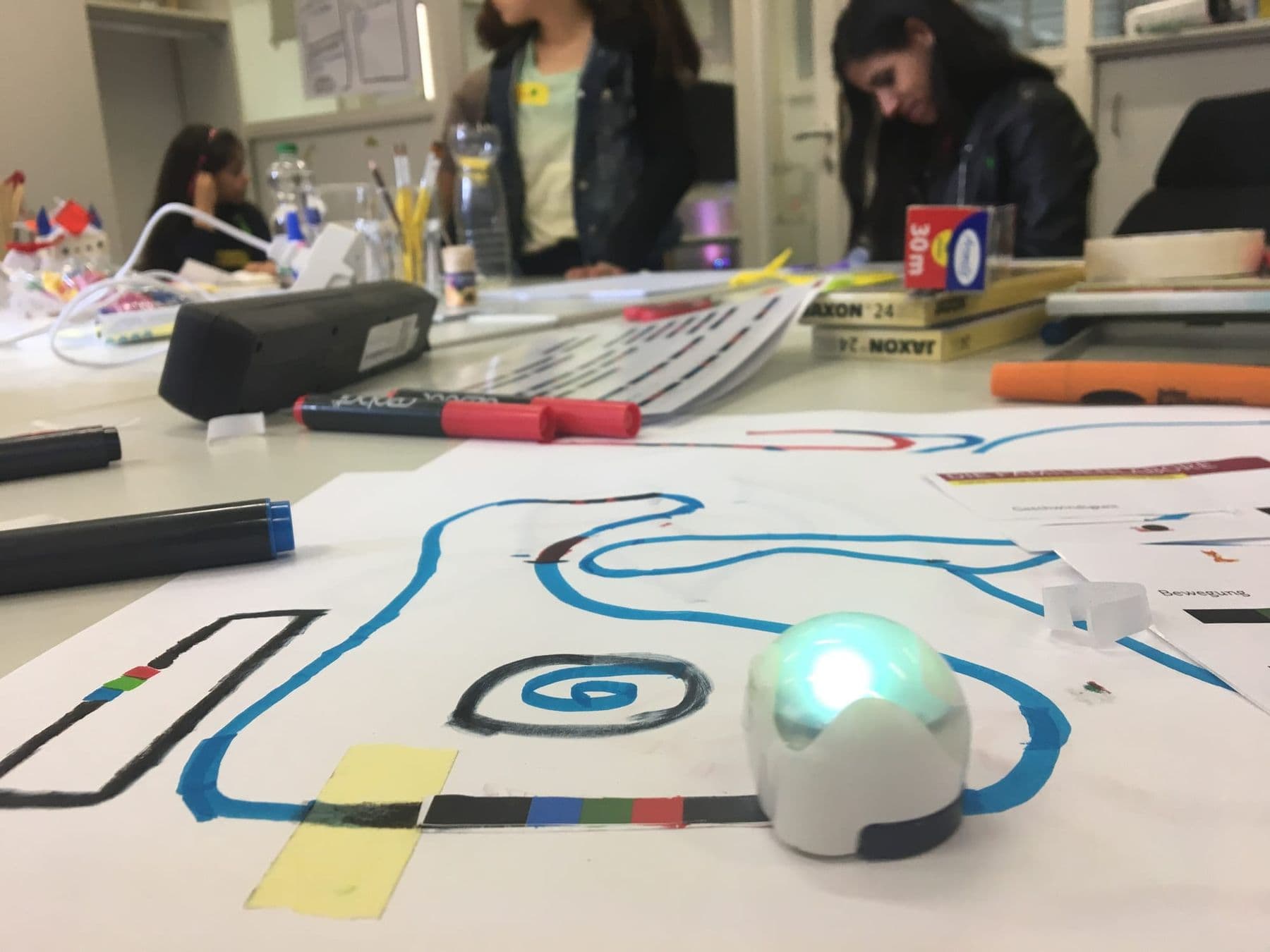
Even better is unplugged coding. CS Unplugged, a project of the University of Canterbury in New Zealand, offers free games with cards, string and crayons. Two ideas you can try tomorrow:
- “Robot parent”: your child tells you how to get to the door, and you follow only exact commands: “two steps forward, turn right”.
- Arrow maze: draw a grid on the floor; your child writes the path to a toy with arrow cards and then “runs” the program.
Ages 7–10: Scratch and a first robot
Scratch was created at the MIT Media Lab and is now developed by the nonprofit Scratch Foundation. It is aimed mainly at ages 8–16, it is free, runs in the browser and has a Georgian interface, and there is also an offline app. In Scratch children snap blocks together, so syntax errors are impossible and all the attention goes to logic: loops, conditions, variables, events.
For a first project, follow our step-by-step guide Scratch for beginners: your first game in 30 minutes. If your child enjoys making games, the next steps are in game development for kids.
Another strong format for ages 7–10 is a robot. When Scratch blocks drive a real car instead of a sprite, the abstract “if… then” becomes tangible: the sensor sees a wall, the robot turns. mBot is programmed in mBlock, which is built on Scratch blocks and can later switch to a Python mode. More in mBot and Scratch for kids.
Our Programming and Robotics: Scratch and mBot course in Tbilisi is built for this age: children aged 7–10, about two months. Children learn Scratch basics, then drive the mBot, build a line-following robot and take part in team challenges. The mBot robot stays with the child after the course. The next robotics steps for older children (10–14 and 13–17) are on our robotics courses for kids page.
 Course at TDSRobotics and Electronics 7–9: from mBot to Your Own Otto Robot7 months · 3 phases · 72 h · Starts 21 NovDetails
Ages 11–14: Python for kids, micro:bit and Arduino
From 11–12 many children are ready for text code. Three signs it is time: their Scratch projects have hundreds of blocks and get tangled, they use variables and lists with ease, and they want things Scratch can’t do. More on this in from Scratch to Python.
Python is a good first text language: it is short and reads almost like English. To start, Thonny is enough, a beginner’s editor that comes with Python built in. Here is a first game a child can write in 15 minutes:
import random

secret = random.randint(1, 20)
guess = 0
while guess != secret:
    guess = int(input("Guess a number from 1 to 20: "))
    if guess < secret:
        print("Higher!")
    elif guess > secret:
        print("Lower!")
print("You got it! Well done!")
Every idea your child learned in Scratch is here: a variable (secret), a loop (while) and a condition (if). Only the way it is written changes.
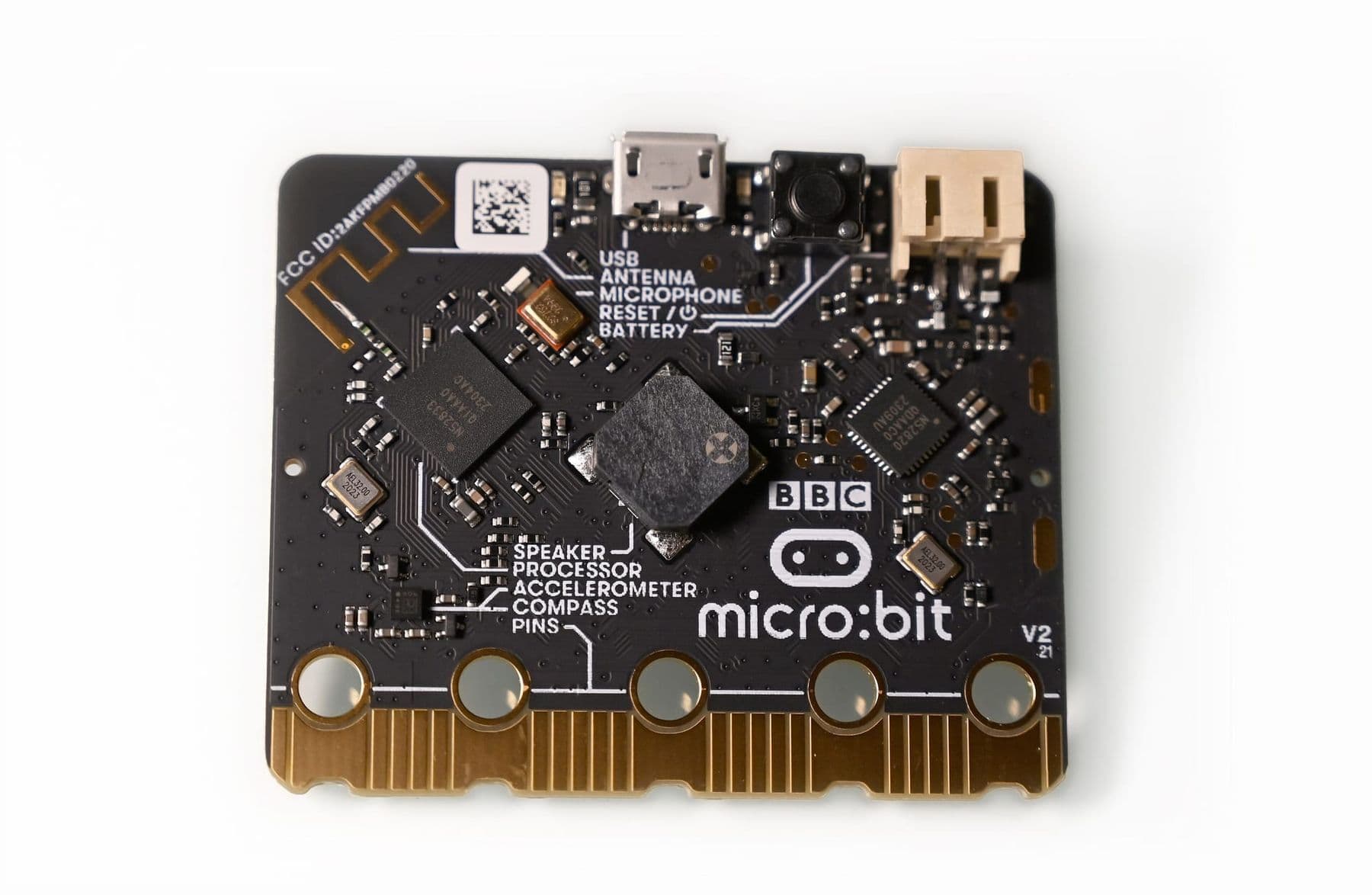
If your child is drawn to the physical world more than the screen, choose micro:bit or Arduino. The BBC micro:bit is a small board with buttons, an LED display and sensors for light, temperature, sound, movement and magnetism. The Micro:bit Educational Foundation recommends block-based MakeCode from 8 and text-based Python from 11. Arduino is harder: it is programmed in C++ and wired to sensors, motors and displays.
From 15: text languages and real projects
At this age the language follows the goal:
- websites and apps: HTML, CSS and JavaScript;
- data, bots, automation: Python;
- electronics and robots: C++ on Arduino;
- games: C# in Unity or GDScript in Godot.
The big shift is that teenagers build their own projects instead of set exercises: a Telegram bot, a website for a friend’s band, a weather station. Those are the projects that later fill a portfolio. For teens who love code and electronics together, our Electronics and Robotics (Advanced) course for ages 13–17 covers Arduino C++, sensors, a 4WD robot and a robotic arm.
Free resources: where kids can learn to code at home
| Resource | Age | What it is | Language |
|---|---|---|---|
| ScratchJr | 5–7 | Tablet app for stories and games | Icons |
| CS Unplugged | 5–12 | Games without a computer | English |
| Scratch | 8–16 | Block coding in the browser | Georgian interface available |
| Microsoft MakeCode | 8+ | Blocks, JavaScript and Python, with a simulator | English |
| micro:bit Python Editor | 11+ | Python on a physical board | English |
| Thonny | 11+ | Python editor for beginners | English |
All of them are free. At home, regularity matters most: 15–20 minutes a day beats two hours once a week.
How to spot a good coding class for kids
Coding classes for kids vary a lot. A good one shows these signs:
- Something working is built in every lesson. A game, an animation, a moving robot, not just theory.
- Children write the code themselves. Copying from the screen is not learning. A good teacher sets a task and helps with questions.
- Mistakes are part of learning. The teacher shows how to find a bug instead of fixing it.
- The path is clear. You know the next step: Scratch, then Python or Arduino.
- Small groups, with a computer or kit for every child.
- Parents see results. A project your child can show you at home.
Ask your child to explain their project out loud: what each block or line does. If they can explain it, they understand it. If not, the code was copied. That five-minute talk tells you more than any grade.
Common mistakes parents make
Learning to code is most often spoiled by well-meant mistakes. The five most common:
- Text code too early. An 8-year-old fighting Python syntax often decides they “can’t code”. In fact, the tool didn’t fit their age. Blocks first, then text.
- Staying on blocks too long. The opposite happens too: a 13-year-old still making simple Scratch games loses interest. If complex projects get tangled, it is time for Python or Arduino.
- Ignoring the keyboard. Slow typing holds beginners back more than anything. Ten minutes of typing practice a day makes the move to Python much easier.
- Comparing. “The neighbour’s kid already builds websites” helps no one. Compare your child with their own last project.
- Videos only. Watching a 20-minute tutorial feels like learning. Code is learned by writing it, getting it wrong and fixing it.
And don’t judge progress by how “pretty” a project looks. A simple game your child invented and debugged alone means more than a complex one assembled exactly by instructions.
Frequently asked questions
What age can kids start coding classes?
Group classes usually start at 7, when children can read and focus on a task for a long time. At 5–6, ScratchJr and unplugged games at home work best.
Should my child start with Scratch or Python?
For ages 7–10, Scratch: blocks rule out syntax errors, so the child thinks about logic. The move to Python usually happens at 11–13, once the child types comfortably and builds complex Scratch projects.
Does my child need to know English?
Not for Scratch, which has a Georgian interface. For Python, a few words are enough: if, for, while, print, input. Children learn them fast, and coding helps their English too.
How much time should a child spend coding?
In a course, two 2-hour lessons a week are enough; at home, 15–20 minutes a day. Regularity matters more than length, especially in the first months.
Is coding or robotics better?
For ages 7–10 they complement each other: the child writes Scratch blocks and sees the result on a real robot. After 11, follow interests: games and apps lead to coding, moving machines lead to robotics.
Your next step
Start this weekend: build a first Scratch game with a 7–10-year-old, or Python’s guess-the-number with an older child. If the interest sticks and you want them to continue properly, look at Programming and Robotics: Scratch and mBot or book a free consultation, and we will choose the next step together.
Sources
- Scratch: For Parents, Scratch Foundation
- About ScratchJr, DevTech Research Group, Boston College
- CS Unplugged, University of Canterbury
- What is the micro:bit?, Micro:bit Educational Foundation
- About Microsoft MakeCode, Microsoft
- Thonny: Python IDE for beginners
- mBlock, Makeblock