Teach game development to kids like a ladder, by age: Scratch from 8, MakeCode Arcade at 9–13, Roblox Studio and Luau from about 10, Godot from 13 and Unity with C# from 14. Each step teaches something new, so rather than jumping straight to Unity, let your child finish one small game on every rung.
Most children start dreaming of making games after hours in Minecraft or Roblox. That is excellent motivation: making a video game is coding, maths, design, sound and storytelling all at once. The keys are a tool that fits the child’s age and a small first project.
What age can kids start making video games?
A 7–8-year-old can make a video game if the tool is block-based. Text code and 3D engines come later.
| Age | Tool | Language | 2D/3D | First project |
|---|---|---|---|---|
| 8–12 | Scratch | Blocks | 2D | Catch the apple |
| 9–13 | MakeCode Arcade | Blocks, JavaScript, Python | Retro 2D | A simple chase game |
| 10–15 | Roblox Studio | Luau | 3D | An obby (obstacle course) |
| 13+ | Godot | GDScript, C# | 2D and 3D | Dodge the Creeps |
| 14+ | Unity | C# | 3D and 2D | A Unity Essentials project |
The ages are approximate. An 11-year-old already building complex Scratch projects can go straight to Roblox Studio, while a 14-year-old beginner still benefits from a week of Scratch.
Scratch: a first game from age 8
Scratch is the best place for kids to start programming games. It is free, runs in the browser, is aimed mainly at ages 8–16 and has a Georgian interface. Blocks rule out syntax errors, so the child thinks about game logic: events, loops, conditions, variables.
What it teaches: the game loop, collision checks, score and time variables, clones.
First project: catch the apple. A bowl moves with the arrow keys, apples fall from above and the game ends after 30 seconds. Step-by-step guide: Scratch for beginners: your first game in 30 minutes.
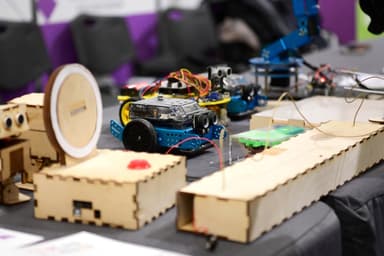
We don’t run a separate game development course for kids, but we teach Scratch fundamentals on our Programming and Robotics: Scratch and mBot course for ages 7–10 in Tbilisi, where the same blocks that make games drive a real robot.
 Course at TDSRobotics and Electronics 7–9: from mBot to Your Own Otto Robot7 months · 3 phases · 72 h · Starts 21 NovDetails
MakeCode Arcade: retro games and first text code
Microsoft MakeCode Arcade is a free browser editor for retro, pixel-style 2D games. It is a great bridge from Scratch to text code: the same program can be viewed as blocks, JavaScript or Python, and the child can switch between them.
What it teaches: sprites and physics, building levels with a tilemap, moving from blocks to text.
First project: a simple chase game where a character collects items and runs from an enemy. Then a platformer with jumps and levels.
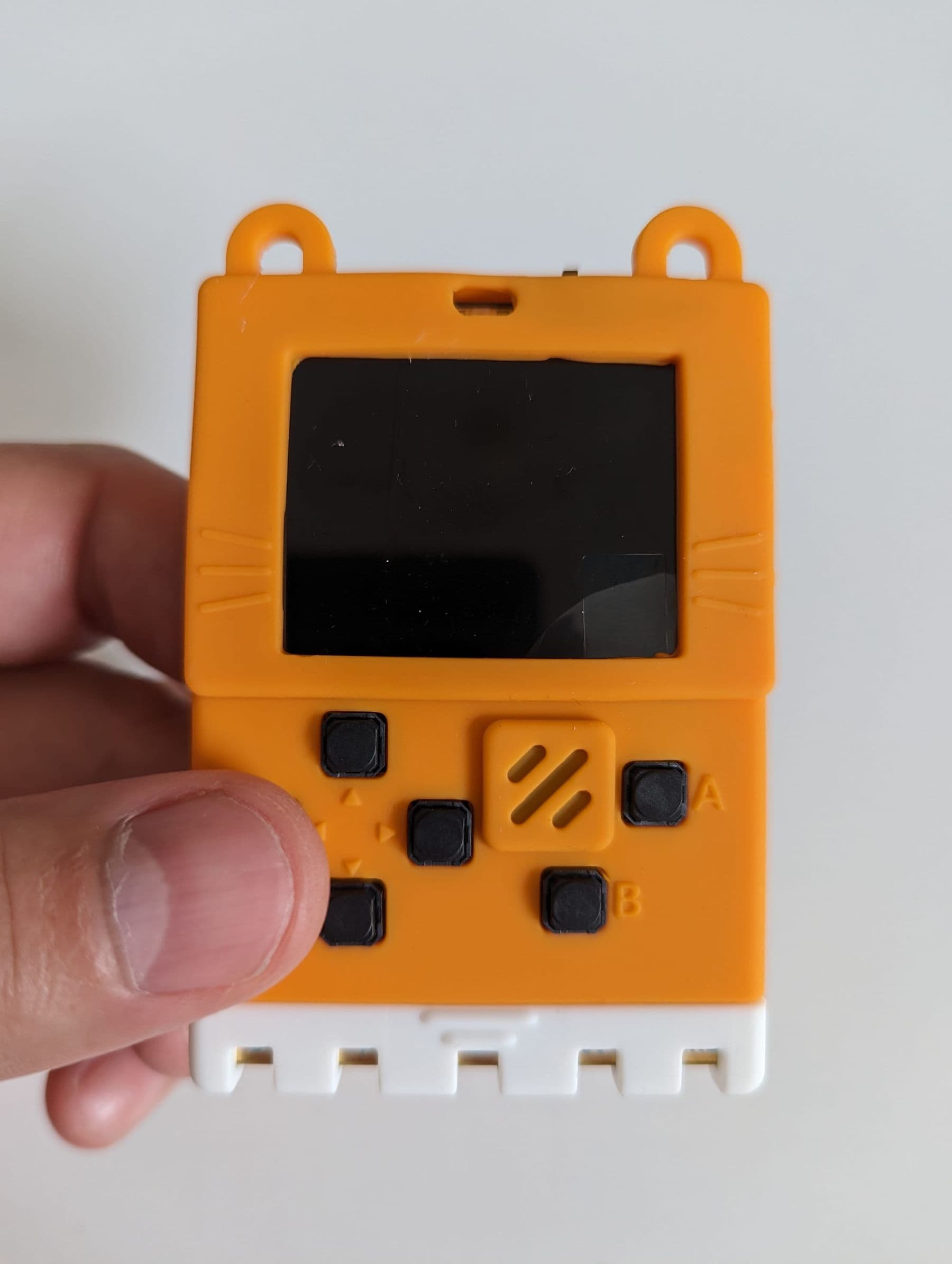
Bonus: MakeCode Arcade games can run on handheld consoles. MakeCode’s hardware page lists more than ten such devices, and a micro:bit V2 can become a console with an Arcade shield. Playing your own game on your own console is huge motivation.
Roblox Studio for kids: 3D worlds and Luau
Roblox Studio is a free application for Windows and Mac used to build Roblox games (“experiences”). For children, its biggest advantage is that friends can play the result straight away. The scripting language is Luau, derived from Lua 5.1: simple syntax and a good first “real” language.
What it teaches: 3D space and coordinates, physics, text scripts, events, game design.
First project: an obby, an obstacle course. The child builds platforms, adds a “lava” block that sends the player back and adds checkpoints. The first script is a few lines: “when a player touches this block, set their health to zero”.
Technical notes: Roblox Studio needs a Roblox account. As of 2026, Roblox recommends 8 GB of RAM (3 GB minimum) and Windows 10/11 or macOS. Roblox splits accounts into three age tiers: Roblox Kids (5–8), Roblox Select (9–15) and Roblox (16+). A game you want to publish for players under 16 has extra requirements: an age-checked creator account, two-step verification, a content questionnaire and an evaluation period. Check the exact rules on the Roblox Creator Hub.
Roblox safety: what parents should know
Building in Roblox Studio is safe, but Roblox is also a social platform with chat, friends and an in-game currency, Robux. Before your child publishes games there, set up the following:
- Link a parent account. In the child’s account: Settings, Parental Controls, Add parent. The parent verifies their age (Roblox asks for a government-issued ID) and links to the child’s account.
- Control chat. Every user needs an age check to use chat, and parents can turn chat off completely for children under 13.
- Set a spending limit. A monthly limit on Robux, with alerts for high spending.
- Set screen time. Daily limits are available for Roblox Kids users and Select users aged 9–12.
- Choose a content maturity level and block specific games if needed.
According to Roblox, in most regions parents can manage all settings up to and including age 12, and game management and direct chat up to and including age 15. And one rule to repeat often: never share your password, and sites promising “free Robux” are scams.
Godot and Unity: real game engines for teens
From 13–14, once a teen writes text code comfortably, they can move to a real engine.
Godot is a free, open-source engine under the MIT licence: games made with it belong entirely to their creator, and the engine asks for nothing. As of October 2026, the stable version is 4.7. Its main language, GDScript, resembles Python, which makes it easier for teens coming from Python. The official first 2D game is Dodge the Creeps, where the player avoids enemies and the score counts up; the tutorial assumes some programming experience.
Unity is a professional engine behind many mobile and indie games. Its language, C#, is stricter and demands more discipline. Unity Learn offers free pathways: Unity Essentials takes about 2 weeks and Junior Programmer about 12.
Games also need characters and worlds. Which 3D modelling program to choose is covered in 3D modelling software compared. We compare Godot, Unity and Unreal in detail in how to make a game from scratch, useful for teens and parents alike.
Making games is not only coding: 5 roles
In a real studio, a team makes the game and everyone does something different. That is good news for kids: if code doesn’t click yet, there are other ways in.
| Role | What they do | How a child can start |
|---|---|---|
| Programmer | Writes rules and mechanics | Scratch, MakeCode, Luau |
| Game designer | Invents rules, levels, difficulty | A level drawn on paper |
| Artist | Draws characters, backgrounds, animation | Scratch’s paint editor |
| Sound designer | Creates effects and music | Sounds recorded on a phone |
| Tester | Finds bugs and confusing parts | A family game night |
When two or three kids make a game together and split the roles, they also learn teamwork: who does what, when to merge work and how to argue about ideas without falling out. That is exactly how game jams work, where teams build a whole game in one weekend.
How to help your child actually finish a game
Most children start a game and never finish it, because the idea is too big: “like Minecraft, but better”. What helps:
- A small idea. One mechanic (jump, shoot, collect) and one level. The rest can wait.
- One weekend, one game. A deadline beats perfection.
- Simple shapes first. A square and a circle instead of a hero. Graphics last.
- Another player. A family member plays while your child watches silently and sees what is confusing.
- A folder of finished games. Five small finished games teach more than one big unfinished one.
Separate time spent playing games from time spent making them. Try this deal: every minute your child spends making a game earns a minute of playing. Screen time gradually tilts toward creating.
Frequently asked questions
How can I make a game with my child if I can’t code?
Start with Scratch and our step-by-step catch-the-apple guide: every block is named, and no coding knowledge is needed. Your role is to ask questions: “What happens if…?” Your child will soon find blocks faster than you.
Is Roblox Studio safe for kids?
Studio itself, the building tool, is safe. The risks are in Roblox’s social side: chat, strangers and spending. Link a parent account, turn off or limit chat, set spending and time limits, and talk with your child regularly.
Unity or Godot for a teenager?
Godot is lighter, completely free, and GDScript resembles Python, so it is often easier for beginners. Unity has more learning material and wider professional use, but C# is harder. Both are fine for a first game: pick one and finish something.
Does my child need a powerful computer?
For Scratch and MakeCode Arcade, any laptop with a browser is enough. For Roblox Studio, Roblox recommends 8 GB of RAM. Small 2D projects in Godot run well on an ordinary laptop.
What age can kids start learning game development?
Block-based tools from 7–8, Roblox Studio from about 10, text-based engines (Godot, Unity) from 13–14. The main sign of readiness is not age but how comfortably the child types and how long they stay with one problem.
Your next step
Pick the tool that matches your child’s age in the table and finish one small game this weekend. If your child is still at the Scratch stage, read coding for kids for the whole path. To choose the next step together, book a free consultation.
Sources
- Scratch: For Parents, Scratch Foundation
- MakeCode Arcade hardware, Microsoft MakeCode
- Install Roblox Studio, Roblox Creator Hub
- Luau, Roblox Creator Hub
- Roblox Kids and Select, Roblox Creator Hub
- Parental controls, Roblox
- Your first 2D game, Godot Engine documentation
- Pathways, Unity Learn