mBot is a small two-wheel educational robot made by Makeblock that children program with colourful, Scratch-style blocks in the mBlock app. A 7-year-old who can read simple words can light up the robot's LEDs, play a tune and make it move in the very first lesson. Within a few weeks the robot follows a line and steers around obstacles on its own.
Below we explain what mBot is made of, how mBlock relates to Scratch, what the first five programs look like and which skills a child gains when code leaves the screen and becomes a moving robot.
What is mBot and why do kids start with it?
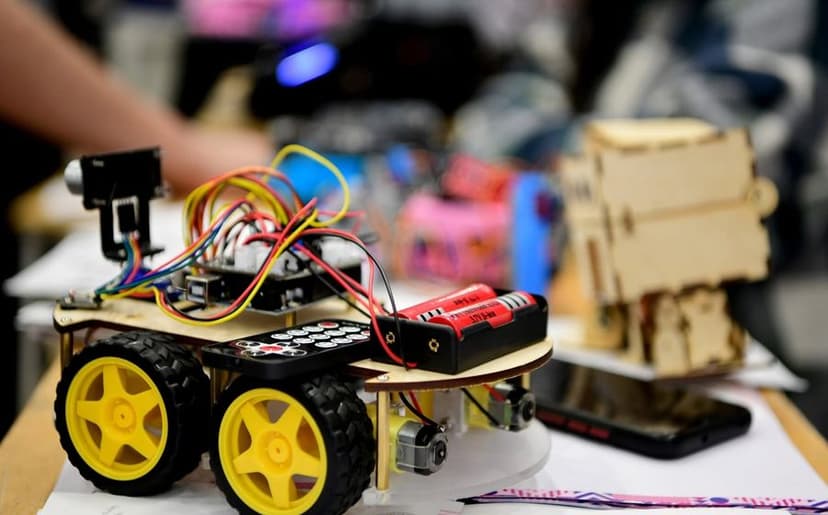
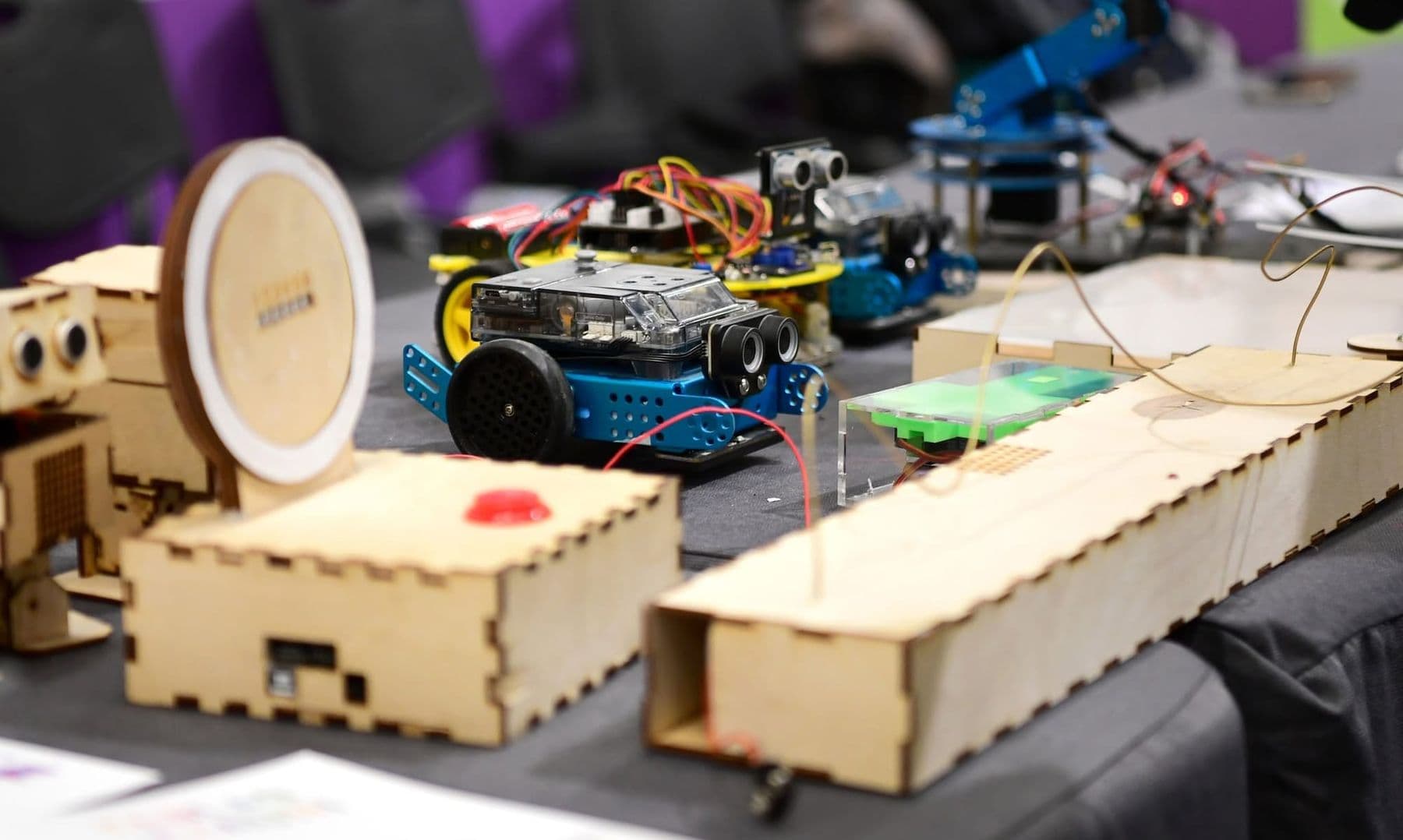
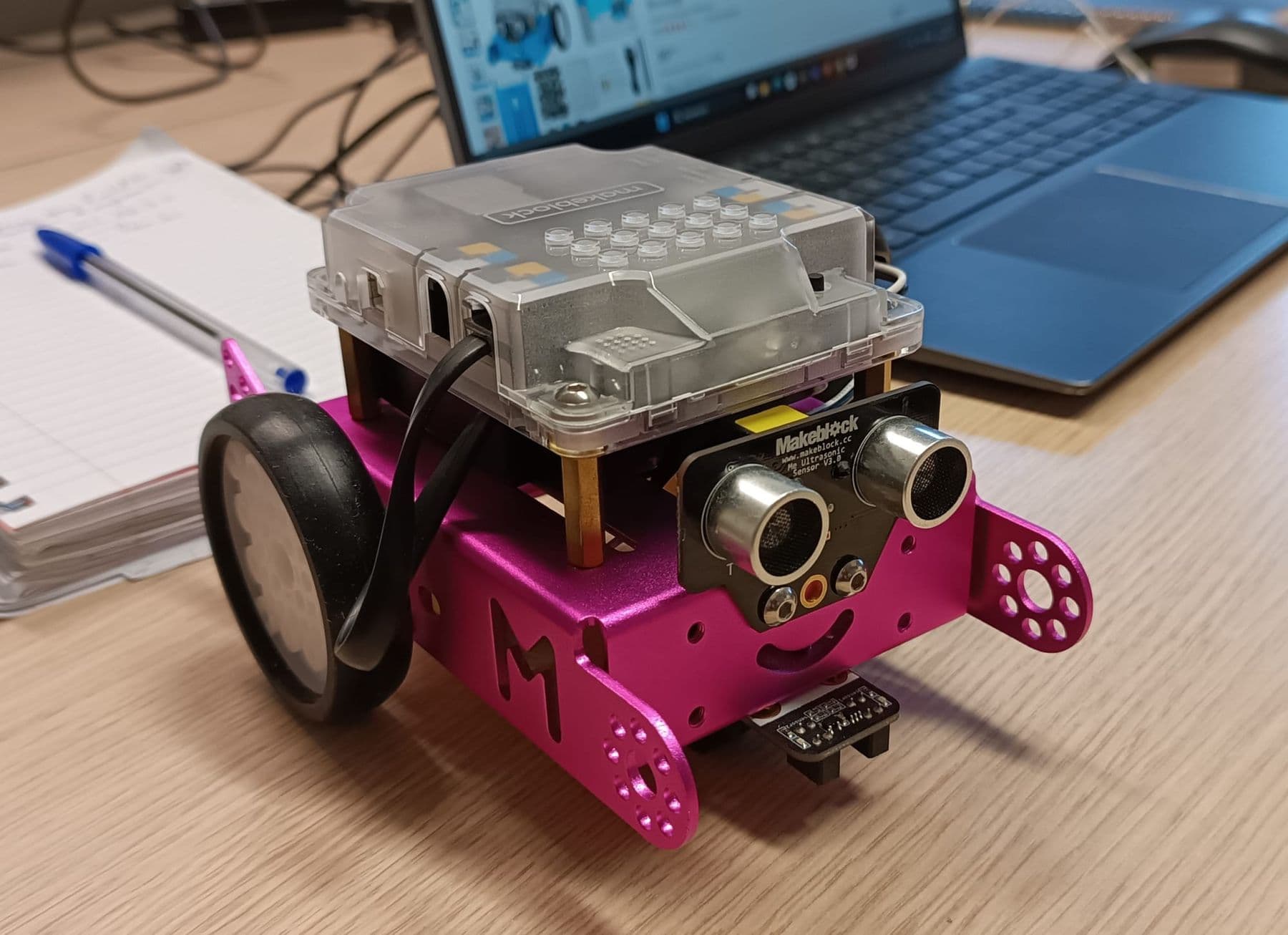
mBot's brain is the mCore board. It is based on the Arduino Uno, the same technology teenagers and engineers use. The board already carries two RGB LEDs, a buzzer, a light sensor, an infrared receiver and a button. Separate modules add:
- an ultrasonic sensor that looks like a pair of eyes and measures distance;
- a line sensor under the robot that tells a black line from a white background;
- two motors with wheels, each with its own speed and direction.
Why does it suit young children? It assembles with screws and needs no soldering. Modules plug into matching, colour-marked sockets with ready-made cables, so there is little chance of mixing up wires. The metal chassis survives drops and “experiments”. Most importantly, a child sees the result of the code at once: drag a block and the robot moves.
Makeblock also makes a newer model, mBot2 (also called mBot Neo). Its brain is the CyberPi controller with a screen and Wi-Fi, and it has more precise motors and extra sensors, but the first steps work the same way.
What is mBlock and how does it relate to Scratch?
Scratch is a visual programming language created at MIT: children build code by snapping blocks together like a puzzle. According to the Scratch Foundation, more than 200 million children create with Scratch, and it is free for everyone. For younger children, roughly ages 5–7, there is the ScratchJr tablet app.
mBlock is Makeblock's app that adds robot blocks to the Scratch blocks: “move forward”, “turn on the LED”, “what distance does the sensor read?”. Children see the familiar Scratch layout, with a stage, sprites and block categories, but now the blocks drive a real robot.
What to know about mBlock as of 2026:
- It is free, with versions for Windows, Mac, Android and iOS, plus a web version at ide.mblock.cc. For a direct connection from the browser, Google Chrome and Microsoft Edge are supported.
- Children can move from blocks to Python in the same environment, so the tool grows with them.
- The robot connects to the computer by USB cable, and some versions also connect wirelessly over Bluetooth or a 2.4G module.
If your child has not used Scratch yet, start with our guide to making a first game in Scratch; they will come to the robot with confidence.
Can a 7-year-old really program a robot?
Yes, with the right expectations. At seven, children are not learning variables or complex logic yet. They learn that code is a sequence of commands, that a command can be repeated, and that a robot can check a condition: “if there is a wall ahead, turn”. These three ideas are the foundation of all programming.
What helps a 7-year-old:
- short tasks with one goal, such as “make the robot drive a square”, not “make a game”;
- instant visible results: light, sound, movement;
- permission to fail: the robot hit the wall? Great, now let's find which block to change;
- working in pairs: one is the programmer, the other the tester, then they swap.
For a fuller picture of readiness at each age, read what age to start robotics.
Five first programs for mBot
These tasks get harder step by step, and each teaches one new idea. Exact block names vary slightly between mBlock versions, but the logic is the same.
- Lights and sound. Under “when the on-board button is pressed”, add: LEDs red, play note C, wait, LEDs green, play note E. The child learns events and sequence. Bonus task: a traffic light.
- Drive a square. “Move forward 1 second”, “turn right 0.5 seconds”, four times. Then replace the four identical pairs with “repeat 4”. The child learns loops, and that turning time depends on the surface: carpet and parquet behave differently.
- Avoid obstacles. Inside a “forever” loop: “if the ultrasonic distance is less than 15 cm, back up and turn, else go forward”. This is the first truly “smart” behaviour, because the robot makes its own decision. The child learns if/else and sensors.
- Follow a line. The line sensor has two “eyes” and tells four states apart: both on black, both on white, only the left or only the right on black. Each state gets an action: forward, back, left, right. The child learns to combine several conditions. Black electrical tape on white paper makes a perfect track.
- Remote control. Drive the robot with the arrow keys, a remote or a phone: “when the up arrow is pressed, move forward”. The child builds an event-driven program and then races a friend around a track.
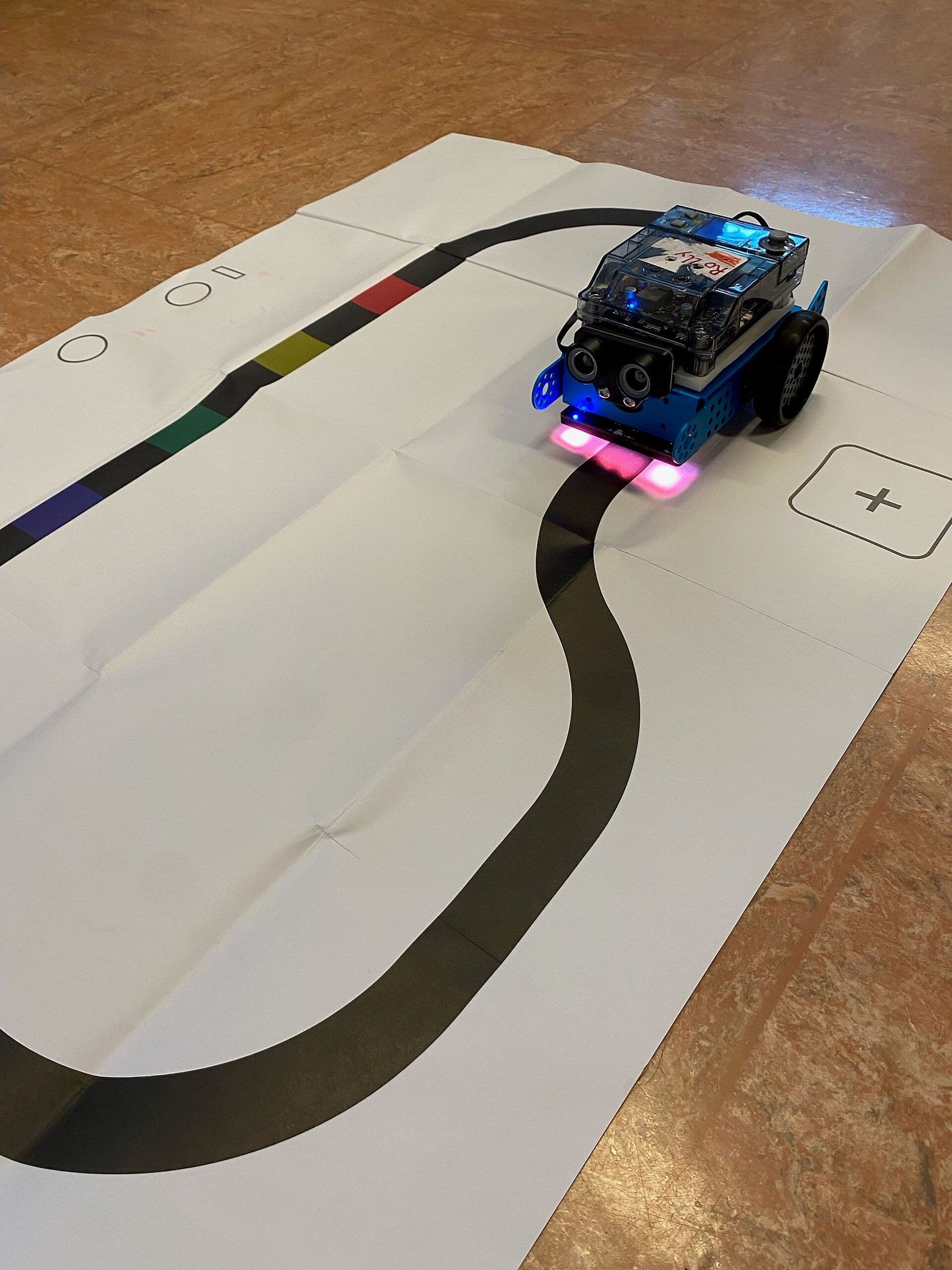
Always do the first run on the floor, not on a table: the robot cannot see the table edge. Black electrical tape and white paper are enough for a line track; a line about two fingers wide works well. When a program does not work, do not give the answer. Ask: what did you want it to do, and what did it actually do?
What skills do mBot and Scratch build?
| Program | Coding idea | What the child learns |
|---|---|---|
| Lights and sound | Events, sequence | Putting steps in the right order |
| Square | Loops | Angles, time, measuring |
| Obstacle | Conditions (if/else), sensors | Cause and effect |
| Line following | Several conditions | Breaking a problem into parts |
| Remote control | Responding to events | Designing game rules, teamwork |
The most important skill is debugging. When the robot misbehaves, the child forms a hypothesis, changes one block and tries again: a first lesson in scientific thinking. Patience, explaining one's ideas out loud and early maths (numbers, time, distance in centimetres) grow along the way.
How can parents help at home?
You do not need to know how to code. Curiosity and 15–20 minutes a few times a week are enough:
- ask your child to show you what they built and explain what each block does; explaining makes knowledge stick;
- invent a “mission” together: drive from the kitchen to the living room, or play a birthday tune;
- if you have no robot at home, make a game in Scratch; loops and conditions work the same way;
- balance screen time with hands-on making: a paper track, a box maze, a cardboard garage for the robot.
Above all, praise the process rather than the result. “You thought hard and found the bug” gives a child far more than “you are so clever”.
mBot, mBot2 or another robot: which to choose?
| Platform | Programming | What stands out | Best for |
|---|---|---|---|
| mBot | mBlock blocks, then Arduino C | Simple, sturdy, Arduino-based | A first robot at 7–10 |
| mBot2 | mBlock blocks and Python | Screen, Wi-Fi, precise motors | Kids who have outgrown mBot |
| LEGO Education SPIKE | Blocks and Python | Built from LEGO bricks | LEGO fans |
| ScratchJr (no robot) | Picture blocks on a tablet | No reading needed | Ages 5–7 |
Note that, according to LEGO Education's official page, the company is retiring the SPIKE portfolio (SPIKE Essential and SPIKE Prime): its direct sales ended after 30 June 2026, and the SPIKE App is supported until 30 June 2031. Keep that in mind before buying a new kit. For a broader comparison of platforms, see how to choose a robotics class for kids.
What an mBot course looks like in our lab
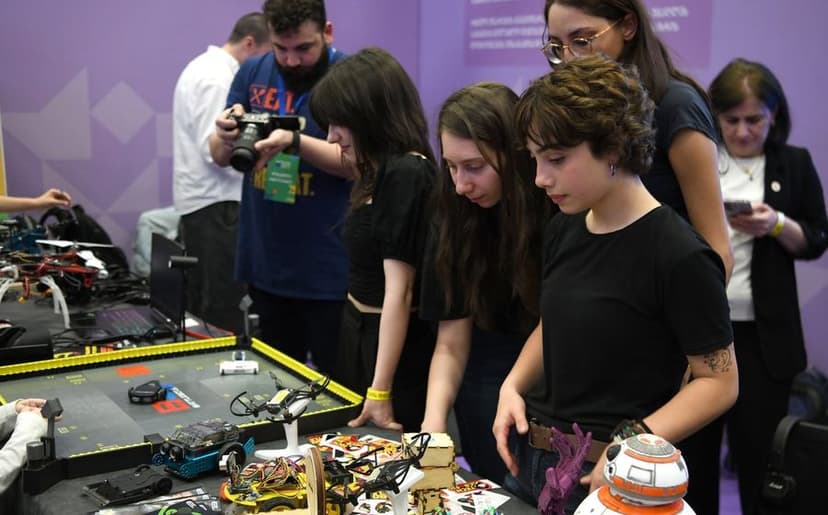
In our course “Programming and Robotics: Scratch and mBot” in Tbilisi, children aged 7–10 first learn Scratch basics and then try every program on a real mBot. The course lasts 2 months, with 16 sessions and 32 hours in total. The topics run in this order: Scratch basics, mBot movement and control, sensors and motors, a line-following robot, and finally a team project and challenge. No experience is needed. The mBot kit and all materials are included, and at the end your child takes home the mBot robot and their projects. The next levels from age 10, with all three courses compared, are on our robotics courses for kids page.
 Course at TDSRobotics and Electronics 7–9: from mBot to Your Own Otto Robot7 months · 3 phases · 72 h · Starts 21 NovDetails
Frequently asked questions
What age can kids start robotics with mBot?
Children usually start with mBot at 7–8, once they can read simple sentences and know their numbers. Our course is for ages 7–10. Younger children do better with ScratchJr or screen-free robots.
Does my child need to know Scratch first?
No. A good course starts with Scratch basics. Still, if your child has tried a project or two in Scratch at home, moving to the robot will be quicker and less stressful. Scratch is free and runs in the browser.
What is the difference between mBlock and Scratch?
mBlock contains the Scratch blocks plus robot blocks for motors, sensors and lights, and it lets children switch from blocks to Python. A Scratch project needs no robot and lives only on the screen.
Does mBot need the internet?
Once a program is uploaded, mBot needs neither a computer nor the internet: it runs on its batteries by itself. You need the internet to download mBlock or to use its web version at ide.mblock.cc.
What should a child learn after mBot?
The natural next step is Arduino and text-based code, or more advanced robots such as a 4WD car, a walking robot or a robotic arm. In programming, it is the move from Scratch to Python; our article from Scratch to Python explains when the time is right.
Where to start
If your child loves gadgets, mBot is an excellent first robot: quick results, a sturdy build and blocks that later turn into real code. You can try the masterclass Kid + Parent: Build a Moving Robot together (for ages 8–12), or join the course Programming and Robotics: Scratch and mBot. For other ways into coding, read programming for kids, and if you have questions, book a free consultation.
Sources
- Scratch Foundation: Scratch is free for everyone
- mBlock: coding platform for teaching and learning, Makeblock
- mBot: robot kit for kids, Makeblock
- mBot2 coding robot, Makeblock
- Makeblock, Wikipedia
- SPIKE update 2026, LEGO Education