
Rolling out AI in a company starts with three things: clear rules (which tools are approved and which data never goes into AI), practical training for employees, and two or three pilot processes whose results you measure. The first 90 days are enough to move from scattered experiments to everyday, controlled practice.
AI usually enters a business before management decides anything. In Microsoft and LinkedIn’s 2024 study of 31,000 people in 31 countries, 75% of knowledge workers said they used AI at work. Of those, 78% brought their own tools, and only 39% had received AI training from their employer. So the real question is not whether to allow AI, but how to make its use safe and measurable.
Why buying ChatGPT for everyone is not enough
A subscription gives you a tool, not a result. Without rules and training, three problems appear:
- Data leaks. An employee uploads a client contract or a payroll sheet to a personal account without knowing whether it is stored or used to train models.
- Uneven results. One person saves hours a week; another tries once, gets a bad answer and gives up.
- Unchecked errors. AI invents facts convincingly. If nobody checks, the mistake reaches the client.
That is why adoption starts with processes, rules and people, not with a purchase.
An AI adoption roadmap: the first 90 days
This plan suits a company of 20–200 people. A small team moves faster; a large one needs a separate pilot for each department.
| Period | What you do | Result |
|---|---|---|
| Days 1–15 | Agree goals with leadership, survey staff, list current tools | A baseline and a temporary “what never goes into AI” rule |
| Days 16–30 | Map and score 10–20 workflows, choose tools and accounts | 2–3 pilot processes and approved tools |
| Days 31–60 | Foundation training for all, role-based practice, launch pilots | A prompt library and working pilots |
| Days 61–90 | Measure results, form a champions group, finalise the policy | A report, an AI policy and next quarter’s plan |
The key rule: on day one, before any pilot, measure how much time these processes take now. Without that baseline you will not be able to say what you gained after 90 days.
How to choose your first pilot process
A good first pilot is frequent, time-consuming, low-risk and uses data that is already in order. Score each process from 1 to 3 on four criteria:
| Process | Frequency | Time | Risk (3 = low) | Data readiness |
|---|---|---|---|---|
| Meeting notes and action items | 3 | 2 | 3 | 3 |
| Answers to staff about internal policies | 3 | 2 | 2 | 3 |
| First draft of a sales proposal | 2 | 3 | 2 | 2 |
| Final reply to a client complaint | 3 | 2 | 1 | 2 |
In this example, meeting notes score highest (11) and the final reply to a complaint lowest (8), because the cost of a mistake is high. Start with processes where a person catches errors before they reach the client. For 15 concrete examples by department, see AI in business: 15 use cases. Once the first pilots work, agents may be the next step; what they are and the risks they bring are covered in AI agents: what they are and when a business needs one.
What should a company AI policy include?
An AI policy should fit on one or two pages so that people actually read and remember it. The essentials:
- Approved tools and accounts. Which services, and whether only company accounts are allowed.
- Data classes. Public, internal, confidential and personal data, and which may go into which tool.
- Human review. A responsible person checks AI output before it reaches a client, accounting or the public.
- Transparency. When you tell clients that text or images were made with AI.
- Incidents. Whom to tell if sensitive data was entered by mistake.
- Review cycle. Review and update the policy every six months, because the tools change fast.
Here is the start of a one-page template to adapt:
AI Use Policy (version 1.0)

1. We use company accounts only: [list of tools].
2. We never enter into AI: personal ID numbers, health data, passwords,
   bank details, salaries, confidential contracts.
3. We replace client names and contacts with placeholders: "Client A".
4. We check AI output for facts, numbers and tone.
   Responsibility lies with the person who uses it, not with the AI.
5. Sensitive data entered by mistake is reported the same day
   to: [responsible person, email].
6. Questions go to our AI champion: [name].
For a broader framework, use the AI Risk Management Framework (AI RMF) from the U.S. National Institute of Standards and Technology (NIST). Its four functions are Govern (roles and accountability), Map (where and how AI is used), Measure (risks and results) and Manage (handling risks). In 2024 NIST also published a separate profile for generative AI.
Personal or business accounts?
The most common mistake is processing work material in personal, free accounts. Here is how the three popular assistants handle data as of October 2026:
| Assistant | Personal account | Business account |
|---|---|---|
| ChatGPT | Training opt-out in settings (“Improve the model for everyone”) | Business and Enterprise data not used for training by default |
| Claude | Model improvement controlled by a setting; incognito chats never used | Commercial products not used for training by default |
| Gemini | With Keep Activity on, chats help improve services and some are human-reviewed | Workspace work accounts have different data terms |
A business plan does not guarantee full protection by itself, but it gives you a contract, admin controls and clear terms. We compare the three assistants in more detail in ChatGPT, Claude or Gemini: which for what.
AI and personal data: what Georgian law requires
Georgia’s new Law on Personal Data Protection was adopted on 14 June 2023, and its main provisions have applied since 1 March 2024. Under the current version of the law, compliance is supervised by the State Audit Office. When using AI, these provisions matter most:
- Principles (Article 4). Data must be processed lawfully, fairly and transparently, for a specific purpose and only to the extent that purpose requires.
- Legal basis (Article 5). The controller must be able to justify the legal basis for processing.
- Processors (Article 36). If an AI service processes client data on your behalf, the relationship must be set out in writing and the service must follow documented instructions.
- Transfers abroad (Articles 37–38). Most AI services run on servers outside Georgia, so transfers need adequate safeguards or another legal ground.
- Incidents (Article 29). A data security breach must be reported to the State Audit Office within 72 hours of discovery, unless significant harm is unlikely.
This is not legal advice. If you process clients’ or employees’ personal data with AI, talk to a lawyer or your data protection officer. The simplest safe habit: remove or replace personal data before you paste text into AI.
How to run AI training for employees
Good corporate AI training is practice on the company’s real documents, not a lecture. An effective structure has three levels:
- Foundations for everyone. Which tool for what, how to write a good task and what never goes into AI. The result is a team prompt library.
- Role-based tracks. Sales, marketing, HR, finance and service practise on their own tasks. The result is department assistants.
- Champions. Two to four people who build automations, help colleagues and keep the policy up to date.
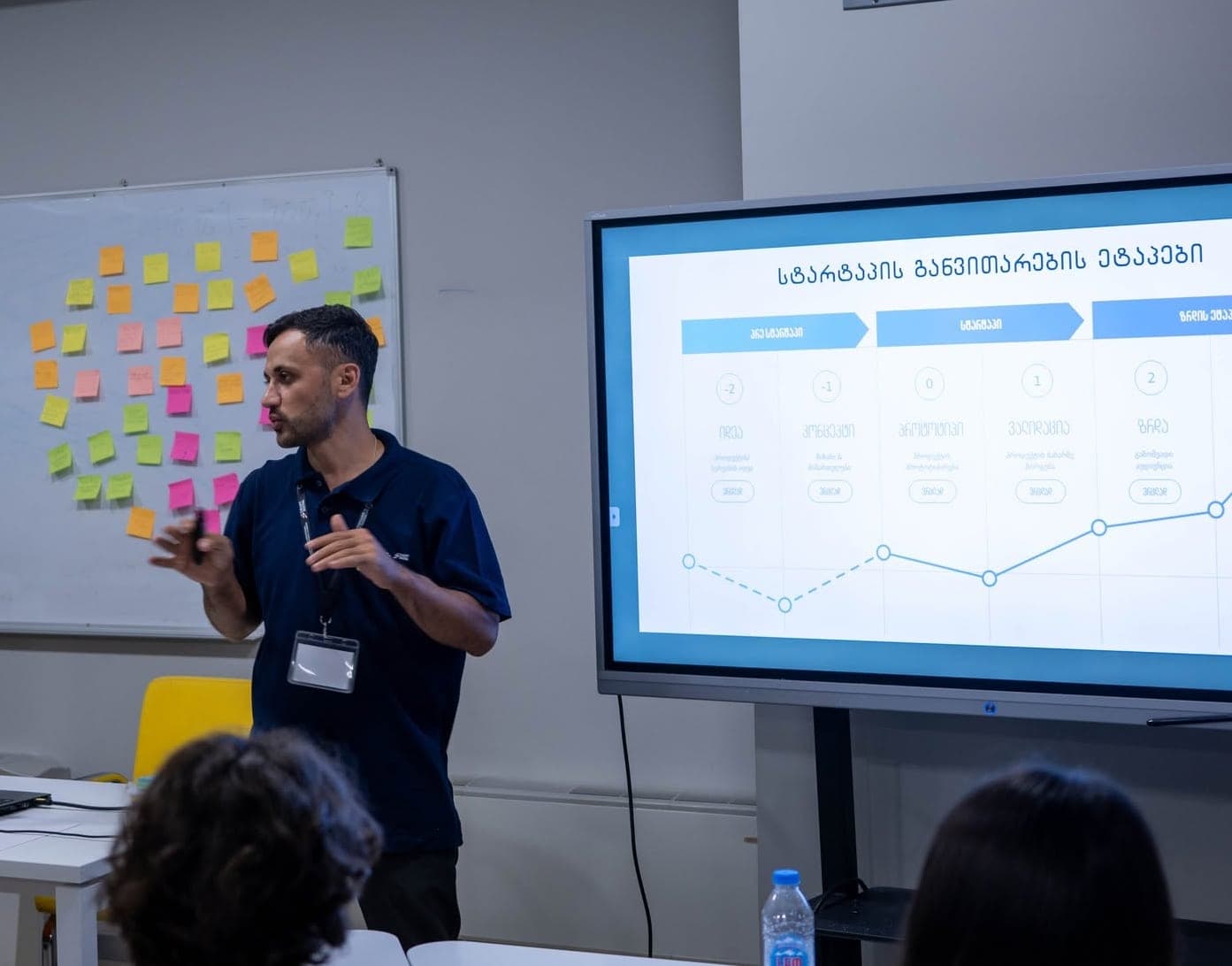
Training works best when people apply it to their own tasks in the first week. A review after 30 days shows who has adopted it and where the team needs more help.
 Course at TDSAI for Companies: Corporate Program30–50 hoursDetails
How to measure the results of AI adoption
Five metrics are enough:
- Time per task before and after the pilot, on 10–20 tasks of the same type.
- Quality: number of errors and how often work had to be redone.
- Adoption: how many employees use AI at least once a week.
- Satisfaction: a short survey of the team and, where relevant, clients.
- Cost: subscriptions, training and the time the rollout took.
Keep expectations realistic. In a study of 5,179 customer support agents, an AI assistant raised issues resolved per hour by 14% on average and by 34% for novices, with almost no effect on experienced staff. Gains differ by role and experience, so measure each pilot separately.
Before the pilot, ask each participant to log for one week how many minutes they spend on the chosen task. It takes a few minutes a day, and after 90 days you will know exactly how much time you saved and where it did not work.
Frequently asked questions
How long does AI adoption take in a company?
Ninety days is a realistic time frame for first results: one month for preparation and process mapping, two months for training and pilots. Full adoption is ongoing, because both the tools and the tasks keep changing.
Does a small company need an AI policy?
Yes, even a one-page one. Without it, every employee decides alone which data to enter into AI, and for a small company a single leaked client file can do serious damage.
Can we enter client data into ChatGPT?
Not in personal, free accounts. In a business account, only if it complies with your policy and with data protection law. It is better to remove or replace names, ID numbers and contacts before pasting.
Which AI tool should a company choose?
The one that fits your existing systems: Gemini is a natural choice for companies on Google Workspace, while others may prefer ChatGPT or Claude business plans. Before deciding, test the same real task in two tools.
How long is corporate AI training?
It depends on the goal. TDS training for teams runs 8–24 hours, while the corporate program AI for Companies: Corporate Program takes 30–50 hours and teaches automation and agents on the company’s real processes.
Where to start
Start with two simple steps: write a temporary “what never goes into AI” rule and ask your team which tools they already use. If you want process mapping, training and pilots built into one program for your company in Tbilisi or online, see our corporate training or contact us for a free consultation. For courses built around individual roles, see our AI courses page.
Sources
- AI at Work Is Here. Now Comes the Hard Part (2024 Work Trend Index), Microsoft and LinkedIn
- Generative AI at Work (Brynjolfsson, Li, Raymond), NBER
- AI Risk Management Framework, NIST
- Law of Georgia on Personal Data Protection, Legislative Herald of Georgia
- Data Protection Laws of the World: Georgia, DLA Piper
- Data Controls FAQ, OpenAI Help Center
- Is my data used for model training? (commercial products), Anthropic
- Gemini Apps Privacy Hub, Google