There are three ways to make video with AI in 2026: text-to-video, image-to-video, and editing existing footage with AI. Professionals most often choose the second: they create a still frame first, then animate it. A single generation is usually a 5–15 second clip, so a 30-second ad is assembled from several shots in the edit.
The field changes almost monthly. In 2026 alone Google introduced Gemini Omni, Runway launched Aleph 2.0, a new video editing model, and Kling released two new generations (3.0 and 4.0). So this guide focuses on method rather than buttons: which approach to use when, how to build a spot, and how to keep one character consistent across shots.
Text-to-video, image-to-video or AI editing: what is the difference?
Each approach solves a different problem. Beginners often start with text alone and are then surprised that the character looks different in every shot.
| Approach | When to use it | Weak point |
|---|---|---|
| Text-to-video | Quick idea tests, abstract backgrounds | Faces and style drift between shots |
| Image-to-video | Ads, products, characters | You need a good still frame first |
| Start and end frame | Logo reveals, transitions, loops | Complex motion may break in the middle |
| AI video editing | Changing footage you shot yourself | The original footage must be well shot |
| Motion capture | Talking characters, gestures | You need to film yourself |
Image-to-video gives the most predictable results: you approve the style, composition and character in a still frame, then add motion. We cover creating those stills in AI for designers: from idea to finished visual.
Which AI video tool is good for what?
The table reflects October 2026. Model versions, limits and prices change quickly, so check the official pages.
| Tool | Strong at | Watch out for |
|---|---|---|
| Google Veo (Flow, Gemini) | Video with native audio, 1080p and 4K, start and end frames | A Veo 3.1 clip is 8 seconds; longer via scene extension |
| Gemini Omni | Editing existing video by conversation, step by step | Launched May 2026; requires a Google AI subscription |
| Runway (Aleph, Act-Two and more) | Editing, motion capture, third-party models in one place | Inputs and outputs may be used to train models |
| Kling | Multi-shot scenes, references, start and end frames | Version 3.0 did not speak Georgian; check the language list for newer ones |
| Seedance 2.5 (e.g. via Runway) | Clips up to 30 seconds with audio | New model; check its terms separately |
Veo generates its own audio: sound effects, ambient noise and dialogue (as of October 2026 the latest version is Veo 3.1). Kling offers a storyboard where you set each shot’s duration, size, angle and camera movement. Runway’s Aleph (Aleph 2.0 since May 2026) lets you change one frame of a video and carries the change through the clip, and Act-Two is a motion capture model that tracks head, face, body and hands.
How to make a 30-second ad with AI: 7 steps
This workflow fits any toolset. As an example, take a 30-second Instagram ad for a new coffee.
- Script. Write it with a chatbot: 6–10 shots of 3–5 seconds each, with voice-over text and a logo at the end.
- Shot list and animatic. For each shot, note what is visible, the camera move and the duration. An animatic is an edit of still frames with sound: it shows the pacing before you spend credits on video.
- Style frames. Use an image generator to create 6–8 stills in one style, plus a character or product sheet from several angles.
- Image-to-video. Animate each frame. In the prompt, describe only motion and camera; do not repeat what the image already shows.
- Voice. Create the voice-over separately. According to ElevenLabs’ official language list, its Eleven v3 model supports Georgian, which matters for local ads in Georgia.
- Music. Music sets the pace and mood. How to make it with AI and which plans allow commercial use is covered in how to make music with AI.
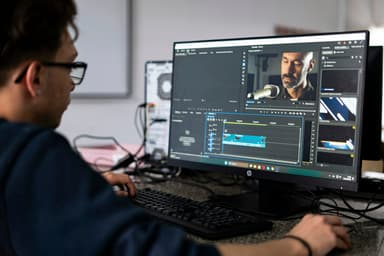
- Edit and export. Assemble shots, voice and music in free DaVinci Resolve or CapCut. Add titles here and export twice: 16:9 for YouTube and 9:16 for reels.
Here is a shot prompt for image-to-video mode:
Shot 3 (4 seconds). The camera slowly moves toward a coffee cup on a table,
steam rises from the cup, warm morning light comes through a window behind it.
Camera: slow push-in, 35 mm lens, shallow depth of field.
Style: natural colours, soft contrast, cinematic.
Do not change: the cup's shape and colour or the table surface.
No text or logos in the frame.
AI does not replace everything. Often the most convincing result is footage you shot on your phone plus AI editing: a new background, weather or style, or an added object. The motion and light are real, and AI changes only what you need.
 Course at TDSAI for Motion Designers: Video, Animation and Sound4 weeks · 12 hDetails
How to keep one character consistent across shots
Consistency is AI video’s biggest challenge: by the third shot the character has a different nose and a different jacket. These techniques help:
- Character sheet. First create one image showing the character from the front, side and back, and use it as the reference for every shot.
- Reference features. Veo’s Ingredients to video, Kling’s multiple references and Runway’s References exist exactly for this.
- Start and end frames. If you supply both, the model has less freedom to drift.
- Same words. Describe light, lens and colours identically in every prompt. Save the shared part of the prompt and paste it in every time.
- No text in the frame. AI still renders non-Latin lettering unreliably, so add titles in the edit.
Before you spend credits on video generation, build an animatic from still frames and a temporary voice track. If the spot does not work as stills, motion will not save it. This way you redo fewer shots at the most expensive stage.
How to describe camera movement in an AI video prompt
Camera language decides the quality of AI video. “A nice video about coffee” gives a generic result; “slow push-in on the cup, 35 mm” gives a specific one. Film terms are unambiguous, so using them helps.
| What you want | What to write | When to use it |
|---|---|---|
| Move closer | slow push-in | Emotion, product detail |
| Move away | pull-out | Endings, revealing a space |
| Turn horizontally | pan left / pan right | Showing a room or street |
| Follow the subject | tracking shot | Walking, movement |
| Circle the subject | orbit | 360° product view |
| Hand-held feel | handheld | Lively, documentary mood |
| No movement | static shot | Logos, clean space for titles |
Name the lens too: 24 mm shows a wide space, 35 mm gives a natural view, 85 mm suits portraits with a blurred background. Describe one movement per shot, because combined moves often produce a muddled result, and say what must not change: the product’s shape, colour and logo position.
AI animation or classic 2D animation: which to choose?
People often ask whether to take an animation course or learn AI animation. They are different skills:
- Motion design is moving graphics: logo reveals, animated type, infographics, ad backgrounds. AI already speeds up much of this work.
- Classic 2D animation is the craft of character movement, timing and acting, learned in a 2D animation course with tools such as Toon Boom Harmony or the free OpenToonz and Blender’s Grease Pencil.
- AI animation sits in between: results are fast but control is limited. The best results come from people who understand composition, camera and pacing.
If you are interested in games, where a character responds to the player, read how to make a game from scratch: Unity, Godot or Unreal.
What is legal and ethical in AI video?
Technical quality is already high, so the questions now are mostly legal:
- Terms of service. Under Runway’s terms (updated 15 September 2026), the company claims no ownership of your outputs and does not restrict commercial use, but inputs and outputs may be used to improve its models. Do not upload confidential client footage without permission.
- Free and paid plans. Free-plan terms often differ from paid ones. Read each service’s terms before a commercial project.
- Real people. Use a real person’s face or voice only with their written consent, and keep children’s faces out of AI video altogether.
- Disclosure. YouTube requires disclosure of realistic AI content, for example when a real person appears to say something they did not, or a realistic scene that never happened. Clearly fantastical or animated content does not need it.
- Transparency with clients. State in the contract that the spot is made with AI and who owns the final files.
Frequently asked questions
Can I make AI video for free?
For learning and testing, yes: many services have a free plan or a small number of free credits, for example Runway, and ElevenLabs for voice. But free limits are small, and high resolution, watermark-free files and commercial rights are often paid-only. For a complete ad you will usually need at least one paid service.
How long a video can AI generate?
It depends on the model. As of October 2026, a Veo 3.1 clip is 8 seconds (with extension available), Seedance 2.5 in Runway generates up to 30 seconds, and many other models produce 5–15 seconds per clip. Longer spots are still assembled in the edit, just like traditional film.
Can AI characters speak Georgian?
Built-in speech in video models does not yet handle Georgian reliably; Kling 3.0, released in February 2026, officially spoke five languages and Georgian was not one of them. Create the Georgian voice separately in ElevenLabs, and use your own performance with motion capture (for example Runway Act-Two) to make a character talk.
Will AI replace animators and motion designers?
AI speeds up routine work, but ideas, composition, pacing and taste still come from people. The advantage goes to those who combine classic skills with AI tools.
Where can I learn AI video and animation in Tbilisi?
TDS’s course AI for Motion Designers: Video, Animation and Sound has 8 sessions (16 hours), runs in a hybrid format and is taught in Georgian. In the last session you assemble a 30–45 second spot in 16:9 and 9:16. No After Effects experience is needed.
Next step
Start with one short shot: create a still, animate it with two different camera moves and compare. If you want to learn the whole process from script to a finished spot with Georgian voice-over, see the course AI for Motion Designers: Video, Animation and Sound. If you have questions, contact us for a free consultation. Courses for designers and other professions are on one page: AI courses.
Sources
- Veo, Google DeepMind
- Gemini Omni, Google DeepMind
- Google Unveils Gemini Omni, Decrypt
- Changelog, Runway
- Terms of Use, Runway
- Kling AI Launches 3.0 Model, PR Newswire via Utusan Malaysia
- What languages do you support?, ElevenLabs
- Disclosing use of altered or synthetic content, YouTube Help