In 2026, teacher training is mostly about two things: using artificial intelligence (AI) tools well, and digital, hands-on teaching (STEM). After a good training a teacher walks away with ready material for their own subject: a lesson plan, worksheets, a quiz, a rubric. When choosing, check the format, the length, the language and what you will actually make during the training.
Below we explain which skills teachers need today, how an online course differs from a one-off workshop and from training run for a whole school, what to ask before you sign up, and where to find free resources.
Why teachers need new training in 2026
According to the OECD's Teaching and Learning International Survey (TALIS 2024), on average 38% of teachers across OECD countries took part in professional development on using AI in the past year; in Singapore the figure was 76%. The survey also finds that teachers who were trained in AI are more likely to use it in their teaching.
In 2024 UNESCO published an AI competency framework for teachers: 15 competencies in five dimensions (a human-centred mindset, the ethics of AI, AI foundations and applications, AI pedagogy, and AI for professional learning) across three levels: acquire, deepen and create. It is a useful yardstick for judging a training: does it only teach tools, or also ethics and pedagogy?
What training teachers need
- AI and digital tools: writing a good prompt, preparing lesson plans, worksheets, quizzes and rubrics, and checking what the AI gives back.
- Differentiated teaching: adapting one set of materials to students of different levels and ages.
- Visual and multimedia materials: slides, infographics, audio and video for lessons.
- Assessment and feedback: interactive quizzes, rubrics and examples of formative feedback.
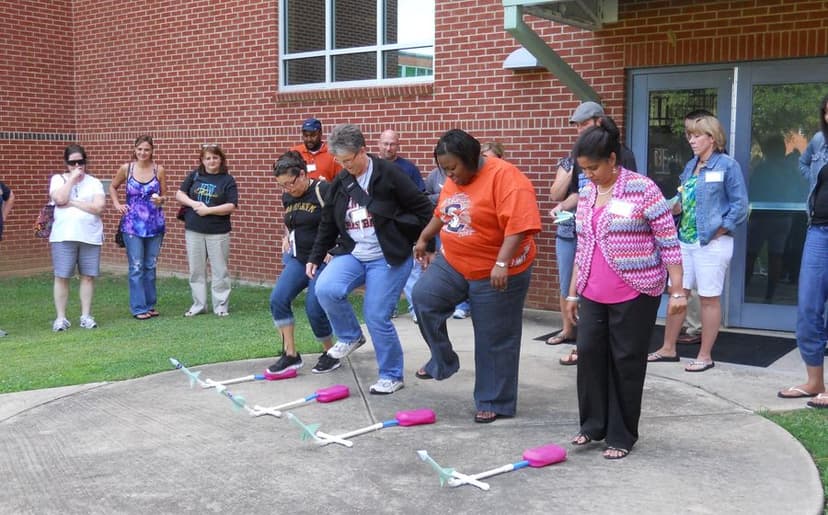
- STEM and hands-on learning: robotics, electronics and 3D design in lessons and school clubs.
- Ethics and safety: students' personal data, academic honesty and a school AI policy.
Online course, workshop or training at your school
| Format | Length | What you keep | For whom |
|---|---|---|---|
| Online course | Several weeks | Complete material for your subject, and a habit | Teachers who want depth |
| One-off workshop | 1–3 hours | A few tools and ideas | Teachers who want a first look |
| Training at school | Set by the team's needs | A shared approach and rules for the whole school | School leaders |
| Free online course | 1–2 hours | The basics, often in English | Beginners |
A one-off workshop is a good start, but a habit forms over several weeks, when a teacher works on their own lessons at every session and tries the results in class.
7 questions to ask before choosing a training
- What will I make during the training for my own subject?
- Which language is it in, and do the tools work in my students' language?
- How much time goes to practice and how much to lectures?
- Which tools will we learn, and what do they cost after the training?
- How will we handle students' data safely?
- Is there a certificate, and on what conditions?
- Who can I ask for help after the training?
Bring one unit you will teach next month. If you work on it at every session, you finish the training with ready material and never spend the time twice.
Example: preparing one unit with AI, step by step
Take one unit, for example “The cell” in 7th-grade biology. You can prepare it in one evening:
- Sources: upload the textbook chapter and your notes to Gemini Notebook. Ask for a short summary and a glossary of terms, with references to the source.
- Plan: ask Gemini or ChatGPT for a lesson plan: the goal, key concepts, a summative task and the time for each part.
- Three levels: prepare one text at three levels of difficulty so every student can work with it (Diffit is made for this).
- Quiz: a 10-question interactive quiz in Wayground or Google Forms.
- Rubric: ask the AI for a four-level rubric for the summative task, then check it yourself.
- Review: read everything. AI sometimes gets facts and subject terms wrong, so the final word is yours.
This produces material that used to take several evenings. For more ideas, read preparing learning materials with AI.
AI rules in the classroom: 5 points
- Transparency: tell students when they may use AI and when they may not.
- Disclosure: if a student used AI, they say what for and how.
- Data: never upload students' names, grades or personal information to an AI tool.
- Age: check each service's age rules. Details are in AI for kids, safely.
- Judgement: the teacher, not the AI, always decides on assessment and grades.
How a school can organise training for the whole team
If you lead a school, a one-off lecture for all staff rarely changes much. This works better:
- Survey: find out who knows what and who needs what. Beginners and experienced users need different groups.
- Groups by subject: maths, language and science teachers need different examples.
- A school AI policy: before or during the training, agree when and how teachers and students use AI.
- Practice on real lessons: after the training, every teacher prepares one new piece of material and tries it in class.
- A follow-up meeting: meet again a month later and share what worked and what did not.
- A shared library: collect good prompts and materials in one place so everyone can use them.
Free training and resources for teachers
You can start for free. Google's “Generative AI for Educators with Gemini” takes about two hours, is self-paced and gives a certificate on completion. For more free courses by level and goal, see our article on free AI courses.
For ready ideas, read AI in education, preparing learning materials with AI and fun lessons with AI.
Our training for teachers in Tbilisi
At Tbilisi Digital School teachers can choose from three formats.
AI for Teachers is an online course: 4 weeks, 8 sessions, 16 hours, taught in Georgian. At every session you work on material for your own subject: lesson plans and learning resources, tests and rubrics, slides, visuals, audio and video, and interactive assessment. Tools include Gemini, Gemini Notebook, ChatGPT, Claude, Diffit, Brisk and Wayground. No prior knowledge is needed; you need a laptop or computer and an internet connection.
 Course at TDSAI for Teachers4 weeks · 16 h · Starts 16 NovDetails
The workshop “Practical AI Tools for Teachers” is a two-hour online session introducing ChatGPT, Claude and other tools. Times and registration are on the workshop page.
Training for schools: AI and STEM teaching methods for schools and education networks, in groups of 20–40 teachers, with hands-on workshops and a certificate. A school can also set up a STEM club from scratch with us. Details are on our page for schools and companies.
For our other courses for adults, see AI courses.
Frequently asked questions
Where can I take teacher training?
Choose the format by your goal: a one-off workshop for a first look, a course of several weeks for depth, or training at your school for the whole team. We offer all three: an online course, a workshop and training for schools.
Is there free training for teachers?
Yes. For example, Google's “Generative AI for Educators with Gemini” is free, takes about two hours and gives a certificate. A full list of free courses is in this article.
Is online training as good as in person?
Learning AI tools works well online, because everyone works on their own computer and shares their screen. In person is better when you need to work with equipment or plan together as a whole team.
Do you give a certificate?
On our courses, a certificate is issued with at least 80% attendance and a final project. Each has a number and a QR code and can be checked on our certificate page.
Can a school order training for its whole team?
Yes. We train schools and education networks in groups of 20–40 teachers and build the programme around the school's needs. Contact us through our page for schools and companies.
Next step
To try one tool, start with the workshop or a free course. If you want AI to become part of your everyday work, choose the online course for teachers. If you have questions, contact us.
Sources
- Results from TALIS 2024, OECD
- Singapore teachers embrace digital technologies (TALIS 2024), Ministry of Education Singapore
- AI competency framework for teachers, UNESCO
- Generative AI for Educators with Gemini, Google