For most beginners in 2026 the best choice is a pre-assembled FDM printer with automatic calibration, from a maker whose spare parts you can actually get. In manufacturers' official stores such printers cost roughly 180–550 USD. An open printer is enough for PLA and PETG, an enclosed one is the right call for ABS and ASA, and a multicolour system is worth buying only when you know you need it.
There is no single "best 3D printer", only the printer that fits your job. School projects, a small business and engineering parts need different machines. So first decide what you will print, how big and in which material, and only then look at the price.
The models and prices below come from manufacturers' official websites and online stores as of October 2026 (mostly US store prices, before delivery and taxes). Prices are approximate and change often with sales; in Tbilisi and the rest of Georgia they also depend on the shop and delivery.
How much does a 3D printer cost in 2026?
Printers fall into five broad categories. The models listed are examples, not endorsements.
| Category | Examples (2026) | Build size | Approximate price |
|---|---|---|---|
| Compact, open | Bambu Lab A1 mini, Prusa MINI+ | 18 cm cube | 220–510 USD |
| Full-size, open | Creality Ender-3 V3 SE, Bambu Lab A1, Prusa MK4S | 22–26 cm | 180–930 USD |
| Enclosed CoreXY | Elegoo Centauri Carbon 2, Bambu Lab P1S and P2S, Prusa CORE One+ | 25–26 cm | 350–1,200 USD |
| Large, professional | Bambu Lab H2S and H2D, Creality K2 Plus, Prusa CORE One L+ | 30–35 cm | from 1,200 USD |
| Resin | Elegoo Mars 5 Ultra, Elegoo Saturn 4 Ultra 16K | Small | 280–650 USD |
The price gap is not only about the brand. More expensive models often add an enclosure with air filtration, a hotter nozzle, a camera, less hands-on tuning and longer support. A Prusa kit costs less than the assembled printer but takes several hours to build. And a big build volume no longer has to mean a high price: Bambu Lab's open A2L, for example, prints up to 33 cm and starts at about 470 USD.
What should you look for when buying a 3D printer?
Answer these six questions before you buy:
- Automatic calibration. The printer should measure the bed itself (auto bed levelling). Without it, beginners spend much of their time on manual adjustment.
- Build size. Most household objects fit in an 18 cm cube. A bigger printer takes more space, costs more, and big prints take longer.
- Open or enclosed. Open printers handle PLA and PETG well. ABS, ASA and nylon need a stable, warm chamber.
- Ecosystem. How good are the maker's slicer, app and model library, how active is the community, how easy is it to find guides?
- Spare parts in Georgia. Nozzles, print sheets (PEI), belts and fans wear out. Check before buying whether they are sold locally or how long delivery takes.
- Noise and space. If the printer will live in a living room, check the maker's noise figure. Bambu Lab quotes 49 dB for the A1 mini; Elegoo quotes under 45 dB for the Centauri Carbon 2.
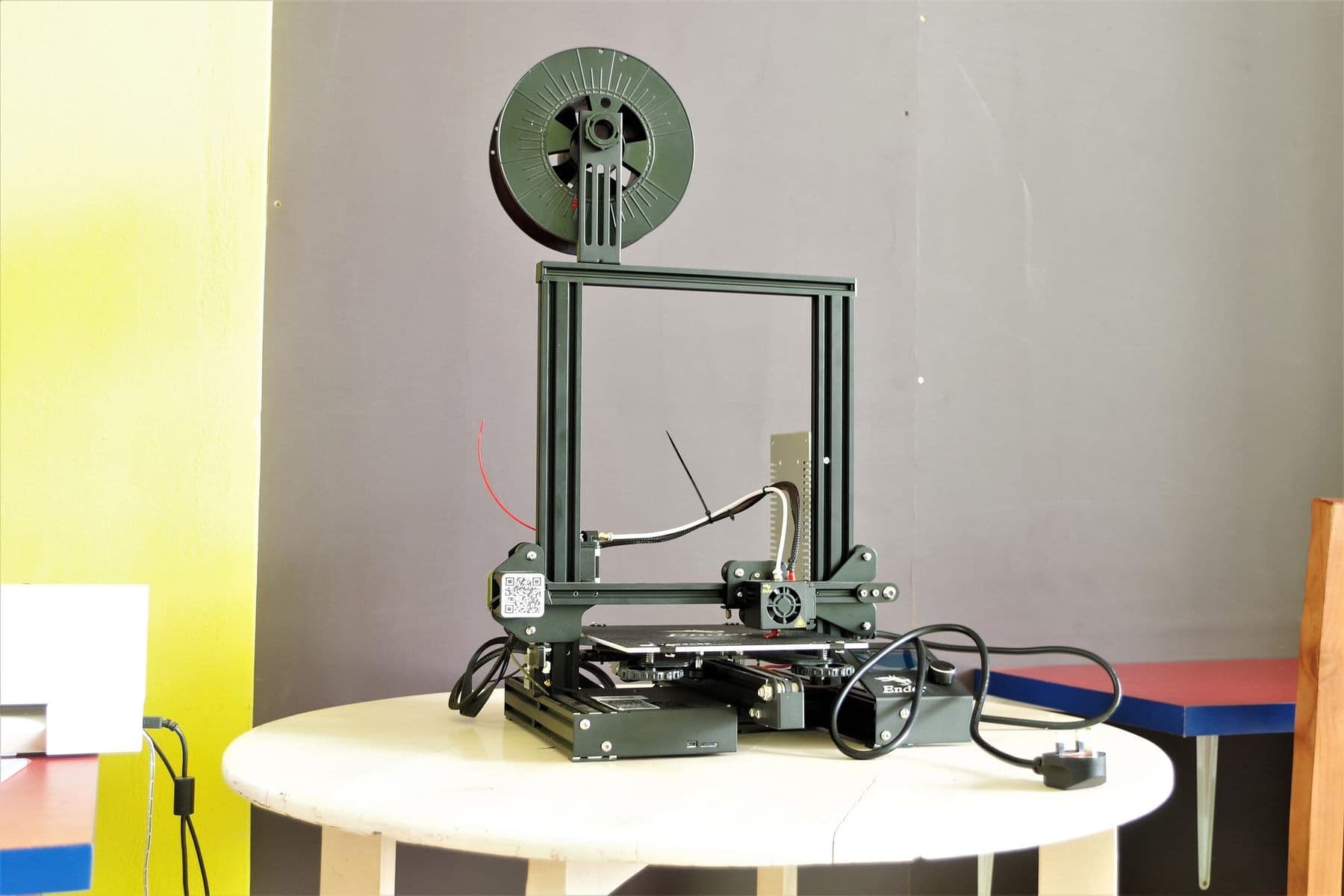
Open or enclosed 3D printer: which is better?
An open printer (such as the A1 or the Ender-3 series) is cheaper, easy to maintain and lets you see everything. Its weak spots are draughts and cold rooms, where materials like ABS warp and crack.
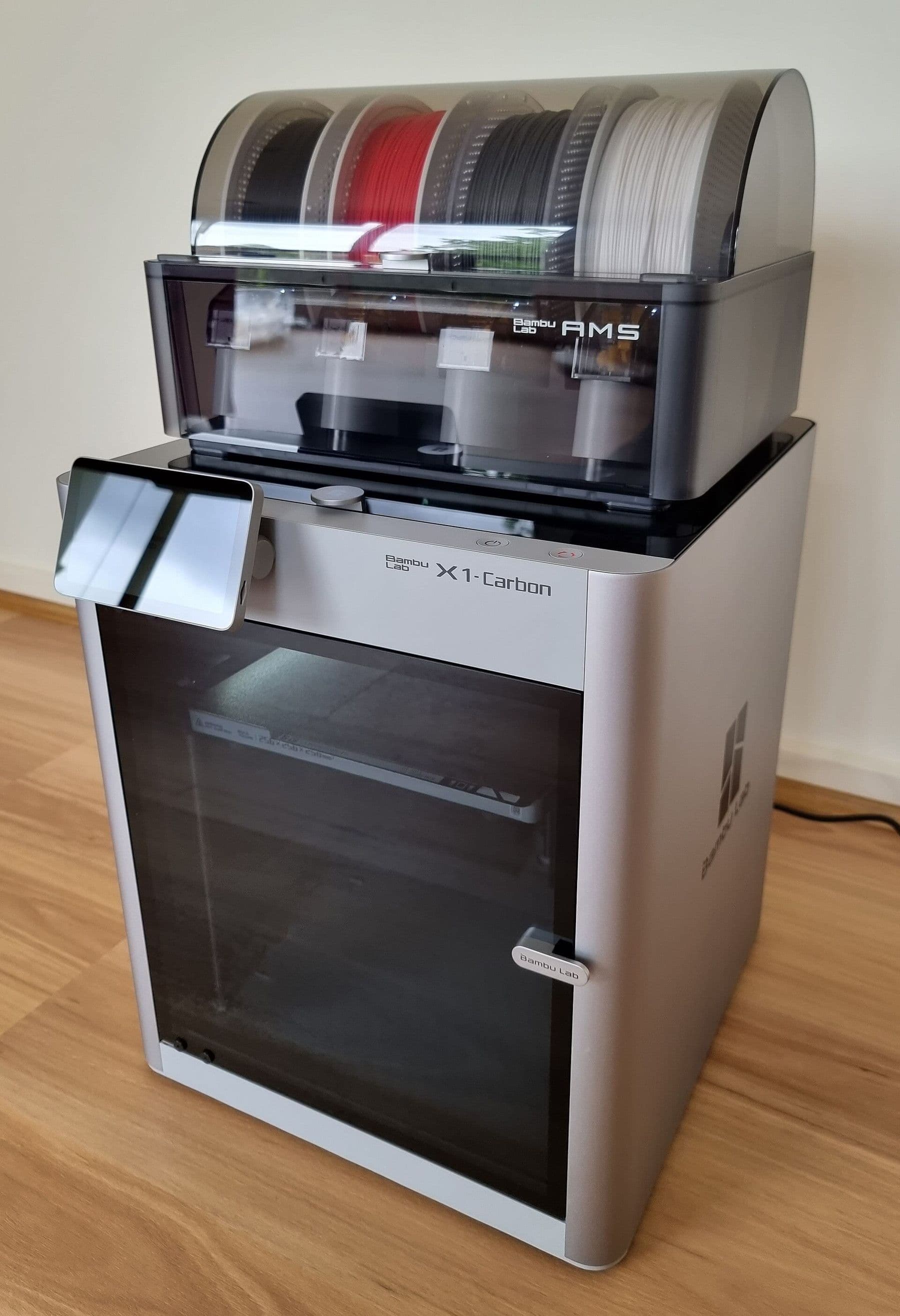
An enclosed printer (such as the P2S, Centauri Carbon 2 or CORE One+) keeps the air warm and stable, so engineering materials print reliably. Many have an air filter, and children cannot easily reach hot parts. UL Research Institutes recommends that any filtration or exhaust feature come with information verifying it works, so do not rely on a filter alone: good room ventilation is still essential.
In short: if you only print PLA and PETG, an open printer is enough. If children are around or you need ABS or ASA, go enclosed. The materials are compared in detail in PLA, PETG or ABS.
Is multicolour printing worth the extra cost?
Multicolour systems (Bambu Lab AMS and AMS lite, Creality CFS, Elegoo CANVAS, Prusa MMU3 and INDX) switch colours or materials within one print. Creality's K2 series, for instance, prints up to 16 colours with four CFS units, while the Ender-3 V3 Neo's CFS nano switches automatically between four filaments.
Two things to know first. In single-nozzle systems the printer purges some filament at every colour change, so multicolour prints are slower and use more material. And many printers let you add a multicolour unit later. If in doubt, start with the single-colour version.
Bambu Lab vs Prusa vs Creality: how do they differ?
The four makers people mention most take different approaches. This is a neutral overview, not a ranking:
- Bambu Lab: a plug-and-print experience, full automatic calibration, the Bambu Studio slicer and the MakerWorld model library. The line runs from the A1 mini through the A1, A2L, P1S, P2S and X2D to the H2 series.
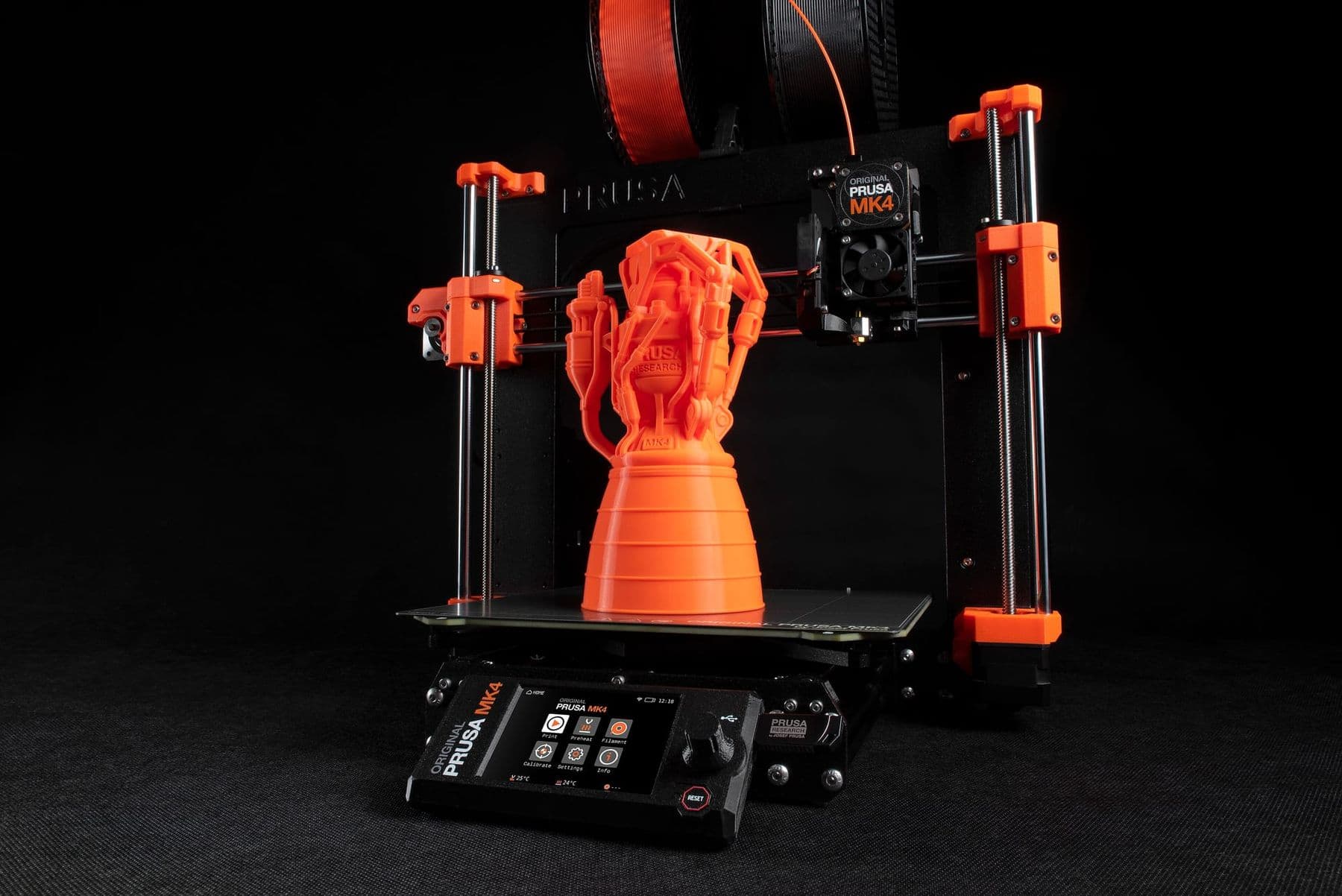
- Prusa: a Czech maker that stresses long support and upgradability; Prusa says you can upgrade its printers to newer versions later. It sells both assembled printers and kits, which are cheaper and teach you how a printer works. Its official online store lists Georgia among its delivery countries.
- Creality: a wide range at many price points. According to Creality, the Ender-3 series dates back to 2017 and more than 4 million units have shipped, so guides and parts are easy to find. The enclosed K2 series comes in 26, 30 and 35 cm build sizes.
- Elegoo: known for resin printers (Mars, Saturn) and the enclosed CoreXY Centauri Carbon 2, which can take the CANVAS multicolour unit.
For a beginner the key question is not "which brand" but "who will help me when something breaks". Spare parts and support matter as much as price.
Before buying, list five things you really want to print and measure the biggest one. If it is under 18 cm and you print PLA, a compact printer is enough; spend the savings on filament and tools. A printer chosen from that list rarely disappoints.
Which 3D printer for which goal?
The same budget should buy different machines for different people. This is how we advise in the lab:
- Student or hobbyist, PLA and small parts: a compact or full-size open printer with automatic calibration.
- A family where a child will print too: an enclosed, quiet model, so the hot nozzle is out of reach.
- Engineer or designer, functional parts: an enclosed CoreXY printer that handles ABS, ASA and carbon-fibre-filled materials (those need a hardened steel nozzle).
- Small business: start with one reliable printer, ideally enclosed. When orders grow, two mid-range printers are often better than one big one: if one stops, the other keeps working, and you can run two orders at once.
- Miniatures and jewellery models: a resin printer, in a separate, well-ventilated space.
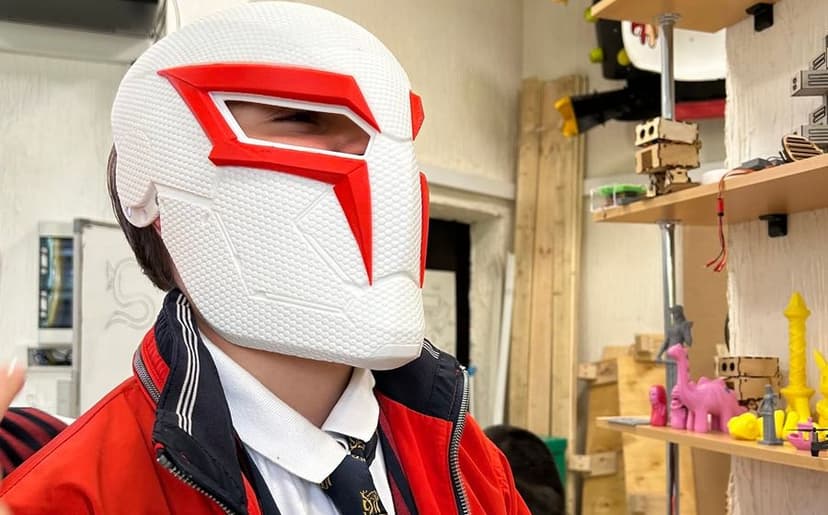
For scale: a phone stand or cable clip is a few centimetres and fits any printer. An adult-size helmet or a large vase is often bigger than 18 cm; you can still print it in parts on a small printer and assemble it, but that is extra work.
What to check on the day you buy
- Ask to see a test print, or at least watch the printer calibrate.
- Find out who provides the warranty (the shop or the maker) and where repairs happen.
- Ask what is in the box: spare nozzle, print sheet, tools, sample filament.
- Check that the power cable has a European plug and that the printer suits Georgian mains (220 V, 50 Hz): some versions sold in other countries are built for 110–120 V only.
- Make sure the maker's slicer and app run on your computer and phone.
FDM or resin: which 3D printer should you buy?
A resin printer gives very fine detail and smooth surfaces, so nothing beats it for miniatures and jewellery models. But liquid resin irritates skin and smells, every print must be washed and UV-cured, and waste needs special handling. A resin printer does not belong in a living room.
If this is your first printer and you want durable, functional objects, buy FDM. The full comparison and safety rules are in how to start 3D printing.
Common mistakes when buying a 3D printer
- "Bigger is better": big printers usually cost more, take space and heat up slowly.
- The cheapest kit with hopes of quick results: such printers need a lot of tuning. If you do not enjoy tinkering, buy assembled.
- Multicolour "just in case": it often goes unused.
- Ignoring spare parts: a printer idle for two weeks over a worn nozzle cancels any savings.
- Buying before the business plan: if you want income from 3D printing, read 3D printing as a business first and choose the machine for the orders you expect.
Try before you buy
The biggest saving is trying printers with your own hands before buying one. On the TDS course "3D Design and 3D Printing" you spend 6 weeks working on the lab's 12 FDM printers with Bambu Studio and PrusaSlicer. You learn slicer settings, printing PLA, PETG and TPU, and printer calibration and maintenance. By the end you know what you need at home and what is unnecessary. If the printer is for a teenager, there is also a course for ages 13–17: see both on our 3D printing courses page.
 Course at TDS3D Design & 3D Printing6 weeks · 32 h · Starts 18 NovDetails
Frequently asked questions
How much does a 3D printer cost in Tbilisi?
In manufacturers' official stores, as of October 2026, compact and entry-level FDM printers cost roughly 180–550 USD, enclosed CoreXY models 350–1,200 USD, and large professional machines start around 1,200 USD. In Georgia the price depends on delivery and the shop, so compare several sources.
What is the best 3D printer for beginners in 2026?
One that arrives assembled, calibrates itself, fits the size of your objects and has spare parts you can easily get. For PLA and PETG an open model is enough; with children around or for ABS, choose an enclosed one.
Is it worth buying a used 3D printer?
It can be, if you see it print before buying and ask how many hours it has run and which parts were replaced. Avoid older models without automatic calibration unless you enjoy repairing and tuning.
Which 3D printer should I buy for a child?
An assembled, quiet, self-calibrating printer used with PLA. An enclosed body is better, so the hot nozzle is harder to touch. Children should print with an adult present, in a ventilated room.
What else do I need besides the printer?
Filament (start with PLA), a scraper, flush cutters, isopropyl alcohol for the bed and a box with silica gel for storing filament. You also need a computer for the slicer and a 3D modelling program.
If you are still unsure what you need, start with practice: in the 3D Design and 3D Printing course you work on different printers and make an informed buying decision. Questions? Write to us for a free consultation.
Sources
- 3D Printers, Bambu Lab Store
- Bambu Lab A1 mini, Bambu Lab Store
- 3D printers, Prusa Research
- K2 Series, Creality
- Ender-3 V3 Neo, Creality
- 3D Printers, Creality Store
- Centauri Carbon 2, ELEGOO
- 3D Printer Safety: 10 Ways to Promote Healthy Indoor Air Quality, UL Research Institutes