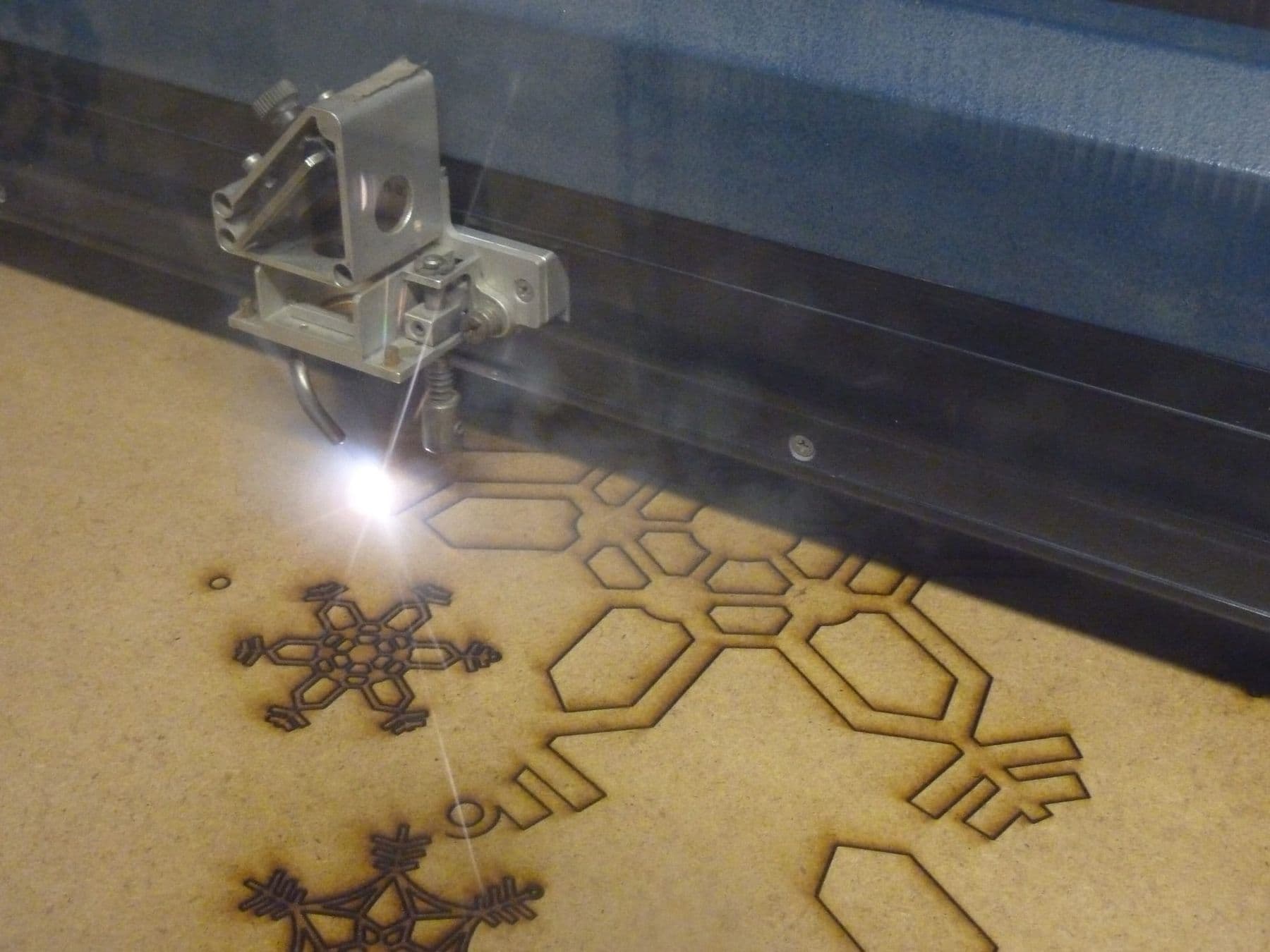
Laser cutting is a digital way of shaping material: a lens focuses a laser beam onto a tiny spot that heats the material along a narrow line until it burns, vaporises or melts, while a computer steers the beam along the exact outline drawn in a file. The same machine can also burn a picture, text or photo into the surface, which is why people usually talk about laser cutting and engraving together.
You will find laser cutters in sign shops, souvenir workshops, architecture studios and school maker labs, including here in Tbilisi. A typical machine cuts a plywood box in a few minutes, acrylic letters for a shop sign, or a leather key fob.
Below we explain what happens inside the machine, which operation to use when, and what you need to know about safety before you send your first file.
How does a laser cutter work?
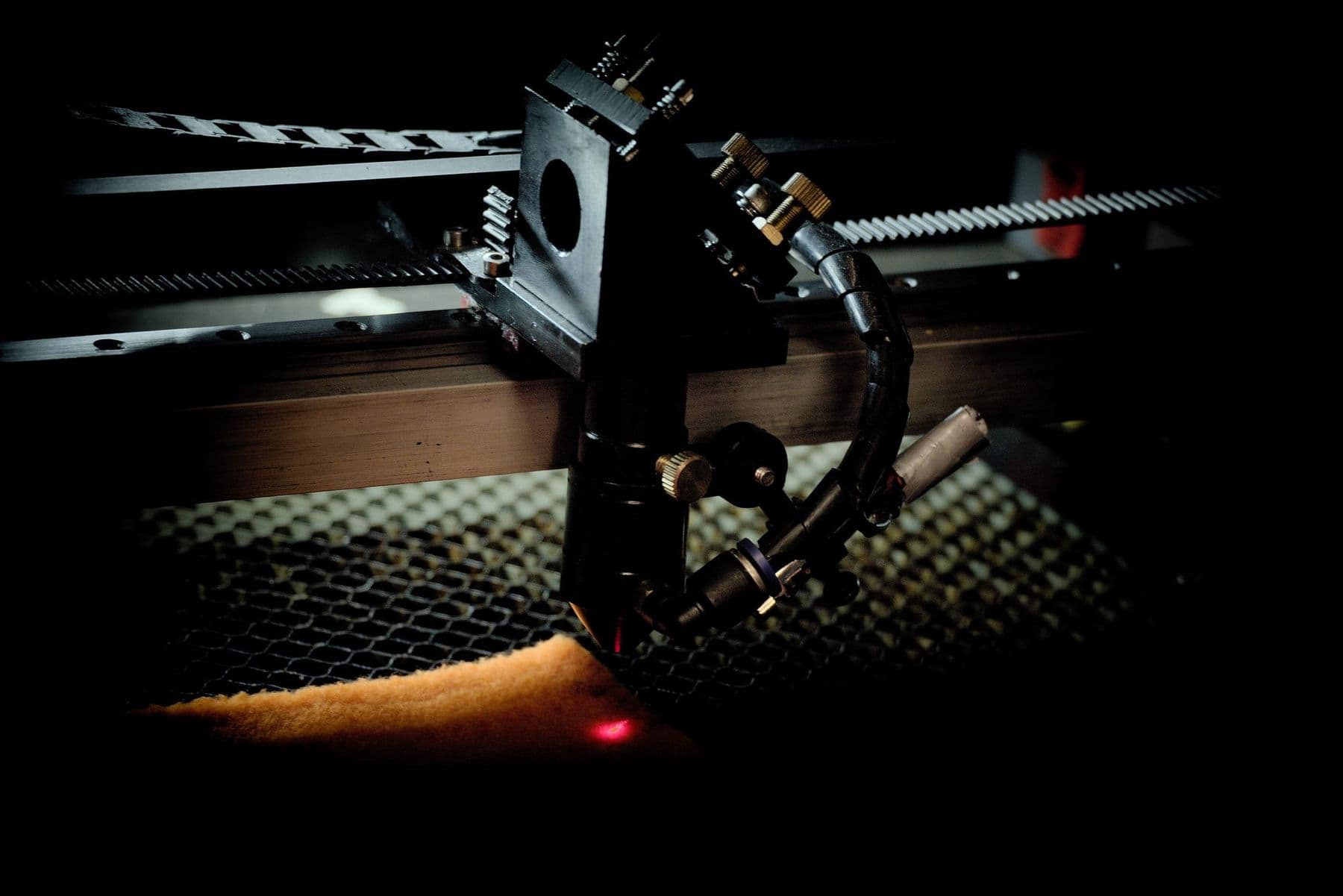
The most common workshop machine is a CO₂ laser. At its heart is a glass tube that emits an invisible infrared beam with a wavelength of 10.6 micrometres. The beam reaches the material like this:
- The beam leaves the tube and bounces off mirrors to reach the moving laser head.
- A lens in the head concentrates the beam into a tiny spot. That spot, the focal point, is where the energy is highest.
- The head travels on a gantry along the X and Y axes, while the controller follows the file, switching the beam on and off and changing its power and speed.
- A nozzle blows air onto the cut (Air Assist), clearing smoke and debris, protecting the lens and reducing the risk of flare-ups.
- An exhaust fan pulls smoke and fumes out of the machine and vents them outside the building.
Focus is the key setting. If the distance between the lens and the material is wrong, the spot grows: the cut widens, the edges char more and the beam no longer gets through. That is why focus is checked again for every new sheet.
Cutting, scoring or engraving: what is the difference?
One machine performs three different operations. The difference is in the file type and in how the head moves.
| Operation | File | How the head moves | Example |
|---|---|---|---|
| Cut | Vector line | Follows the outline through the full thickness | Box wall, earring |
| Score | Vector line | Same outline at low power | Fold line, drawing outline |
| Engrave | Raster or filled shape | Line by line, like a printer | Logo, photo, lettering |
A vector is a mathematically described line (SVG, DXF, AI, PDF files); a raster is an image made of pixels (JPG, PNG). Cutting always needs vectors; engraving works with either. In the software, operations are separated by colour: for example, red lines cut, blue lines score and black fills engrave.
Order matters too. Engraving runs first, then the inner contours (holes) and finally the outer contour. If you cut the outside first, the part can shift slightly and the holes end up in the wrong place.
CO₂, diode or fibre: which laser is for what?
A laser’s type sets its wavelength, and the wavelength decides which materials absorb the beam and which let it pass or reflect it.
| Type | Wavelength | Main use | Limitation |
|---|---|---|---|
| CO₂ | 10.6 µm (infrared) | Wood, plywood, acrylic, leather, paper; engraving glass and stone | Reflected by bare metal |
| Diode | about 450 nm (blue) | Engraving wood and leather, cutting thin plywood | Cannot cut clear acrylic |
| Fibre | 1064 nm | Marking and engraving metal | CO₂ is better for wood and acrylic |
For a workshop that mostly works with wood and acrylic, CO₂ is the most versatile choice. A diode laser is compact and cheaper, but it cuts thick material slowly and in several passes. We compare power, price and running costs in detail in CO₂ or diode laser.
A note on metal: a desktop CO₂ laser can neither cut bare steel nor engrave it directly, because metal reflects its beam. The exceptions are anodised aluminium, where the CO₂ beam bleaches the dyed coating, and metal coated with a special marking spray. Steel sheet is cut in factories by industrial lasers rated in kilowatts.
What is kerf, and why should you care?
Kerf is the width of material the beam burns away. With a laser it is very narrow, often a few tenths of a millimetre, but you still feel it in precise parts.
An example: you draw a 40 mm square. If the kerf is 0.2 mm, the cut square measures 39.8 mm and the hole left in the sheet measures 40.2 mm. For a sticker that changes nothing, but a box joint or a slot will be loose and the parts will not hold together. So in precise work the outline is offset by half the kerf (0.1 mm in this example): outwards for parts, inwards for holes. This is called kerf compensation, and we explain it step by step in a laser-cut wooden box with finger joints.
Kerf depends on focus, power, speed, material and thickness. To measure it, cut a small square, measure it with calipers and compare it with the drawn size: the difference is your kerf, and half of it is your compensation value.
Where are laser cutting and engraving used?
A laser shines when you need a precise, complex shape cut quickly from a flat sheet, or when one product has to be personalised with a name and a date:
- Signs and advertising: acrylic letters, illuminated lettering, table signs.
- Packaging: gift boxes, cardboard prototypes, branded wooden boxes.
- Architectural models: buildings and terrain in plywood, card and acrylic.
- Jewellery and accessories: earrings, key fobs, leather card holders.
- Souvenirs and personalised gifts: with a name, a date or a photo.
- Electronics enclosures: cases for Arduino boards and sensors in plywood or acrylic.
- Textiles and felt: cutting patterns for clothing and bags.
- Industry: high-power machines cut steel, stainless steel and aluminium sheet.
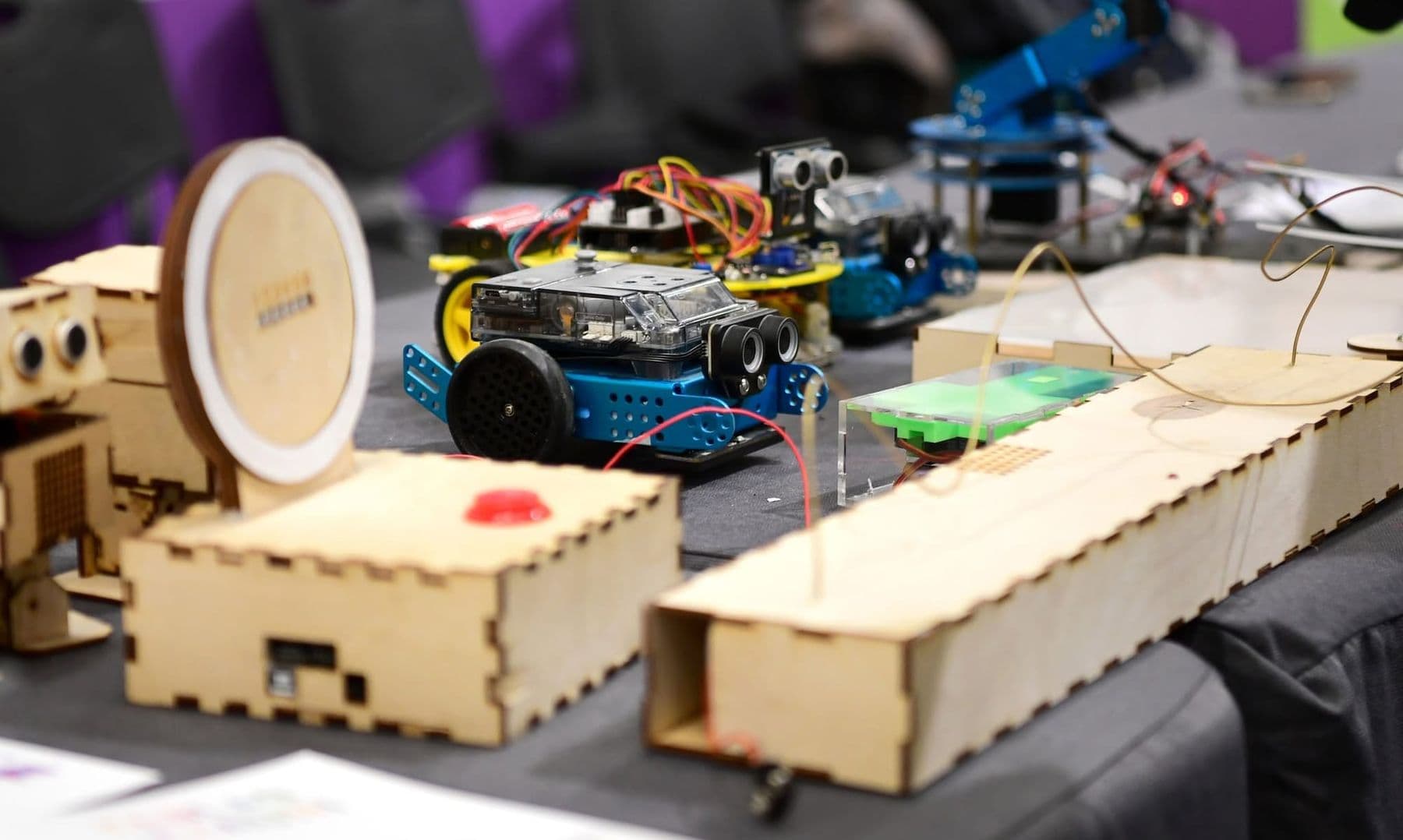
We collected specific projects with materials and difficulty in 15 laser cutting ideas, and if you are thinking of learning the craft, we describe what you learn on a laser cutting and engraving course.
Which materials can a laser cut, and which not?
A 60–100 W CO₂ machine comfortably cuts 3–6 mm plywood, MDF, acrylic, natural leather, card, paper and felt. Plywood and acrylic can be cut thicker, but slowly and sometimes in several passes. Glass, stone (slate, granite) and ceramics can only be engraved.
Some materials are never cut with a laser. PVC (vinyl, faux leather) releases hydrogen chloride (HCl), which harms people and the machine. ABS can release hydrogen cyanide, and polycarbonate burns rather than cuts cleanly. Polystyrene foam is off the list too: it catches fire easily. The full table with thicknesses and the list of banned materials is in which materials a laser can cut.
Safety: a Class 4 laser, fire and fumes
The beam. The CO₂ tube is a Class 4 laser: direct and even reflected beams can damage the eyes and burn the skin. An enclosed machine is rated Class 1 as a whole, because the housing blocks the beam and an interlock switches the laser off when the lid opens. Never defeat the interlock.
Fire. Flames can appear at the cutting point, especially at slow speeds or without Air Assist. That is why a running machine is never left unattended, not even for a minute, and a carbon dioxide (CO₂) extinguisher should be within reach.
Fumes. The exhaust must always be on and vent outside. After a cut, wait a few seconds for the extractor to clear the chamber before you open the lid.
Five checks before every job: focus is set, Air Assist and exhaust are on, the material is known and safe, the frame has been traced and fits on the sheet, and the extinguisher is within reach. Stay next to the machine while it cuts and keep an eye out for flames.
Laser, CNC or 3D printer?
All three are digital fabrication tools, but they do different jobs. A laser cuts flat sheets quickly with a very narrow line and engraves surfaces. A CNC router removes material with a spinning bit, so it handles thick plywood and solid wood and can carve 3D relief. A 3D printer builds an object layer by layer from plastic. See the full comparison table in CNC, laser or 3D printer.
Where to learn laser cutting and engraving in Tbilisi
The TDS Laser Cutting & Engraving course is for adult beginners: 6 weeks, 12 sessions, 36 hours in total, in the lab. You prepare vector files in CorelDRAW, set up layers in LightBurn, choose materials, run a power and speed test, measure kerf and work on a 100 W CO₂ machine with a 1300×900 mm bed. The course ends with a product of your own. See the full syllabus on the laser cutting course page.
 Course at TDSLaser Cutting & Engraving6 weeks · 20 h · Starts 17 NovDetails
Frequently asked questions
How accurate is laser cutting?
Industrial machines reach tolerances of a few hundredths of a millimetre. On a workshop CO₂ laser, real accuracy depends on focus, kerf compensation and the material. On a well-tuned machine, finger joints can be made accurate to 0.1 mm.
Can a laser cutter cut metal?
Desktop CO₂ and diode lasers cannot: bare metal reflects the beam. Metal is marked with a fibre laser or with a CO₂ laser and a special marking spray, and it is cut with industrial lasers rated in kilowatts.
Is laser cutting dangerous?
An enclosed machine with working interlocks, an exhaust and a known material is safe to use. The main risks are fire and fumes, so you never leave the machine unattended and you never cut PVC.
What software do you need for laser cutting?
Files are prepared in a vector editor such as CorelDRAW, Adobe Illustrator or the free Inkscape. The machine is controlled with LightBurn or the manufacturer’s software, for example RDWorks. We cover the first steps in LightBurn for beginners.
What is the difference between laser cutting and laser engraving?
When cutting, the beam follows an outline and goes through the full thickness. When engraving, the head sweeps across the surface line by line and burns only the top layer, leaving a picture or lettering.
Next step
If laser cutting and engraving interest you as a craft, for making gifts or for a small business, the best way in is practice: a file, a test, a first cut. Our Laser Cutting & Engraving course takes you from zero to a finished product of your own.
Sources
- Laser cutting, Wikipedia
- Boxford BGL690 laser cutter: risk assessment, University of Cambridge
- Laser Cutters, University of Illinois Division of Research Safety
- Laser Cutting/Engraving, University of Maryland Terrapin Works
- Laser cutting machines, Trotec Laser
- Can a CO2 laser engrave metal?, Boss Laser
- Boxes.py user manual: burn correction, Florian Festi