The TDS course "3D Design and 3D Printing" takes adults from an idea to their own physical product in 6 weeks (12 sessions, 36 hours). You learn parametric modelling in Fusion 360, tolerances so parts fit together, slicer settings, printing with PLA, PETG and TPU, and printer calibration and maintenance. It is a beginner course, held on site in our lab in Tbilisi, in Georgian and English groups.
Many people start 3D printing by downloading ready models and soon hit a wall: the object they need is not online, or it is, but the size is wrong. This course is about getting past that wall: designing your own object, printing it accurately and repeating it when needed.
Below: who the course is for, what you learn each week, why each topic matters and what you can do afterwards.
Who is this 3D printing course for?
The course is built around three kinds of people:
- Designer: you want to turn an idea on screen into a prototype you can hold.
- Engineer: you need parts fast (a bracket, an enclosure, a spare part) without waiting for a factory order.
- Entrepreneur: you want a product for the market or small-batch production.
It is also useful for makers who already own a printer and want more from it, architects who need model parts, and teachers with a printer at school. No experience is required: the course is beginner level. Teens aged 13–17 have a separate course; both are compared on our 3D printing courses page.
What you learn in 6 weeks, week by week
| Weeks | Topic | Result |
|---|---|---|
| 1–2 | Modelling in Fusion 360: sketch, extrude, revolve, parameters | Your first part |
| 3 | Parts that fit together: 0.2 mm tolerance, threads and inserts | A multi-part assembly |
| 4 | Printing: slicer settings, comparing materials | A materials chart |
| 5–6 | Project: product design, photos and presentation | Certificate and product |
The table is short, so each stage is explained below.
 Course at TDS3D Design & 3D Printing6 weeks · 32 h · Starts 18 NovDetails
What is parametric modelling in Fusion 360, and why start with it?
Parametric modelling means the model is driven by numbers and rules. For example, you design a box with a lid using variables: width, depth, wall thickness and tolerance. If you later need the box 2 cm wider, you change one number and Fusion 360 recalculates both the box and the lid.
In the first two weeks you learn the most common operations: a sketch with dimensions and constraints, extrude, revolve (for a cup or a knob, say) and parameters. The result is your first part, with dimensions you defined.
As of 2026, Fusion 360 is free for personal, non-commercial use, with limits: for example, your annual revenue must be under 1,000 USD. If you plan a business, take the licence terms into account early; more in 3D modelling software compared.
Tolerances: why one part will not go into another
The most common beginner frustration: two printed parts that fitted perfectly on screen do not go together in real life. The reason is that an FDM printer slightly "widens" plastic: each line has a width, and plastic changes as it cools.
So parts that slide into each other need a small gap (clearance). On the course we work with a 0.2 mm clearance, and you learn to check it on your own printer with a small test piece before printing a large part.
In week three you also learn how to join parts: printed threads and metal threaded inserts, which give a strong, reusable screw joint in plastic. The result is a multi-part assembly that genuinely opens, closes and works.
Design for printing: 5 mistakes we fix on the course
A good 3D model is not automatically a good model to print. These five mistakes come up most often with beginners:
- No clearance: the hole is exactly the bolt's size and the bolt will not go in.
- Walls too thin: thinner than two lines of a 0.4 mm nozzle, so they either do not print or break easily.
- Large overhangs without support: surfaces tilted more than 45° print in mid-air and sag.
- Sharp inside corners: under load, that is where cracks start. A small fillet makes the part much stronger.
- Layers along the load: an FDM part is weakest between layers, so print a hook or bracket so the force does not pull layers apart.
Knowing these rules while modelling saves hours of printing and filament.
Slicing, materials and calibration: printing week
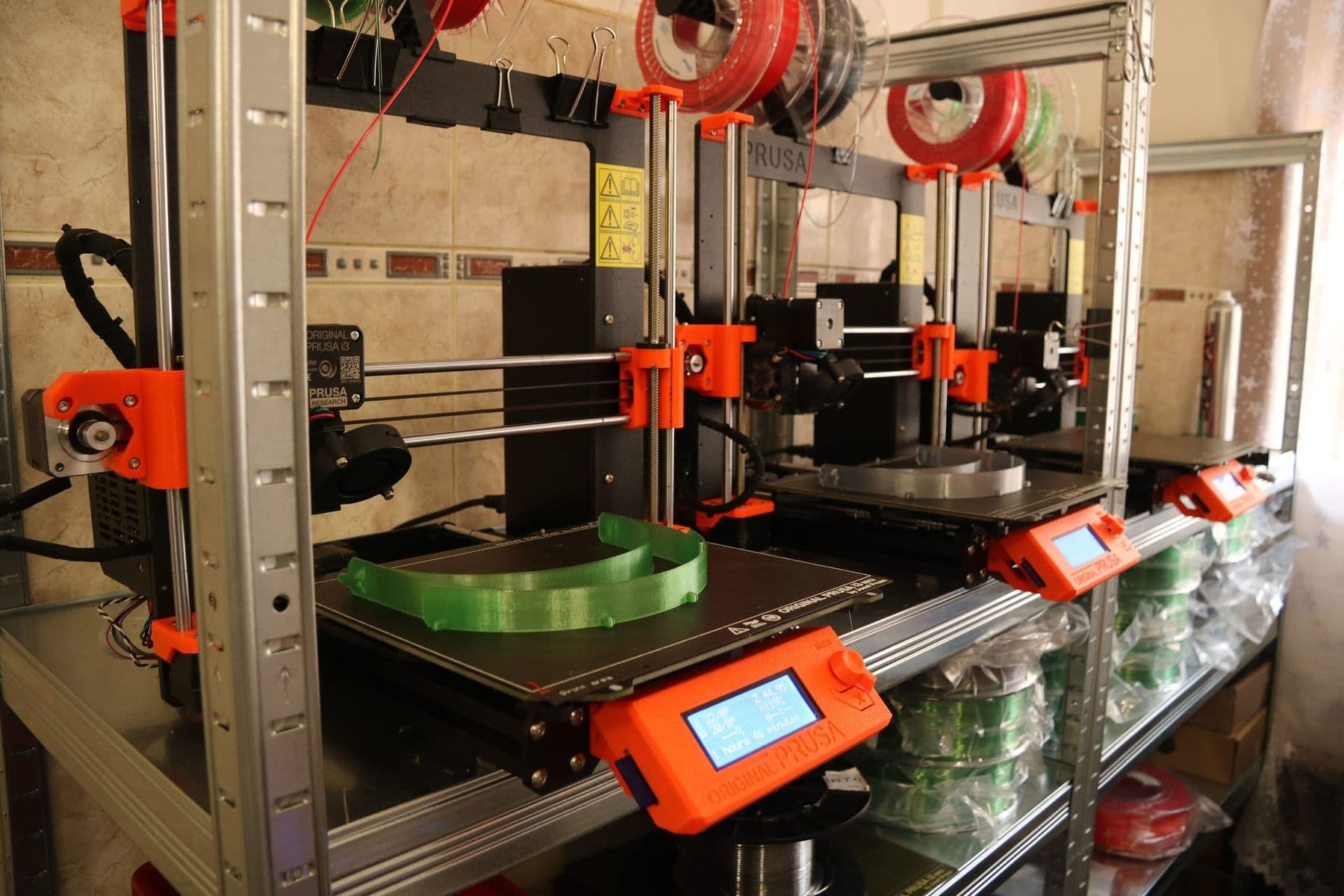
Week four is all about printing. The lab has 12 FDM printers, and you work with Bambu Studio and PrusaSlicer. You learn:
- choosing layer height, walls and infill for strength and time;
- placing supports correctly and orienting the model;
- the differences between PLA, PETG and TPU and their settings;
- printer calibration: first layer, flow, temperature;
- maintenance: cleaning the nozzle and bed, checking belts and moving parts.
In practice the materials differ like this. According to Prusa's knowledge base, PETG is tough and flexible, can be used at temperatures up to 80°C and barely warps, but it strings and can bond so strongly to a smooth PEI sheet that it damages it. TPU is soft: it prints slowly (Prusa gives about 20 mm/s as typical) with little retraction. You end up with your own materials chart that stays useful after the course. For the three most common plastics, see PLA, PETG or ABS.
The project: which product will you finish with?
In the last two weeks you design and print your own product: from idea to sketch, from model to prototype, and finally photos and a presentation. You choose the product. Some directions that work well in this format:
- a home organising system made exactly for your drawer or shelf;
- a spare part that is no longer sold;
- an enclosure or mount for a device;
- a lampshade or a decorative object;
- a product prototype for a small business that can be made in small batches.
You receive a certificate if you attend at least 80% of sessions and complete the final project. Each certificate has a number and a QR code to verify it.
Before the course starts, list three things you genuinely lack at home or at work, and measure the space where each must go. That list makes the best final project: motivation is higher and you will use the result every day.
After the course: what can you do next?
By the end you know how to design, print and fix your own object. The next step depends on your goal:
- Your own printer: you now know what you need. Our guide which 3D printer to buy helps you choose.
- A small business: personalised items, spare parts, prototypes. For a realistic plan, read 3D printing as a business.
- Other technologies: 3D modelling skills carry over to CNC machining, where you turn a model into CAM toolpaths (in VCarve Pro or Fusion 360 CAM) and cut a furniture part or a sign from wood. See what a CNC machine is and how it works.
One important detail if you plan to sell: many downloadable models carry licences that forbid commercial use (for example Creative Commons NC, "non-commercial"). Your own design removes that problem entirely, which is one more reason to learn modelling, not only printing.
If 3D printing is completely new to you, read how to start 3D printing before the course; it explains the technologies, materials and safety simply.
A course or self-study: what does the lab add?
You can learn 3D printing on your own: videos, manufacturers' knowledge bases and forums teach a lot. A course adds something else:
- Time: months of trial and error shrink into weeks, because a teacher shows you the mistake right away.
- Different printers and materials: you work on 12 FDM printers and three materials, so you choose your own printer with confidence.
- Feedback on design: an experienced eye checks your model before you print.
- A finished project: a deadline and a presentation turn an idea into a completed product.
If you already own a printer and know Fusion 360 basics, self-study may be enough. If you are starting from zero, or have been stuck at the "downloaded models" stage for a long time, the course is the fastest route.
How to prepare for the course
No special preparation is needed. The lab has computers, though your own laptop is useful for practice at home; Fusion 360 runs on Windows and macOS. To feel more confident at the first session, try Tinkercad, a free browser program that gets you used to moving around in 3D space.
If you are not yet sure 3D printing is for you, start with the one-day workshop 3D Printing: A Useful Household Item in One Day: in 3 hours you design a simple household item in Fusion 360 and print it the same day.
Frequently asked questions
Do I need any experience for the 3D printing course?
No. The course is beginner level: you learn Fusion 360 and printing from the basics. Ordinary computer skills are enough.
Do I need my own laptop?
The lab has computers, so it is not required. Your own laptop is still useful for practising at home.
What language is the course taught in?
There are Georgian and English groups, held on site in the lab. You can choose a group on the course page.
How long is the 3D design and printing course?
6 weeks: 12 sessions, 36 hours in total. The first two weeks cover modelling, the third assemblies and tolerances, the fourth printing and materials, and the last two your own project.
Will I get a certificate?
Yes, if you attend at least 80% of sessions and complete the final project. The certificate has a number and a QR code for verification.
Can I earn money from 3D printing after the course?
The course gives you the technical foundation: design, accurate printing and experience of small-batch production. A business also needs market knowledge, pricing and attention to licences, both for software and for models.
If you are ready to go from an idea to your own product, see the groups for the 3D Design and 3D Printing course. Questions? Write or call us for a free consultation.
Sources
- Autodesk Fusion for personal use, Autodesk
- PrusaSlicer, Prusa Research
- PETG, Prusa Knowledge Base
- Flexible materials, Prusa Knowledge Base
- Layers and perimeters, Prusa Knowledge Base
- 3D Printer Safety: 10 Ways to Promote Healthy Indoor Air Quality, UL Research Institutes