Most 3D printing problems come from five causes: a dirty or unlevelled bed, the wrong nozzle height on the first layer, temperature, retraction settings and wet filament. If your first layer is not sticking, corners lift (warping) or thin hairs appear between parts (stringing), the table below points you to the cause in a minute, and the sections after it give the detailed fix.
One rule saves hours: change one setting at a time and print a small test piece. Change three things at once and you will never know which one helped. If you are just starting out, read how to start 3D printing first.
How to diagnose a failed print: quick table
| Symptom | Likely cause | First thing to try |
|---|---|---|
| First layer not sticking | Nozzle too high, dirty bed | Z offset, clean the bed |
| Corners lifting | Plastic shrinks as it cools | Brim, warm surroundings |
| “Spaghetti” | Part came off the bed | Adhesion, supports |
| Thin hairs | High temperature, retraction | Temperature 5–10 °C lower |
| Gaps in walls | Under-extrusion | Flow, diameter, nozzle |
| Blobs, oversized parts | Over-extrusion | Lower the flow |
| Nothing comes out | Clogged nozzle | Cold pull |
| Layers shifted sideways | Belts, speed, a knock | Belts, 50% slower |
| Layers split apart | Too cold, layers too thick | +10 °C, layer ≤ 80% of nozzle |
| Bottom edge bulges | Elephant foot | Z offset, compensation |
| Ripples after corners | Vibration | Speed and acceleration |
| Popping, bubbles, rough surface | Wet filament | Dry it |
First layer not sticking: what to do?
The first layer is the foundation of the whole print, and most failures start here.
1. The first layer will not stick
Causes: the nozzle is too far from the bed, the bed is not level, there are fingerprints and grease on the surface, or the first layer prints too fast.
Fixes:
- Run bed levelling or the printer’s automatic calibration.
- Lower the Z offset in small steps of 0.02–0.05 mm. Good first-layer lines are slightly flattened and merge into each other.
- Clean the bed with water and dish soap or isopropyl alcohol, and do not touch it with your fingers.
- Slow the first layer down, for example to half speed.
- For PLA, heat the bed to 60–70 °C and keep the part-cooling fan off for the first layers.
2. “Spaghetti”: the part came off the bed
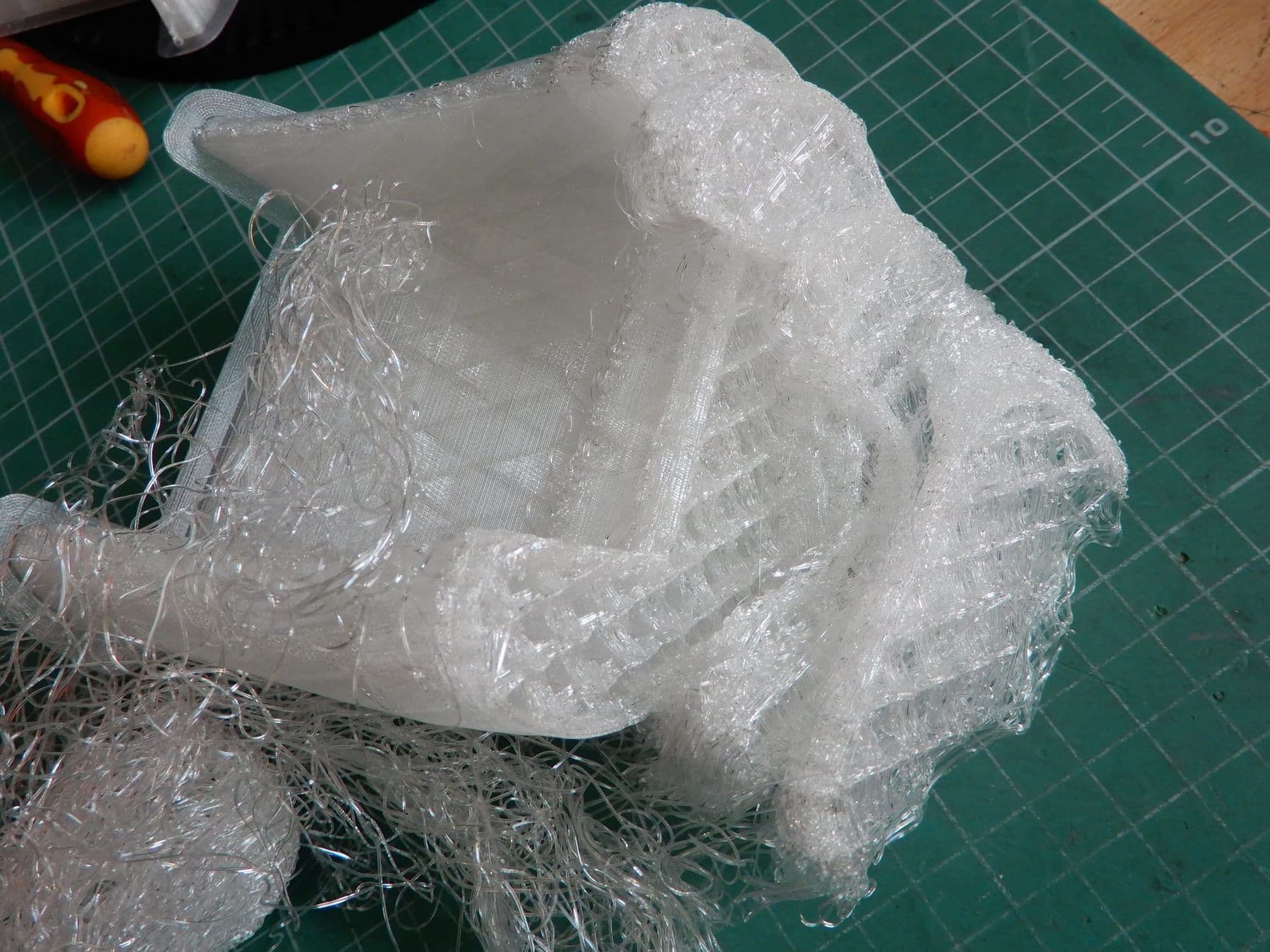
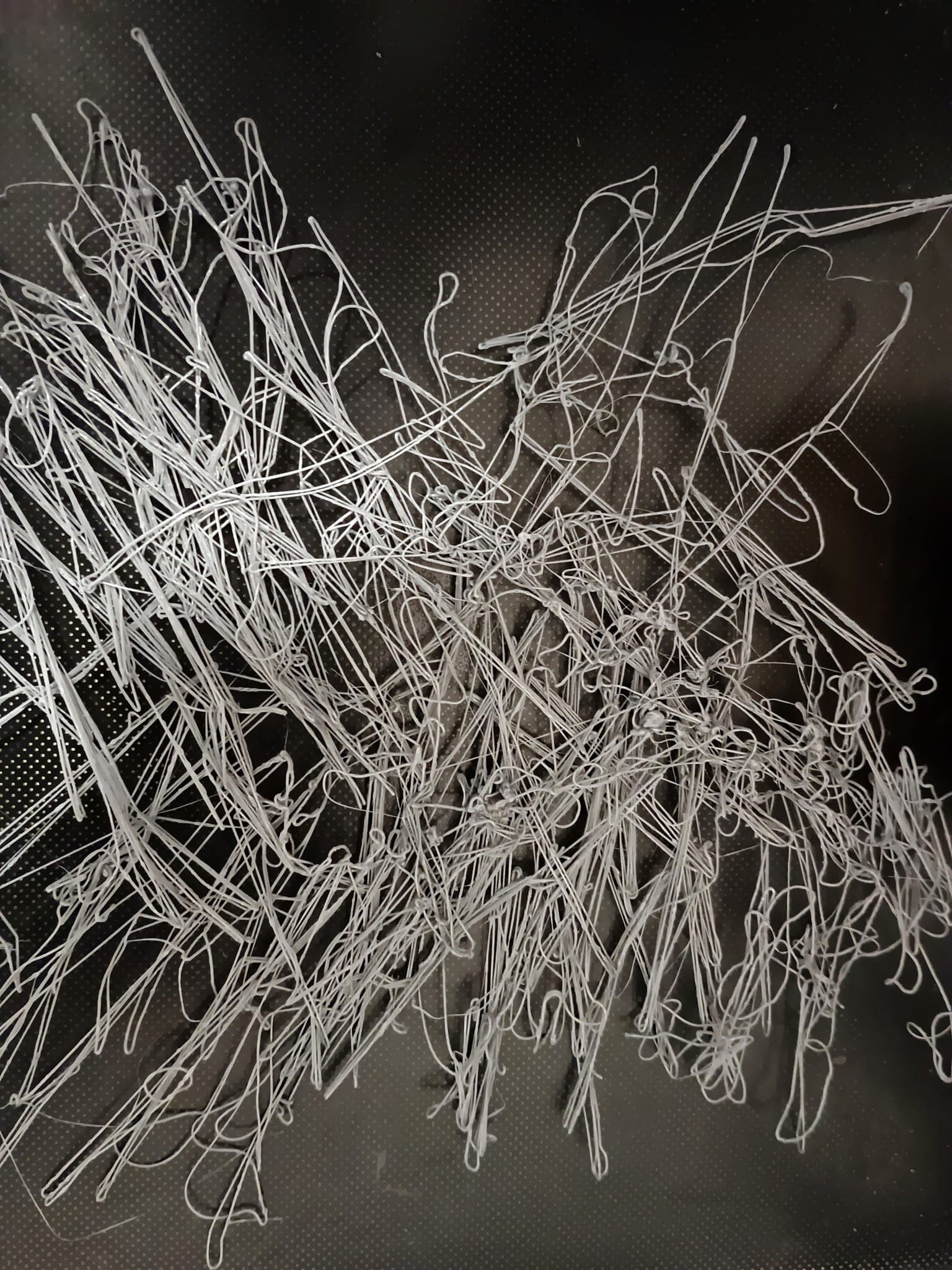
A tangle of filament means the part detached mid-print or printing started in mid-air. Check point 1, then look for floating parts in the slicer preview. Add a brim to tall, thin parts.
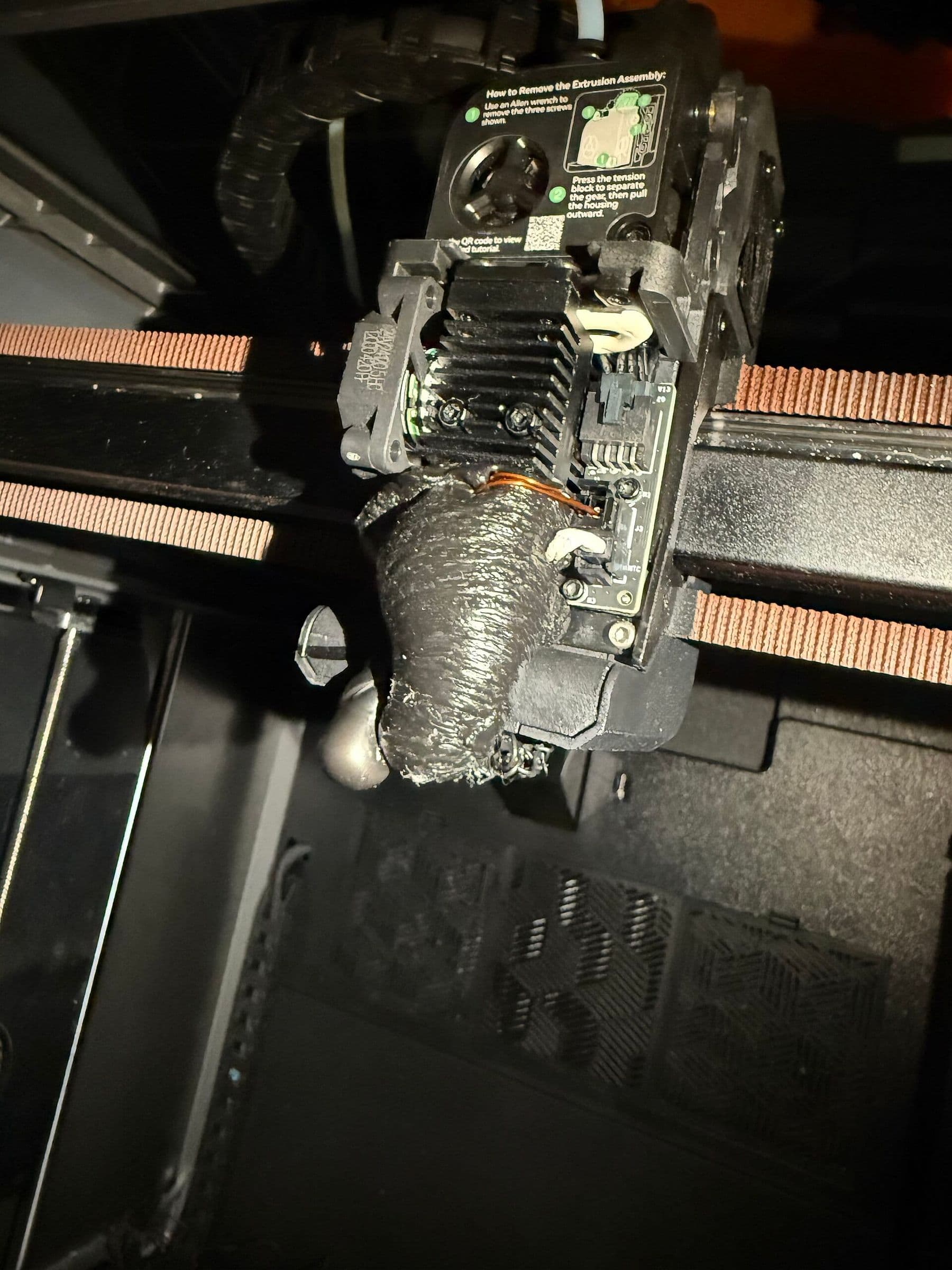
The worst outcome is when the loose part sticks to the nozzle and plastic engulfs the whole hotend. Stop the print immediately: plastic can wrap around the thermistor and heater wires.
3. Elephant foot: the bottom edge bulges
The first layer is squashed on the hot bed, so the base comes out wider and press-fit parts stop fitting. Raise the Z offset slightly. PrusaSlicer has an Elephant foot compensation setting (Print settings → Advanced); according to Prusa, about 0.2 mm works well for a 0.4 mm nozzle. If the brim stops attaching to the part, the value is too high.
Warping: why do 3D print corners lift?
4. Corners lift off the bed
Plastic shrinks as it cools. Simplify3D notes that ABS shrinks about 1.5% from 230 °C to room temperature, nearly 1.5 mm on a 100 mm part. Upper layers pull on the lower ones and corners peel up. Long parts and high-temperature materials suffer most.
Fixes:
- For PLA, avoid drafts: an open window or air conditioning blowing at the printer.
- For ABS and ASA, heat the bed to 100–120 °C, turn the fan off and print in an enclosure.
- Add a brim to hold the edges down.
- On large parts, round the corners or add small discs (“mouse ears”) at the base.
How each material behaves, including which warps most, is covered in PLA, PETG or ABS.
5. Layers split apart
If the part breaks between layers or cracks appear, the layers are not fusing. Causes: layers too thick or temperature too low. Keep layer height under 80% of the nozzle diameter (0.32 mm maximum for a 0.4 mm nozzle). Raise the temperature by about 10 °C and compare. With ABS, also reduce the fan.
Stringing and other extrusion problems
6. Thin hairs between parts (stringing)
When the nozzle travels across an open gap, molten plastic oozes out and leaves a cobweb. Prusa names the main causes as a temperature that is too high and wrong retraction settings.
Fixes:
- Lower the nozzle temperature by 5–10 °C.
- Tune retraction: short on a direct-drive extruder (2 mm or less on a Prusa MK3), longer on a Bowden system (3.2 mm on a Prusa MINI). OrcaSlicer has a ready retraction test.
- Enable “Avoid crossing perimeters” so the nozzle crosses walls less often.
- If strings suddenly multiply, the filament is probably wet (see point 9).
- Remove strings from a finished part with a heat gun at about 200 °C for 1–2 seconds. Any longer and the part deforms.
PETG strings more than PLA by nature, so do not expect perfectly clean parts with it.
7. Gaps in walls: under-extrusion
Walls have holes, the top surface is not filled, lines look thin and broken. The printer feeds less plastic than the slicer expects.
Check: the filament diameter set in the slicer (1.75 mm or 2.85 mm), a tangle on the spool, the extruder gear grinding the filament, a partly clogged nozzle. If everything is fine, raise flow (extrusion multiplier) in 5% steps. Test with a 20 mm cube with at least three walls.
8. Blobs and oversized parts: over-extrusion
The opposite problem: rough walls, blobs on edges, narrow holes, parts that will not fit together. Check the same settings, but lower the flow, again in small steps.
9. Wet filament: popping, bubbles, rough surface
Many filaments absorb moisture from the air. Prusa lists the signs: poor surface quality, weak layer adhesion, blobs, bubbling and smoke during extrusion, extra stringing. The cure is drying:
| Material | Temperature | Time |
|---|---|---|
| PLA | 45 °C | 6 hours |
| PETG | 55 °C | 6 hours |
| ASA | 80 °C | 4 hours |
| TPU | 60 °C | 4–6 hours |
These are Prusament recommendations; for another brand, follow the values on the spool. Do not exceed them or the filament softens and sticks together. Store dried spools in a sealed bag with silica gel.
How to clean a clogged nozzle: 3D printer repair at home
10. Nothing or very little comes out
Clear a partial clog with a cold pull. Prusa’s procedure for its printers:
- Heat the nozzle to 270 °C and turn off filament autoload.
- Push PLA in by hand until clean plastic comes out of the nozzle.
- Switch off heating and keep pushing until the nozzle cools to about 170 °C.
- Let it cool to room temperature.
- Heat the nozzle to 85 °C and pull the filament out firmly, straight up.
- The tip should show a clean imprint of the nozzle. If there is dirt or old colour, repeat.
Temperatures vary slightly between models, so check your printer’s manual first. A fully clogged nozzle is often better replaced: nozzles are cheap spare parts.
Keep a spare 0.4 mm nozzle and a length of PTFE tube on hand. Nozzles are removed and tightened hot; forcing a cold nozzle can strip the thread. Unplug the printer before any other service work and never touch hot parts with bare hands.
Layer shifting and ripples on the surface
11. Layers shifted sideways
The part looks like a staircase: at one height every layer moved a few millimetres. Causes: speed too high for the motors (often with a clicking sound), a loose or overtightened belt, a loose pulley on the motor shaft, a knock on the printer, or the nozzle hitting a curled-up corner.
Fixes: cut speed by about 50% and see if the problem disappears; tension the belts following the manufacturer’s guide; tighten the pulley set screws; put the printer on a solid surface.
12. Ripples after corners and letters (ringing)
A faint echo appears on walls after corners or holes. This is vibration: the head stops sharply and wobbles. Lower speed and acceleration, check the frame screws and stand the printer on a heavy, stable table. Many modern printers have vibration compensation (input shaping); if yours does, run its calibration again.
 Course at TDS3D Design & 3D Printing6 weeks · 32 h · Starts 18 NovDetails
Calibration checklist: 15 minutes that prevent most problems
Use it for a new printer, after moving one, or with a new filament:
- Bed levelling and a first-layer Z offset test.
- A clean bed with no scratches or old glue.
- Filament diameter and material profile in the slicer.
- A temperature tower for a new filament.
- A retraction test, especially for PETG.
- Belt tension and pulley set screws.
- A clean nozzle and a healthy PTFE tube.
- Dry filament: how long has the open spool been sitting out?
Safety while fixing your printer
The nozzle reaches 200–270 °C and the bed 60–120 °C. Cool and unplug the printer before service, except for jobs that need heat (nozzle change, cold pull). FFF printers emit ultrafine particles and volatile organic compounds, so ventilate the room and keep printers out of bedrooms. On long prints, always watch the first layers.
Frequently asked questions
Why is my first layer not sticking to the bed?
Usually the nozzle is too high or the bed is greasy. Level the bed, lower the Z offset in small steps, clean the surface and print the first layer slowly.
How do I fix stringing on PETG?
Lower the temperature by 5–10 °C, tune retraction with a test print and dry the filament. PETG always strings a little; a heat gun removes the last hairs.
What is warping and how do I prevent it?
Warping is when the corners of a part lift because plastic shrinks as it cools. A brim, a clean and properly heated bed, no drafts, and an enclosure for ABS and ASA all help.
How do I know if my nozzle is clogged?
Plastic does not come out at all or comes out thin and broken, and the extruder clicks. A partial clog can be cleared with a cold pull; a fully blocked nozzle is usually better replaced.
Can I repair a 3D printer at home?
Yes: cleaning or replacing the nozzle, tensioning belts and levelling the bed are home jobs. Leave electronics, the power supply and heater wiring to the manufacturer’s guide or a service centre.
Next step
Many failures start with a badly prepared file, so read our guide to free STL files and slicers. If you want hands-on practice with calibration, materials and printer maintenance, we do exactly that on the lab’s printers on the 3D Design & 3D Printing course in Tbilisi. Teens have a separate course; see both on our 3D printing courses page.
Sources
- Print Quality Troubleshooting Guide, Simplify3D
- Not Sticking to the Bed, Simplify3D
- Warping, Simplify3D
- Stringing and oozing, Prusa Knowledge Base
- Clogged nozzle and cold pull, Prusa Knowledge Base
- Drying filament, Prusa Knowledge Base
- Elephant foot compensation, Prusa Knowledge Base
- Fused filament fabrication, Wikipedia