Starting a STEM or robotics club at school takes seven steps: set the goal and age group, find a sponsor teacher, sort out the room and schedule, set a budget, buy the equipment, plan the first sessions, and finish with a showcase or competition. To begin, 12–16 students, 6–8 kits and one 90-minute session a week are enough.
A club is the easiest way to bring STEM into a school. It needs no curriculum change, no big budget from leadership and no new staff. It needs one teacher who is genuinely interested and children who come because they want to.
Below: a step-by-step plan, an equipment list, three budget tiers in Georgian lari, a ready plan for the first 12 sessions, and funding ideas.
What is a STEM club and how is it different from a lesson?
A STEM club (or robotics club) is an after-school session where students build, code and create out of their own interest. There are no marks and no compulsory syllabus, and the results are tangible: a moving robot, a smart device, a project for an exhibition.
A US National Academies report on out-of-school STEM programmes names three features that separate good programmes from weak ones:
- Engaging: children work hands-on with real materials and phenomena, in a team and a supportive environment.
- Responsive: projects grow from children’s interests and experience, and the leader learns alongside them.
- Making connections: the club links to lessons, family and the local community.
How to start a robotics club at school: 7 steps
1. Set the goal and age group
One club for all ages rarely works. For ages 8–11, block coding (Scratch, mBlock) and a ready-made educational robot are a good start. From 11–14, add Arduino and basic electronics. From 14, students can code in C++, do 3D modelling and prepare for competitions. For more on what to start when, see what age to start robotics.
2. Find a sponsor teacher
The leader does not have to be an expert. What matters is interest and willingness to stay one step ahead of the children. Free resources abound: the official Arduino documentation, micro:bit teaching materials and the Raspberry Pi Foundation’s Code Club, which offers club leaders hundreds of free projects. A second adult helps: a colleague, a parent or an older student as an assistant.
3. Room and schedule
You need a room with movable tables, enough sockets and a lockable cupboard for the kits. One 90-minute session a week works best: 60 minutes is too short (setting up and tidying eat time), and two hours is a lot for younger children. Students work in pairs, so 8 kits are enough for 16 students.
How do you gather a group? Announce an open day at a school assembly: show a moving robot in 20 minutes and let children try it themselves. In the sign-up form, ask parents for consent to publish club photos and say who to contact with questions. If many want to join, do not pick “the best”: open a second group or a waiting list for next season. The value of a club is that it also attracts the child who does not get top marks in maths but loves making things.
4. Budget
Prices vary a lot by supplier, model and exchange rate, so the amounts in the table are approximate estimates (2026). The table assumes the school already has computers. As a reference point, an original Arduino UNO R4 Minima costs 22 EUR in the official store (roughly 70 GEL, depending on the exchange rate).
| Tier | For 16 students (8 pairs) | Approximate budget |
|---|---|---|
| Minimal | 8 Arduino starter kits, sensors, tools | 1,000–2,000 GEL |
| Standard | + 8 educational robots, a track mat, multimeters | 3,000–6,000 GEL |
| Extended | + a 3D printer, soldering stations, competition kits | 8,000–15,000 GEL |
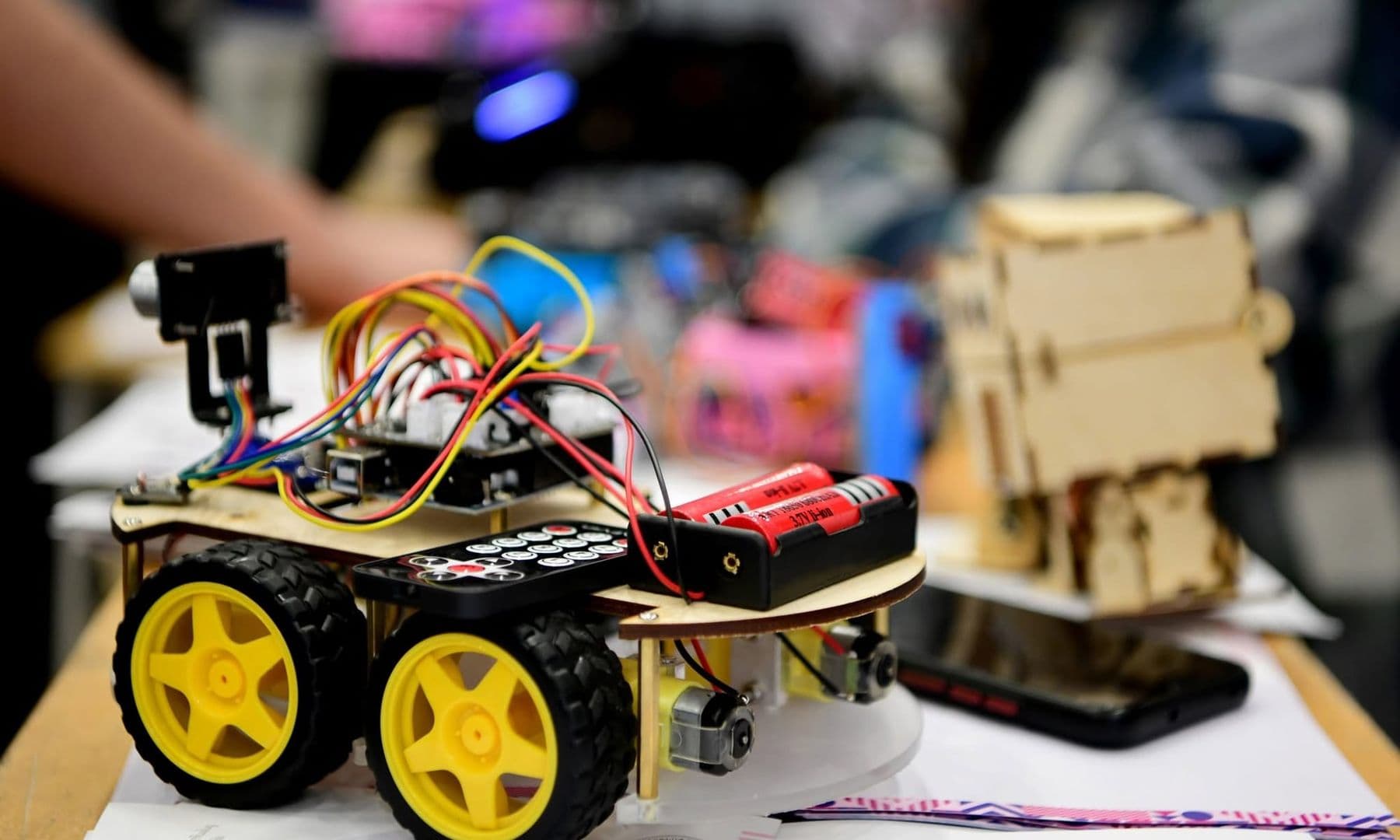
Keep 10–15% of the budget for consumables: batteries, wires, LEDs, hot glue sticks. That is the part that runs out first.
5. Robotics club equipment list
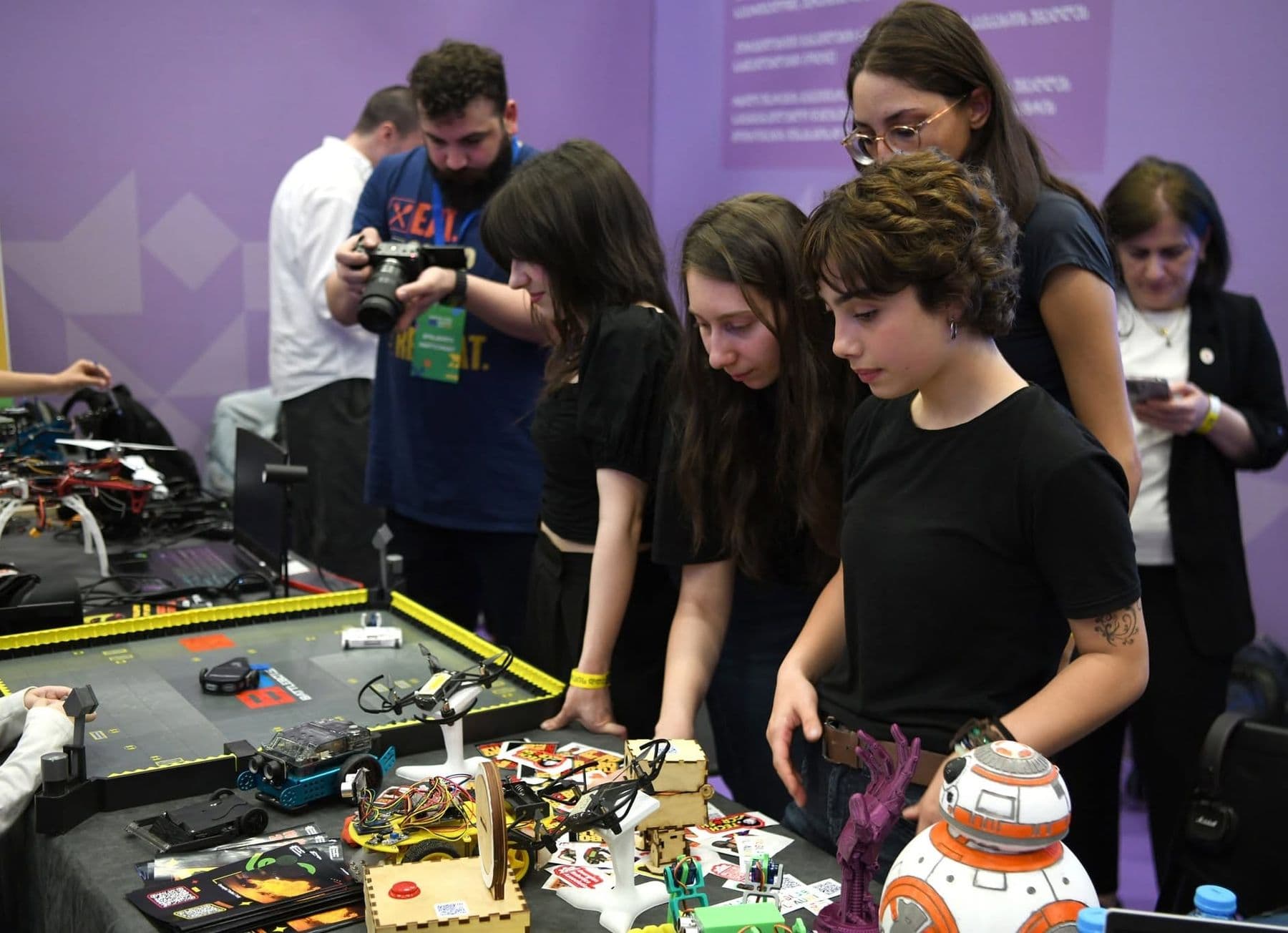
| Item | Quantity (16 students) | Purpose |
|---|---|---|
| Educational robot or robot car kit | 8 | Movement, sensors, competitions |
| Arduino starter kit | 8 | LEDs, buttons, sensors, breadboard |
| Laptop or computer | 8 | Coding |
| Multimeter | 2–4 | Measuring voltage and current |
| Batteries and charger | 8 sets + spares | Power |
| Line-following track mat | 1–2 | Line-following tasks |
| Lidded storage box | 8 | One box per pair |
| First-aid kit | 1 | Safety |
What each robot part does and what to buy separately is explained in robot components: what you need and what it costs.
6. A plan for the first 12 sessions
| Session | Topic | Result |
|---|---|---|
| 1 | Introductions, teams, safety rules | The robot moves for the first time |
| 2 | Commands: forward, back, turn | The robot draws a square |
| 3 | Loops and timing | An accurate 90° turn |
| 4 | Ultrasonic sensor | The robot avoids obstacles |
| 5 | Line sensor | The robot follows a line |
| 6 | Light and sound | Traffic light and a melody |
| 7 | Mini-competition | A timed maze run |
| 8 | Arduino: LED and button | A first circuit of their own |
| 9 | A sensor with Arduino | A light or temperature meter |
| 10 | Team project idea | Sketch and parts list |
| 11 | Build and test | A working prototype |
| 12 | Showcase for parents | Presentation and demo |
How to use the 90 minutes? This structure works well from the first session on:
- 10 minutes: the task of the day and a short demo.
- 10 minutes: one new idea (a sensor, a loop, a circuit) with a simple example.
- 45 minutes: building and coding in pairs while the leader moves between tables.
- 15 minutes: a mini-challenge, such as whose robot stops exactly 10 cm from the wall.
- 10 minutes: tidying up and one sentence in the project journal: what I learned today.
7. Showcase or competition
Children need a goal at the end of the season. The simplest is a showcase at school for parents: each team presents its project in two minutes. From the second year you can run an internal competition or enter an international one. Which competitions exist and how to prepare is covered in robotics competitions for kids.
Spend the last 10 minutes of every session tidying up: each pair checks its box against a parts list taped inside the lid. The kits stay complete all season, and you stop losing time hunting for a missing wire.
How to keep students interested all year
The first month always runs on enthusiasm. The hard one is the third, when the novelty fades and tasks get harder. A few things that keep a club alive:
- Rotating roles. One builds, one codes, one tests and presents. Roles change weekly, so everyone learns everything.
- A project journal. A photo, a sketch and one sentence every session. By the end of the year it is the best portfolio.
- Choice. In the second half of the year, children choose their own project; the leader only checks it is realistic.
- A guest. An engineer, a programmer or an older student who shows their work in one session.
- Small challenges. A monthly internal contest with simple rules: fastest line follower, most accurate stop.
How to fund a STEM club
A few sources usually open to schools:
- The school budget. For a pilot year, the minimal tier often fits the school’s own means.
- Parents. A club fee or a joint kit purchase, if school rules allow it.
- Local business. Tech companies, banks or nearby firms are often happy to fund a concrete, visible need, such as 8 kits.
- Grants. Education foundations and international programmes regularly open calls for STEM projects. Photos, student work and results from your first year will strengthen an application.
Safety in the club
A robotics club is generally safe, but some rules are non-negotiable. Lithium cells (18650, LiPo) must not be damaged or short-circuited. Charge them only with the right charger and under adult supervision, and take any damaged or swollen cell out of use at once. Soldering is for older students only, under adult supervision, with safety glasses, in a well-ventilated room, and ends with hand-washing. Hot glue guns stay on a stand on the table. Explain these rules in the first session and put them on the wall.
Once the club is running, students will want to continue at home: see 10 robotics projects to build with your kids at home for family project ideas, and STEAM education in schools for how a club fits a wider school strategy.
Frequently asked questions
What age can children join a robotics club?
With an educational robot and block coding, from 8. With Arduino and electronics, from about 11, and with C++ and competition projects usually from 13–14. Try to keep the age gap within a group to 2–3 years.
How much does it cost to start a STEM club?
Minimal equipment for 16 students costs roughly 1,000–2,000 GEL if the school already has computers, and roughly 3,000–6,000 GEL with educational robots. Prices vary by supplier, so compare several quotes.
Does the teacher need robotics experience?
No. Interest is enough, plus the willingness to try each task before the session. Free resources such as Code Club, the Arduino documentation and micro:bit work as a guide for the leader too.
Which kit should we choose: LEGO, mBot or Arduino?
For younger children, a ready-made educational robot (LEGO Education, mBot or similar) gives quick results. Arduino is cheaper and teaches more electronics but needs more preparation. Many clubs use both: a robot in the first half of the year, Arduino in the second.
How many students should a club have?
12–16 per leader, working in pairs. With more children you need an assistant, because in robotics everyone often needs help at once.
Your next step
If you want the club set up and running from scratch, Tbilisi Digital School sets up STEM clubs for schools with equipment, a trainer and a curriculum (robotics, 3D, electronics), as a year-long programme with olympiad preparation. See the details on our page for schools and companies.
Sources
- Identifying and Supporting Productive STEM Programs in Out-of-School Settings, National Academies Press
- Code Club, Raspberry Pi Foundation
- Arduino UNO R4 Minima, Arduino Store
- Arduino Documentation, Arduino
- micro:bit: Teach, Micro:bit Educational Foundation