A first robot needs six groups of components: a controller (Arduino Uno or ESP32), motors with a motor driver, sensors, power, a chassis and a few tools. As a rough 2026 guide for Georgia, the parts for a simple two-wheel robot cost about 130–280 GEL, while an Arduino starter kit you can reuse for many other projects costs about 60–150 GEL.
Below we go through each group: what it does, which option to pick and the mistakes beginners make most often. Prices are approximate and vary by shop, so use them as a guide, not a price list.
What parts is a robot made of?
Every robot, from a toy car to an industrial arm, is built on the same pattern. A comparison with the human body helps:
- Controller is the brain: it reads the sensors and decides what to do.
- Sensors are the senses: distance, light, a line on the floor, temperature, tilt.
- Motors are the muscles: they turn wheels and move arms.
- Motor driver is the nervous system between brain and muscles: it turns a weak signal into a strong current.
- Power is the energy: batteries or rechargeable cells.
- Chassis is the skeleton: plate, body, screws and standoffs.
If one group is missing, the robot will not work, so build your shopping list around these six.
Controller: Arduino Uno, Nano or ESP32?
Beginners usually choose from three options. All are programmed in the free Arduino IDE using a friendly version of C++.
| Board | Chip and logic | What stands out | Choose it when |
|---|---|---|---|
| Arduino Uno R3 | ATmega328P, 16 MHz, 5 V | 14 digital pins (6 PWM), 6 analog | First robot, endless examples |
| Arduino Uno R4 Minima | Renesas RA4M1, 48 MHz, 5 V | 256 KB flash, VIN 6–24 V | Same size, more power |
| Arduino Nano | ATmega328, 16 MHz, 5 V | Uno features on an 18×45 mm board | Small robots with little space |
| ESP32 DevKit | ESP32, 3.3 V | Built-in Wi-Fi and Bluetooth | Control from a phone or the internet |
For a first project we recommend the Uno: it has the most tutorials and ready-made code, and 5 V sensors connect directly. Pick the ESP32 when you want Wi-Fi control, but remember it runs on 3.3 V logic, so never feed it a 5 V sensor signal directly. See practical ESP32 examples in our DIY smart home with ESP32 guide, and first steps in Arduino for beginners.
Original or compatible board? In October 2026 the official Arduino Store lists the Uno R4 Minima at €22 and the Uno R3 at €29.30, VAT included (about 64 and 86 GEL at the National Bank of Georgia rate, before shipping). Compatible boards, often with a CH340 USB chip, cost several times less and work well for learning; some need a USB driver installed. Buying an original supports the Arduino project.
Motors: DC, servo or stepper?
| Motor type | How it moves | Typical example | Used for |
|---|---|---|---|
| DC gear motor | Spins continuously, speed adjustable | TT motor, 3–6 V, 1:48 | Wheeled robots |
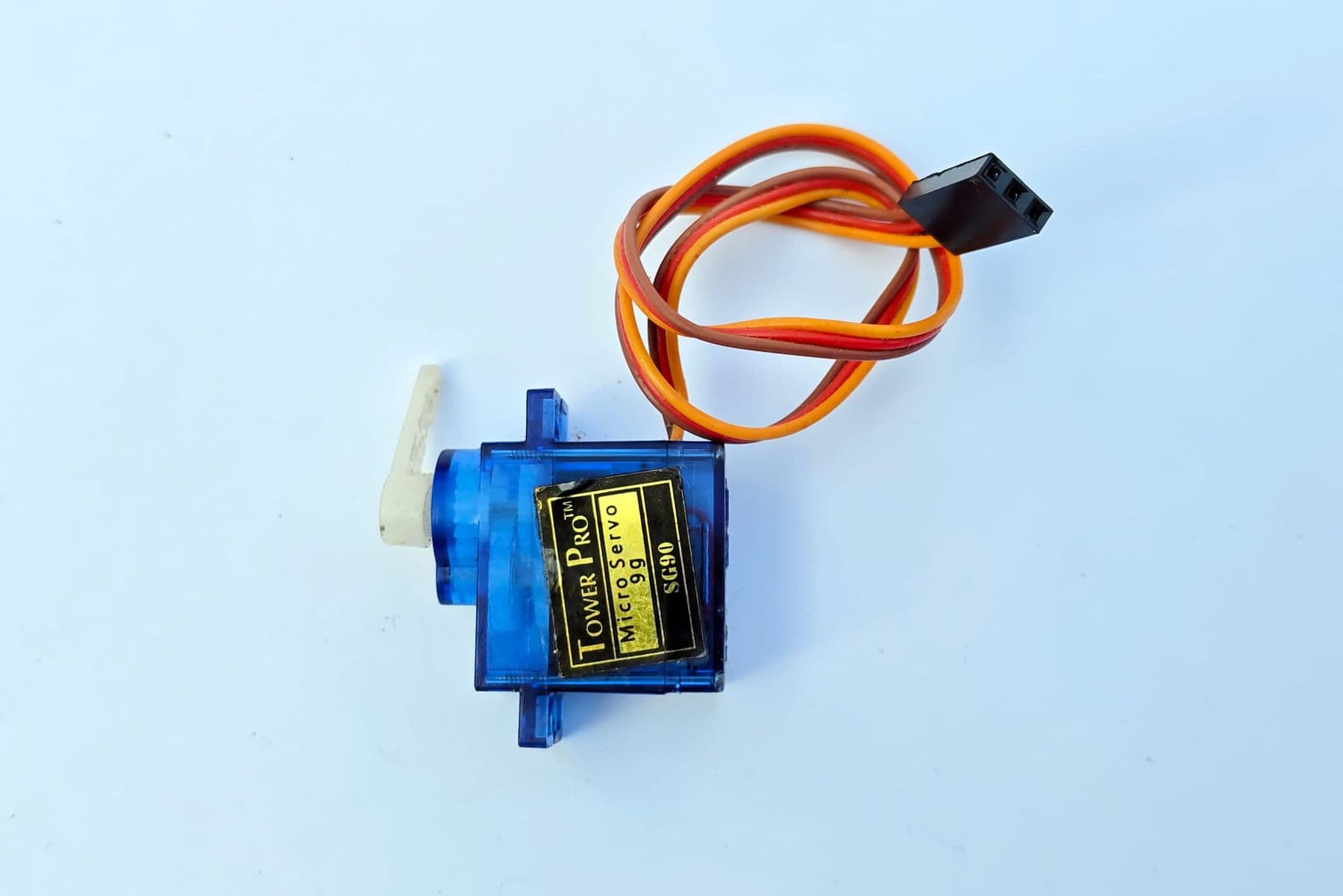
| Micro servo | Moves to a set angle, about 0–180° | SG90, SG92R | Sensor “head”, gripper, legs |
| Metal-gear servo | Same, but stronger | MG996R | Shoulder and elbow of a robot arm |
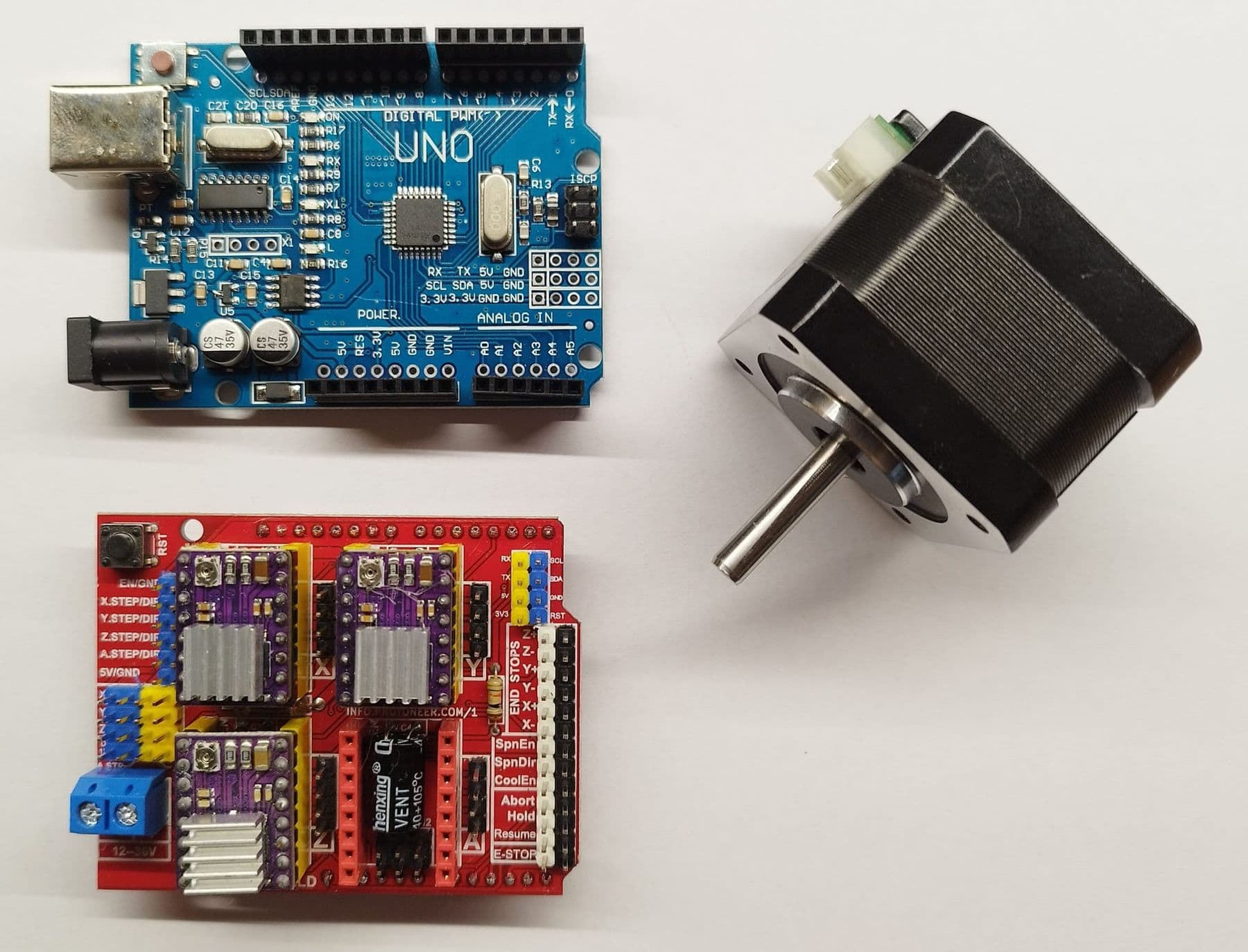
| Stepper motor | Turns in precise steps | NEMA 17 | 3D printers, CNC, exact positioning |
A DC gear motor is the base of a wheeled robot. The yellow TT motor runs on 3–6 V and makes about 250 rpm unloaded at 6 V. If the wheel stalls, the current rises to around 1.5 A. An Arduino pin cannot supply that, so never connect a motor straight to a pin; it always goes through a driver.
A servo motor combines a motor, gears and a position sensor. You tell it “go to 90 degrees” and it holds that angle. The small SG92R weighs 9 g, runs on 4.8 V and gives about 2.5 kg·cm of torque: enough to turn a sensor or close a light gripper. The heavy joints of a robot arm need metal-gear servos.
Motor driver: L298N or TB6612FNG?
A motor driver does two jobs: it feeds the motor a large current from the battery and it reverses the motor's direction. One board controls two DC motors, so a two-wheel robot needs just one.
- L298N: motor supply 5–35 V, 2 A continuous per channel. Cheap and everywhere, but it loses about 2 V internally and runs warm.
- TB6612FNG: motor supply about 2.5–13.5 V, 1.2 A continuous and 3.2 A peak per channel. Small and efficient, so your cells last longer.
Either works for a first robot with TT motors. Servos do not need a driver, but several servos need their own 5–6 V supply (sharing GND with the Arduino), not the Arduino's 5V pin.
Sensors: which one for which job?
Sensors decide how “smart” your robot is. Start with one or two and add more later.
| Sensor | Measures | Typical task |
|---|---|---|
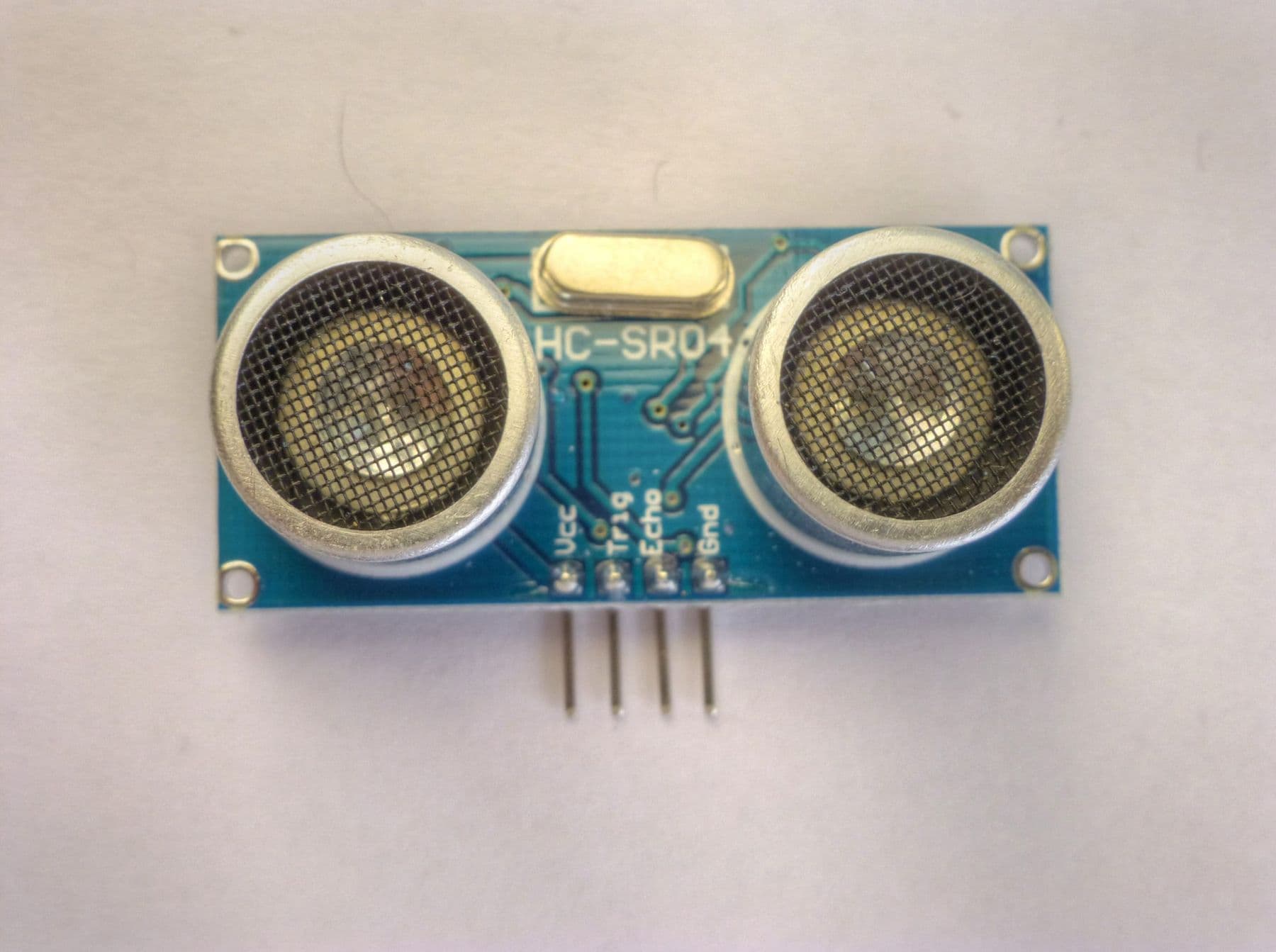
| HC-SR04 ultrasonic | Distance, 2 cm–4 m, about 15° cone | Obstacle avoidance, mazes |
| Infrared line sensor (TCRT5000) | Black vs white surface | Line following |
| Infrared obstacle sensor | Whether something is close | Stopping at a table edge |
| Photoresistor (LDR) | Light level | Light-seeking robot |
| DHT11 | Temperature and humidity | A weather station on wheels |
| Accelerometer and gyro (MPU6050) | Tilt and rotation | Balancing, motion control |
| Button or limit switch | Touch | Bump detection, arm home position |
The HC-SR04 runs on 5 V and draws about 15 mA, so it connects directly to an Arduino Uno. With an ESP32, reduce its Echo signal with a voltage divider.
If you want a teenager to learn sensors, Arduino C++, a 4WD robot and a robotic arm step by step with a teacher, our course “Electronics and Robotics (Advanced)” in Tbilisi is for ages 13–17. The kit and materials are included in the course price, and the robots and prototypes students build stay with them. For younger children, from age 7 and from age 10, there are other robotics courses: see all three on our robotics courses for kids page.
 Course at TDSRobotics, Electronics and Smart Systems: From a Smart City to Autonomous Robots7 months · 3 phases · 72 h · Starts 20 NovDetails
Power: which battery to choose and how to stay safe
- AA batteries (4–6). Safe and simple, but motors drain them quickly; four AA cells (6 V) are weak once the L298N takes its share.
- 18650 Li-ion cells. One cell is 3.6–3.7 V nominal and 4.2 V when full. Two in series give 7.4 V, ideal for a robot with TT motors. They need a proper charger.
- LiPo packs. Light and powerful, used in drones and fast robots, but they demand the most care: charge them only with a balance charger made for LiPo, in a fire-resistant bag and under supervision. A first robot does not need one.
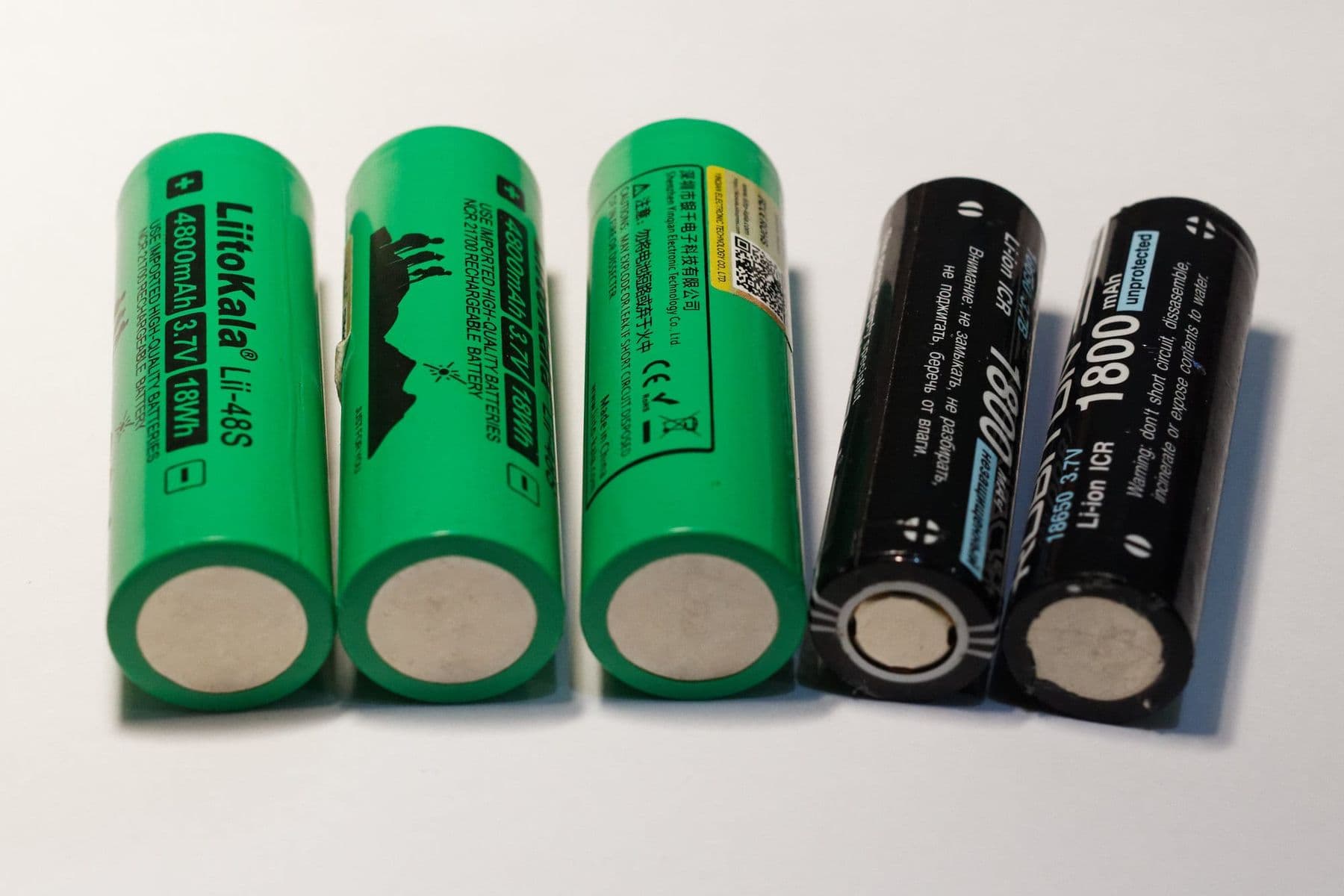
Charge lithium cells only with a matching charger, under supervision and away from anything flammable. Stop using any cell that is swollen, cracked or dented, and take old batteries to a collection point, never the household bin.
Chassis and tools: what you need on the desk
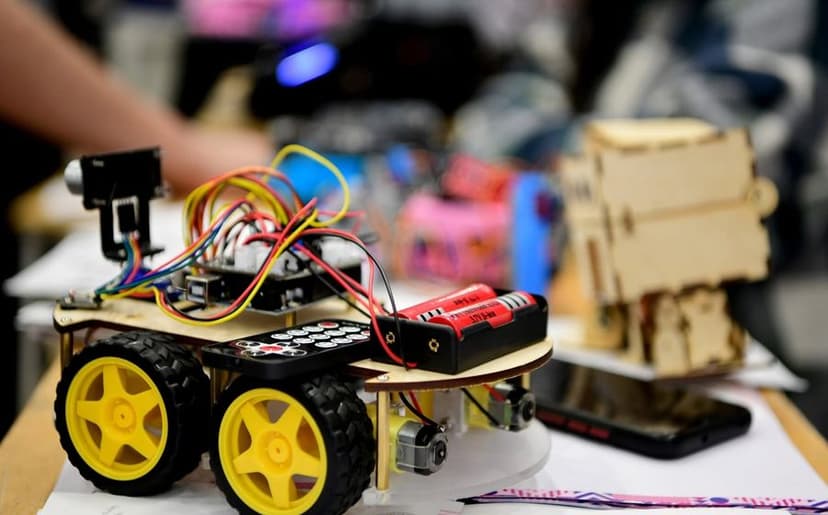
Chassis. The best start is a ready-made 2WD kit: plate, two motors, wheels and a caster. A 4WD chassis with four motors copes better with uneven floors but needs more power. Designing your own body, laser-cut from plywood or 3D printed, is a great later step.
Tools. The minimum is a set of small screwdrivers, wire cutters, a breadboard and jumper wires. A digital multimeter helps enormously for checking voltages and broken wires. If you must solder wires to the motors, you need a temperature-controlled soldering iron and safety glasses.
Buy two or three of each cheap sensor and plenty of jumper wires. One dead HC-SR04 or a broken wire can cost you a whole evening. Use wire colours consistently: red for power, black for GND, other colours for signals. Check voltages before you buy: a 5 V sensor and a 3.3 V board do not always work together.
How much does it cost? Arduino and robot part prices
These prices are approximate, as of October 2026 in Georgia. They change with the shop, the brand and the exchange rate, so check before you buy.
| Component | Example | Approximate price |
|---|---|---|
| Uno-compatible board | With CH340 USB chip | 20–45 GEL |
| Original Arduino Uno | R4 Minima or R3 | 65–100 GEL |
| ESP32 board | DevKit | 15–40 GEL |
| Motor driver | L298N or TB6612FNG | 10–25 GEL |
| 2WD chassis kit | Plate, 2 motors, wheels | 35–70 GEL |
| Micro servo | SG90 | 8–20 GEL |
| Metal-gear servo | MG996R | 25–45 GEL |
| Ultrasonic sensor | HC-SR04 | 5–15 GEL |
| IR line sensor | TCRT5000 module | 3–10 GEL |
| 18650 cell, each | Quality brand | 10–25 GEL |
| Li-ion charger | 2-slot | 20–50 GEL |
| Breadboard + wires | 830-point | 10–25 GEL |
| Arduino starter kit | Board + sensors + parts | 60–150 GEL |
| Digital multimeter | Basic | 30–80 GEL |
Arduino starter kit or individual parts?
A starter kit is best when you do not yet know what interests you. One box gives you a board, a breadboard, LEDs, resistors, buttons and often up to ten sensors, enough for dozens of small projects. Find ideas in our Arduino project ideas.
Individual parts are best when you have a specific project, such as your first Arduino robot. You buy exactly what you need and can spend more on good motors and cells.
Where to buy Arduino parts? Electronics shops in Tbilisi give you the part immediately, and you can often test it on the spot. International online marketplaces are cheaper, but delivery takes weeks and quality depends on the seller. Many makers buy the core parts locally and order extra sensors online.
Frequently asked questions
How much does an Arduino cost in Georgia?
As a rough 2026 guide, an Uno-compatible board costs about 20–45 GEL and an original Arduino Uno about 65–100 GEL. The official Arduino online store lists the Uno R4 Minima at €22 and the Uno R3 at €29.30 (VAT included, before shipping). Check the exact price in your shop.
Which Arduino starter kit should a beginner buy?
For learning, choose a kit with an Uno-compatible board, a breadboard, wires and at least an HC-SR04, a servo and a few sensors. If your goal is a robot, buy a 2WD chassis kit and the board separately. Always read the parts list before buying.
Servo or DC motor: which does my robot need?
For wheels that spin continuously you need DC gear motors such as TT motors. A servo is for anything that must stop at a specific angle: a sensor head, a gripper or a robot arm joint. Many robots use both.
Can I build a robot with an ESP32?
Yes, and it is a good choice if you want to drive the robot from a phone or over Wi-Fi. Remember that the ESP32 runs on 3.3 V, so 5 V sensors need a voltage divider or a level shifter. For a very first project the Uno is simpler.
Does a robot need soldering?
A simple robot goes together almost entirely with jumper wires and screw terminals. Soldering is usually needed only to attach wires to the motors, and children should do it with an adult watching.
Your next step
You have the parts list. Now pick one concrete project and finish it: that is how knowledge sticks. If you are not sure which direction suits your child, electronics, robotics or drones, book a free consultation and we will choose together.
Sources
- Arduino UNO R3: Tech Specs, Arduino
- Arduino UNO R4 Minima, Arduino
- Arduino Nano, Arduino
- DC Gearbox “TT Motor” 3–6 V, Adafruit
- Micro servo TowerPro SG92R, Adafruit
- Ultrasonic Distance Sensor HC-SR04, SparkFun
- TB6612FNG Hookup Guide, SparkFun
- L298N Dual H-Bridge Motor Control Module, ProtoSupplies