The best Arduino projects for beginners are the ones that work in a single evening and teach you something new: a traffic light, an automatic night light, a parking sensor, a room weather station and a plant monitor. Below are 15 ideas ranked by difficulty, from simple LEDs to an RFID lock and a robot, with parts, skills and working code.
Each project builds on the one before: digital pins first, then analog sensors, then libraries, and finally several parts working as one system. If you have never programmed an Arduino, start with our Arduino for beginners guide, which covers installing the IDE and your first sketch.
15 Arduino projects: the table by difficulty
Difficulty: ★ one evening, ★★ a day or two plus a new library, ★★★ a weekend project with several modules.
| Project | Main parts | Difficulty | What you learn |
|---|---|---|---|
| 1. Traffic light | 3 LEDs, 3 × 220 Ω | ★ | digitalWrite, delay, sequences |
| 2. Reaction game | LED, push button | ★ | digitalRead, millis(), timing |
| 3. Automatic night light | photoresistor, 10 kΩ, LED | ★ | analogRead, thresholds, if/else |
| 4. Mini piano | passive buzzer, 4 buttons | ★ | tone(), frequencies |
| 5. Electronic dice | 6 LEDs or 8 × 8 matrix, button | ★ | random(), arrays |
| 6. Parking sensor | HC-SR04, buzzer | ★★ | pulseIn(), distance maths |
| 7. Room weather station | DHT22, 16 × 2 LCD (I2C) | ★★ | libraries, I2C display |
| 8. Plant monitor | soil moisture sensor, LED | ★★ | calibration, map() |
| 9. Motion alarm | PIR sensor, buzzer | ★★ | digital sensors, states |
| 10. Smart bin | HC-SR04, SG90 servo | ★★ | Servo library, motion |
| 11. TV remote control | IR receiver, remote, LEDs | ★★ | decoding codes, switch |
| 12. RFID lock | RC522, servo, LEDs | ★★★ | SPI, card IDs, 3.3 V |
| 13. Digital spirit level | MPU6050, LEDs or display | ★★★ | I2C, accelerometer, angles |
| 14. Obstacle-avoiding robot | 2WD chassis, driver, HC-SR04 | ★★★ | motors, autonomous logic |
| 15. Wi-Fi weather station | ESP32, DHT22 | ★★★ | Wi-Fi, a web page on your phone |
Easy Arduino projects (★): your first week
1. Traffic light. Three LEDs (red, yellow, green) on three pins, each with a 220 Ω resistor; the program cycles through them. Once it works, add a "pedestrian" button.
2. Reaction game. An LED lights at a random moment and you hit the button as fast as you can. millis() counts the milliseconds and the Serial Monitor shows your time. Perfect for a family contest.
3. Automatic night light. A photoresistor and a 10 kΩ resistor form a voltage divider on pin A0. When the analogRead value drops below a threshold, the LED turns on; tune the threshold to your room with the Serial Monitor. Upgrade: put the LED on a PWM pin (~) and use analogWrite() so it gets brighter as the room gets darker.
4. Mini piano. Four buttons and a passive buzzer: each button plays its own note with tone() (for example 262, 294, 330 and 349 Hz: C, D, E, F).
5. Electronic dice. Press the button and random(1, 7) picks a number from 1 to 6, shown as dice dots with LEDs.
Intermediate projects (★★): sensors and libraries
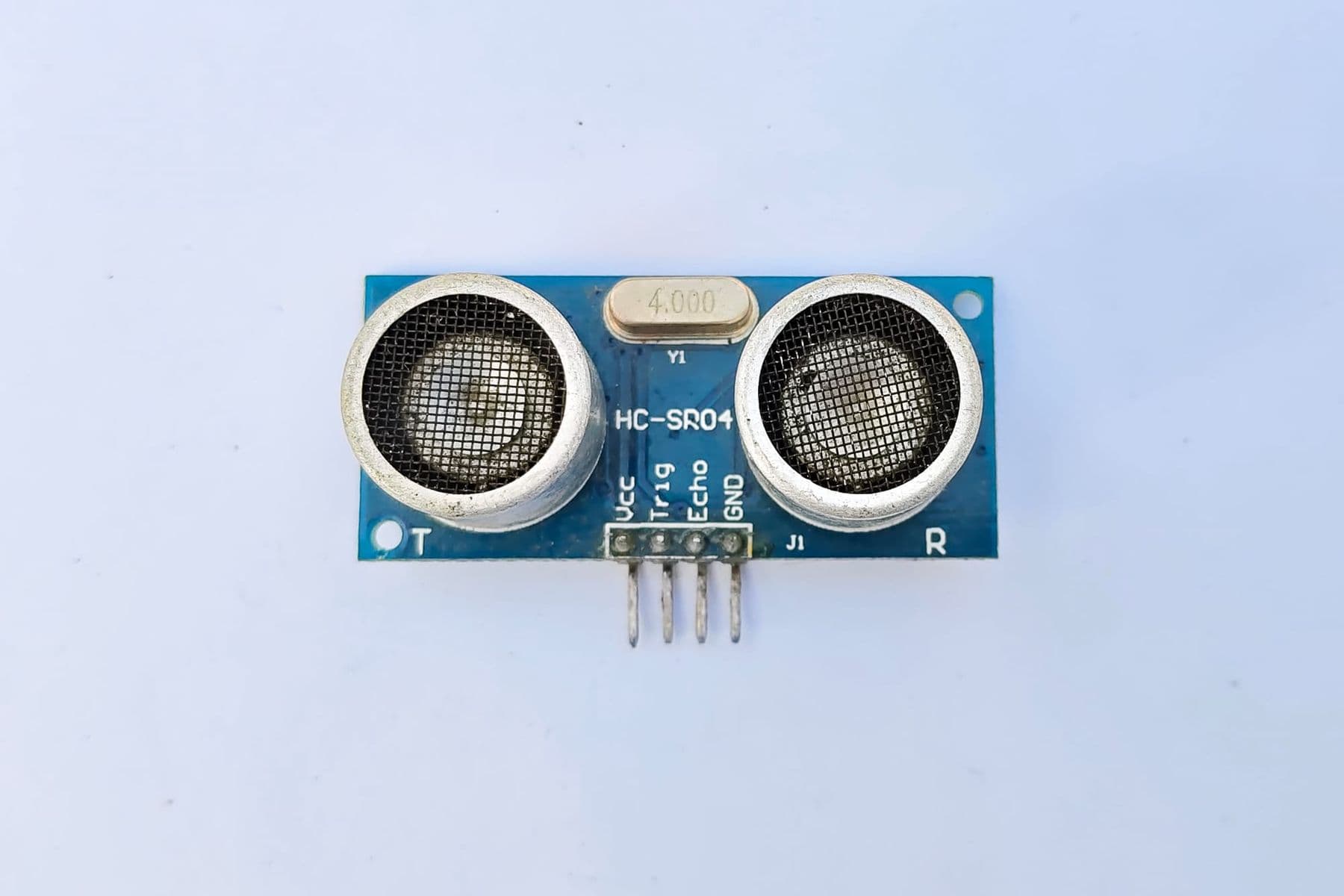
6. Parking sensor. The HC-SR04 measures distance with ultrasound, and the buzzer beeps faster as an object gets closer. It is the most popular beginner project, so here is the full code:
const int TRIG = 9;
const int ECHO = 8;
const int BUZZER = 7;   // passive buzzer

void setup() {
  pinMode(TRIG, OUTPUT);
  pinMode(ECHO, INPUT);
  pinMode(BUZZER, OUTPUT);
  Serial.begin(9600);
}

void loop() {
  digitalWrite(TRIG, LOW);
  delayMicroseconds(2);
  digitalWrite(TRIG, HIGH);                    // a 10-microsecond pulse starts a reading
  delayMicroseconds(10);
  digitalWrite(TRIG, LOW);

  long duration = pulseIn(ECHO, HIGH, 30000);  // echo time in microseconds
  float cm = duration * 0.017;                 // 0.034 cm/us divided by 2 (there and back)
  Serial.println(cm);

  if (duration > 0 && cm < 30) {
    int pause = map(constrain(cm, 2, 30), 2, 30, 50, 500);  // closer = faster beeps
    tone(BUZZER, 1000, 50);
    delay(pause);
  } else {
    delay(100);
  }
}
How it works: a 10-microsecond pulse on TRIG tells the sensor to send an ultrasonic burst. pulseIn() measures how long ECHO stays HIGH, i.e. how many microseconds the sound took to reach the object and return. Sound travels about 0.034 cm per microsecond, and because the trip is doubled we multiply by 0.017: 1176 microseconds is about 20 cm. tone() needs a passive buzzer; an active buzzer makes its own tone when the pin is simply HIGH.
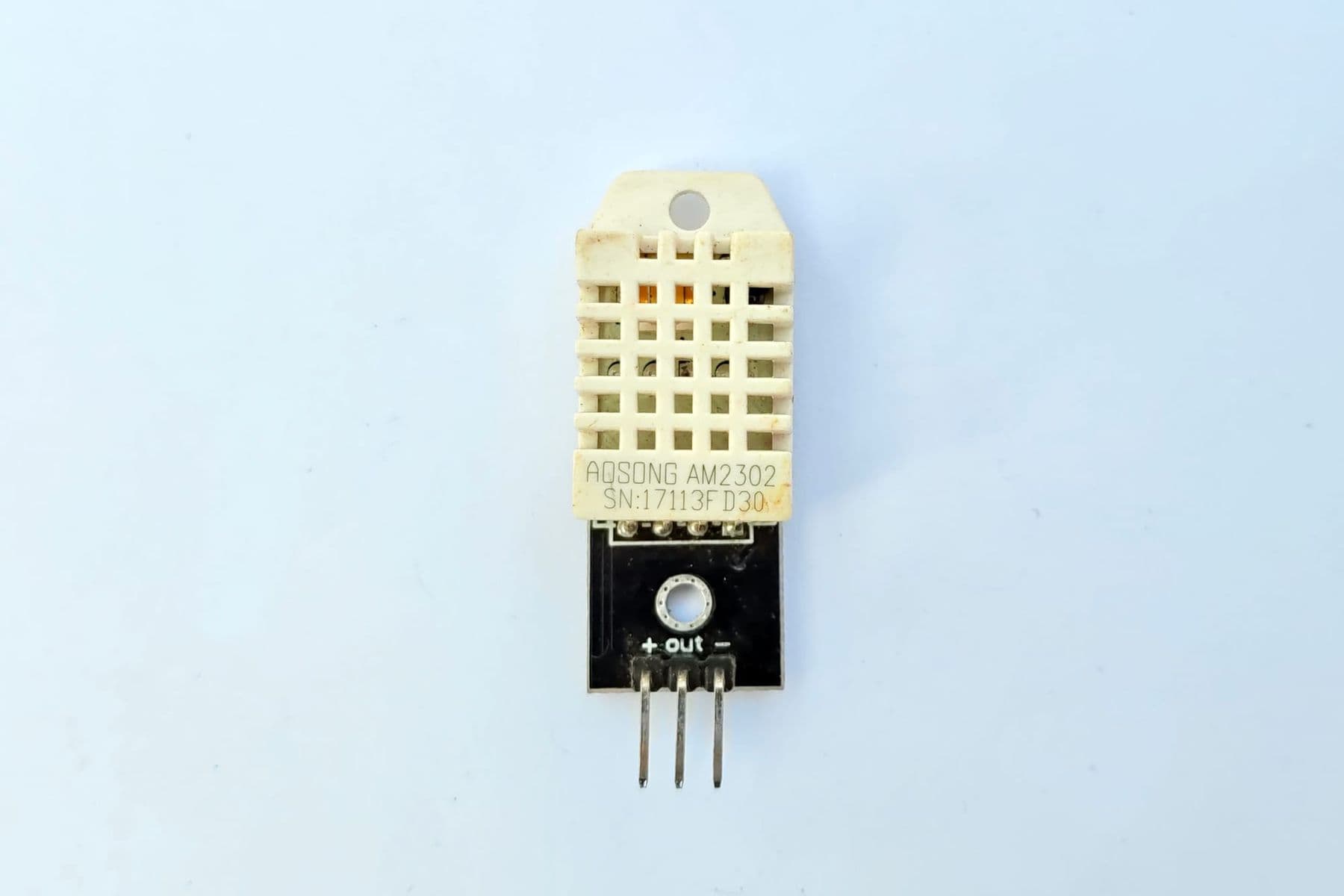
7. Room weather station. The DHT22 measures temperature and humidity, and an I2C display needs only four wires. Install the libraries from the Library Manager (for the sensor, "DHT sensor library"). The core code:
#include <DHT.h>

DHT dht(2, DHT22);                   // data pin 2, sensor type

void setup() {
  Serial.begin(9600);
  dht.begin();
}

void loop() {
  delay(2000);                       // the DHT22 gives a reading at most every 2 seconds
  float t = dht.readTemperature();   // degrees C
  float h = dht.readHumidity();      // percent
  if (isnan(t) || isnan(h)) {
    Serial.println("Sensor error");
    return;
  }
  Serial.print(t);
  Serial.print(" C, ");
  Serial.print(h);
  Serial.println(" %");
}
8. Plant monitor. A moisture sensor in the pot and an LED or buzzer that tells you when to water. Calibrate first: note the reading in dry and wet soil and convert to percent with map(). On a capacitive sensor wetter soil gives a lower number, so do not be surprised by "reversed" values, and keep the electronics at the top of the probe out of soil and water.
9. Motion alarm. A PIR sensor detects warm bodies moving and returns a digital signal; the Arduino sounds a buzzer or lights an LED. The two small screws on the sensor set sensitivity and delay.
10. Smart bin. An HC-SR04 sees your hand, an SG90 servo lifts the lid and closes it a few seconds later. The Servo library is built into the IDE.
11. TV remote control. An IR receiver reads the button codes of a TV remote (with the IRremote library), and you assign each button an action: light an LED, turn a servo.
Advanced projects (★★★): several modules together
12. RFID lock. An RC522 module reads the ID of a card or key fob; the right card turns a servo "lock" and lights a green LED. Careful: the RC522 is a 3.3 V part, so never connect its VCC to 5V. On an Uno it uses SPI (SS 10, SCK 13, MOSI 11, MISO 12, RST 5 or 9 depending on the example) and the MFRC522 library. For a permanent build, add a voltage divider or level shifter on the 5 V signal lines.
13. Digital spirit level. The MPU6050 is an accelerometer and gyroscope on one chip. Work out the tilt angle and show with LEDs whether a surface is level. Adafruit's MPU6050 library includes a ready example that prints all three axes. It is a great introduction to drones and self-balancing robots.
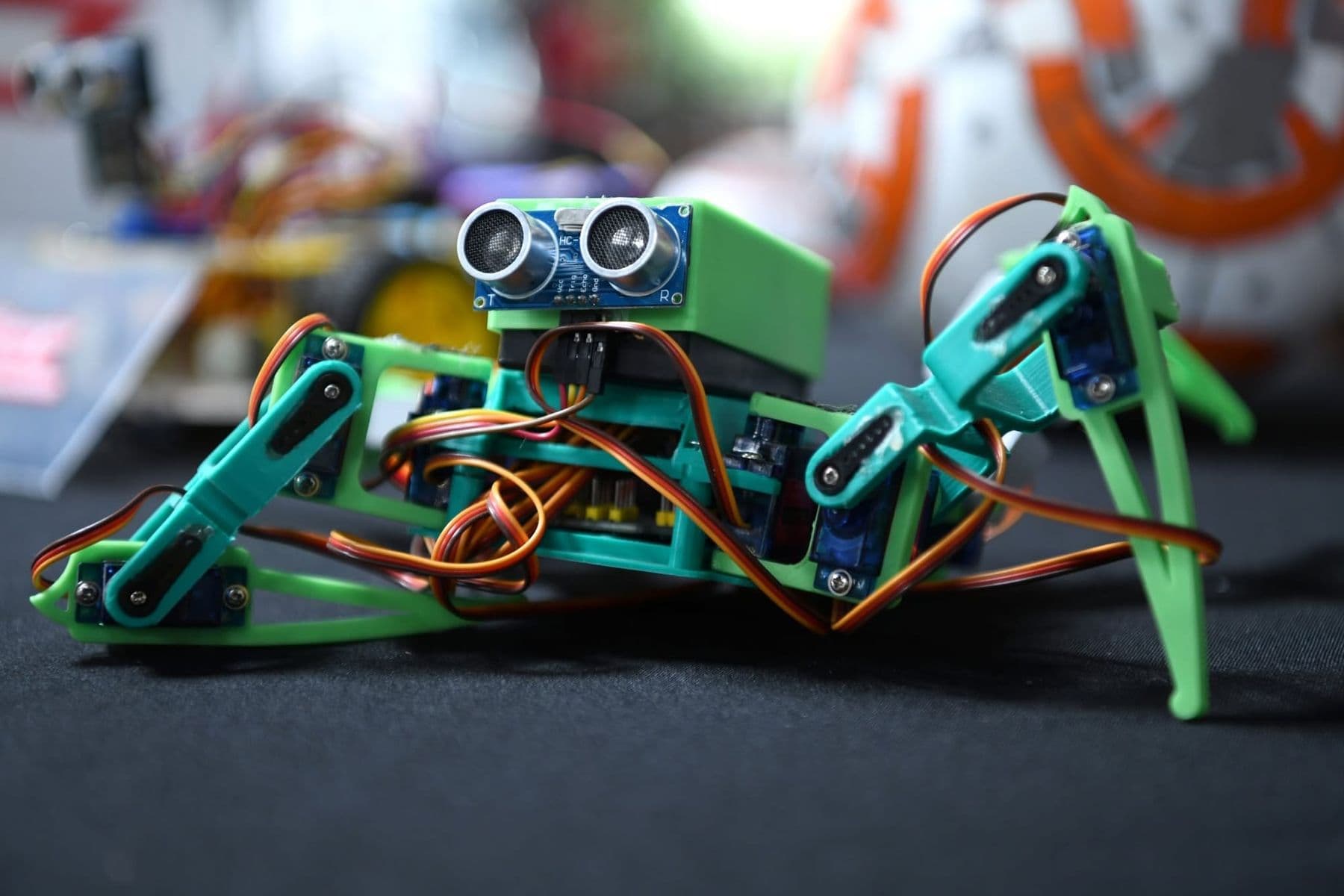
14. Obstacle-avoiding robot. A two-motor chassis, a motor driver and an HC-SR04: the robot drives forward, sees a wall and turns. The full guide, wiring table and code are in how to build your first robot.
15. Wi-Fi weather station. An ESP32 and a DHT22, with the readings shown in your phone's browser. This is the first step to a smart home; see our guide to a DIY smart home with ESP32.
Arduino sensor guide: what each one measures
| Sensor | Measures | Power and interface | Good to know |
|---|---|---|---|
| HC-SR04 | distance 2–400 cm | 5 V, Trig/Echo | cm = microseconds × 0.017 |
| PIR (HC-SR501) | motion up to 6 m | 5–12 V, digital | 110° × 70° field of view |
| DHT11 | 0–50°C (±2°C), 20–80% RH | 3–5 V, one wire | one reading per second |
| DHT22 | −40 to 80°C (±0.5°C), 0–100% RH | 3–5 V, one wire | one reading every 2 s |
| Soil moisture | soil wetness | 3.3–5 V, analog | capacitive types do not corrode |
| Photoresistor (LDR) | light | voltage divider, analog | use a 10 kΩ resistor |
| IR receiver | remote control signals | 5 V, digital | IRremote library |
| MPU6050 | acceleration and rotation, 3 axes | I2C (0x68) | ±2–16 g, ±250–2000°/s |
| RC522 (RFID) | 13.56 MHz cards | 3.3 V, SPI | never on 5V |
Two practical notes. A resistive soil sensor (two bare metal prongs) corrodes as current flows through it, so choose a capacitive version for anything long-term. The DHT11 is cheap but cannot measure below zero: for a balcony or winter project you need the DHT22.
Always test a new sensor on its own, in an empty sketch, and watch its values in the Serial Monitor. Only add it to the big project once you know it gives sensible numbers. That way you can tell a wiring problem from a bug in your code.
How to choose an Arduino project for school
For a school or olympiad project, what matters is not how many sensors you use but which problem you solve and how you present the result. A recipe for a strong project:
- Start with a problem, not a sensor: "the air in the school library feels stuffy", "grandma's plants keep drying out".
- Measure: a weather station or plant monitor logging data for several days is already research.
- Show the results: a graph (Serial Plotter or a spreadsheet), photos and a short video.
- Describe your mistakes: what failed and how you fixed it. Judges value this a lot.
- Build an enclosure: even a cardboard box makes a project look finished.
When choosing parts, our robot components guide explains what comes in a starter kit and what to buy separately.
Common project mistakes
- Powering motors or servos from the Arduino's 5V. One SG90 often works, but two or three servos or DC motors need their own supply, or the board keeps resetting.
- Forgetting a common ground. If a separate battery powers the motors, its minus must connect to the Arduino's GND.
- Code full of delay(). While delay() runs, the Arduino cannot "see" a button. In bigger projects, learn millis().
- Mixing up 3.3 V and 5 V. The RC522 and ESP32 are 3.3 V parts; always check the datasheet.
Where teens can build projects like these with a mentor
On our Electronics and Robotics (Advanced) course, students aged 13–17 follow exactly this path: from Ohm's law and the breadboard to Arduino C++ (digitalWrite, analogRead, PWM, libraries), on to sensors (ultrasonic, DHT11, IR, RFID, soil moisture, gas) and smart devices such as an irrigation system, a door lock and a climate monitor. Then they build a 4WD robot with autonomous and Bluetooth control and a robotic arm, and the course ends with a robot competition. The robots and prototypes they build are theirs to keep.
 Course at TDSRobotics, Electronics and Smart Systems: From a Smart City to Autonomous Robots7 months · 3 phases · 72 h · Starts 20 NovDetails
For children aged 10–13 starting from zero, the better first step is Electronics and Smart Devices, where they build a new small device every week. See how the two levels compare on our electronics and Arduino courses page.
Frequently asked questions
What is the best first Arduino project?
Start with a traffic light or an automatic night light: both work in one evening and teach digital and analog pins. Then try the parking sensor, your first real sensor, where you calculate the distance yourself with a formula.
What do I need for Arduino projects?
An Arduino Uno or Nano, a breadboard, jumper wires, a resistor assortment, LEDs, buttons and a few sensors (HC-SR04, DHT11 or DHT22, a photoresistor). A starter kit bundles all of these and usually costs less than buying them one by one.
What is a good Arduino project for school?
A good school project solves a real problem and collects data: a room weather station, a plant monitor or a parking sensor. Judges look at the idea, the measurements, the presentation and how you fixed your mistakes.
Can I build Arduino projects without any components?
Yes. In Tinkercad Circuits you can build an Arduino with LEDs, buttons, an ultrasonic sensor and many other parts in your browser and run the code. It is free and ideal for testing an idea before you buy anything.
How long does one project take?
An easy project (★) takes 1–2 hours, an intermediate one (★★) an evening or two, because you need to install a library and calibrate the sensor. A robot or an RFID lock (★★★) is a weekend project, especially the first time.
If your child is interested in Arduino projects and you would like them to learn systematically, book a free consultation and we will tell you which course fits their age and experience.
Sources
- Arduino Ultrasonic Sensor (HC-SR04) tutorial, ArduinoGetStarted
- DHT11, DHT22 and AM2302 Sensors, Adafruit Learning System
- PIR Motion Sensor, Adafruit Learning System
- MPU6050 6-DoF Accelerometer and Gyro, Adafruit Learning System
- Arduino RFID/NFC (RC522) tutorial, ArduinoGetStarted
- Arduino Soil Moisture Sensor tutorial, ArduinoGetStarted
- Arduino UNO R3 tech specs, Arduino Store