You can build a DIY smart home with one ESP32 board (it has Wi-Fi and Bluetooth built in), a few sensors and free software: the Arduino IDE or ESPHome, plus Home Assistant to tie it together. Start with a safe, low-voltage project such as a weather station or a door sensor. Leave 230 V mains wiring alone: for that you need a certified device or an electrician.
Below are seven real projects, from easy to harder. Each comes with a parts list, a difficulty level and what you learn by building it. At the end you will see how to bring every device onto one dashboard and which mistakes beginners make most often.
What is a smart home, and why ESP32?
A smart home is a network of devices that measure things (temperature, humidity, motion) and act on them (switch a light, run a pump, send you a message). The idea is called IoT, the Internet of Things. Every such device needs a small “brain”, a microcontroller that reads the sensor and sends the data over the network.
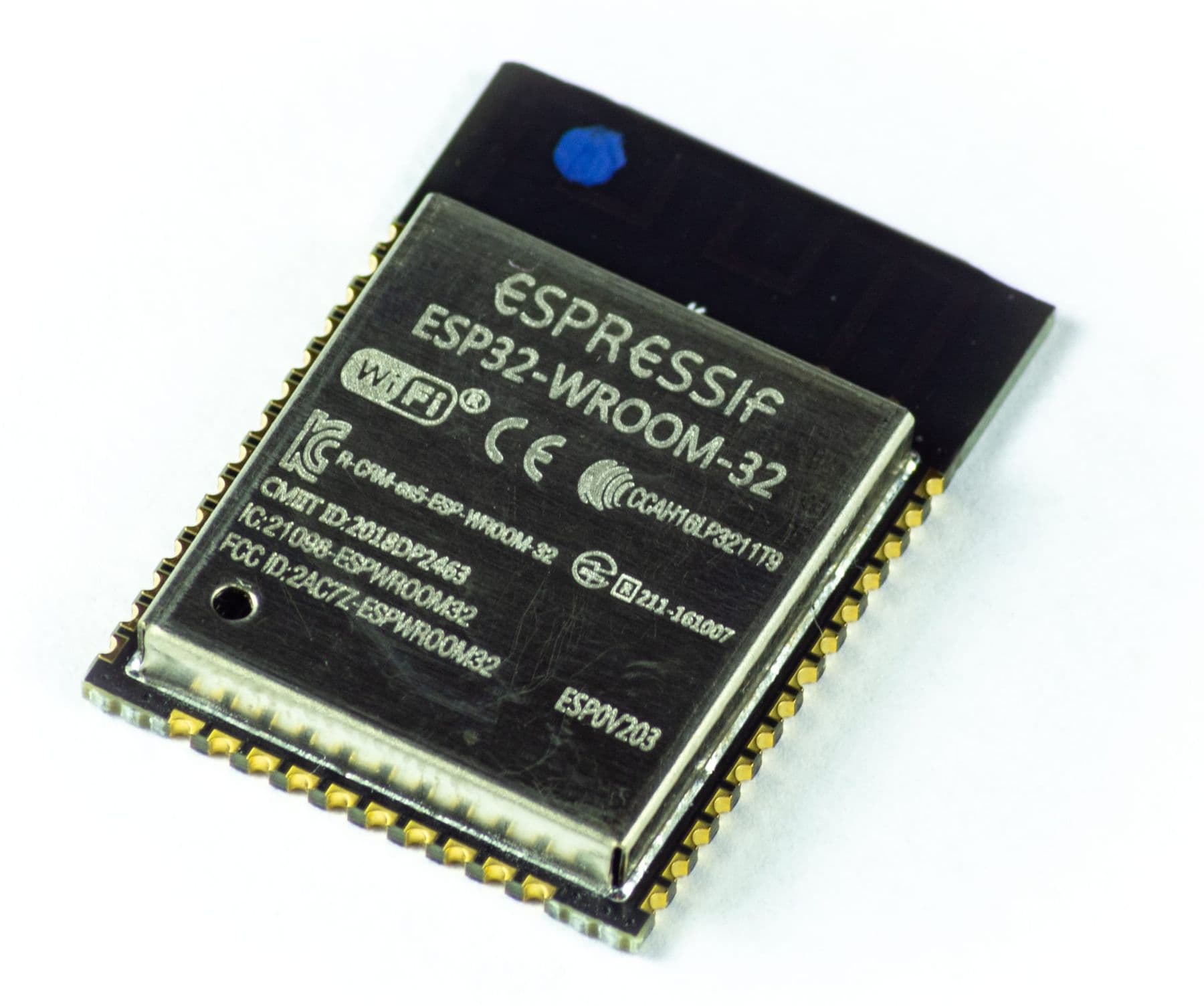
The Arduino Uno is excellent for learning electronics, but it has no network connection. The ESP32 follows the same idea with Wi-Fi built in and far more computing power. You program it in the same Arduino IDE, so if you already know the basics (start with our guide to Arduino for beginners), the step up is small.
| Feature | Arduino Uno R3 | ESP32 (WROOM-32) |
|---|---|---|
| Processor | ATmega328P, 16 MHz | Dual-core, up to 240 MHz |
| RAM | 2 KB | 520 KB |
| Wireless | None | Wi-Fi 2.4 GHz, Bluetooth |
| Logic level | 5 V | 3.3 V |
| Best for | Learning, simple circuits | Connected devices |
What do you need to get started?
The first three projects need no expensive equipment. This kit is enough:
- An ESP32 DevKit board (any version with a USB port);
- A breadboard and jumper wires;
- A USB cable that carries data (some cables only charge);
- Sensors: BME280 or DHT22 (temperature and humidity), a PIR motion sensor, a reed switch with a magnet, a capacitive soil moisture sensor;
- 5 V and 12 V power supplies for the pump and the LED strip;
- Software: the Arduino IDE with ESP32 support, or ESPHome, and optionally Home Assistant.
To add the ESP32 to the Arduino IDE, paste Espressif’s official URL (https://espressif.github.io/arduino-esp32/package_esp32_index.json) into Preferences, install the esp32 package in the Boards Manager and pick your board.
7 smart home devices at a glance
| # | Device | Main parts | Difficulty | What you learn |
|---|---|---|---|---|
| 1 | Weather station | BME280 or DHT22 | Easy | I2C, logging data |
| 2 | Plant watering | Capacitive sensor, 5 V pump | Medium | Analog input, transistors |
| 3 | Motion light | PIR sensor, LED strip | Easy | Digital input, timers |
| 4 | Door sensor | Reed switch, magnet | Easy | Pull-ups, notifications |
| 5 | Smart plug | A certified device | Hard | Relays, safety |
| 6 | Air quality | SCD40 (CO₂) | Medium | Thresholds, alerts |
| 7 | One dashboard | Home Assistant, ESPHome | Medium | Automations |
1. An indoor weather station
The best first project. A BME280 measures temperature, humidity and air pressure and talks to the ESP32 over I2C (two wires, SDA and SCL). A cheaper option is the DHT22 (or the less accurate DHT11). In ESPHome the whole “program” is a short YAML file:
esphome:
  name: weather-station

esp32:
  board: esp32dev

wifi:
  ssid: !secret wifi_ssid
  password: !secret wifi_password

api:
ota:
  - platform: esphome
logger:

i2c:
  sda: GPIO21
  scl: GPIO22

sensor:
  - platform: bme280_i2c
    address: 0x76
    temperature:
      name: "Room temperature"
    humidity:
      name: "Room humidity"
    pressure:
      name: "Pressure"
    update_interval: 60s
You upload it over USB once; after that, updates go over Wi-Fi (OTA). Mount the sensor a little away from the ESP32 chip: the board warms up while running and pushes the reading up.
2. Automatic plant watering
A soil moisture sensor returns a voltage that changes with how wet the soil is. Choose a capacitive sensor: resistive ones have exposed electrodes that corrode in the soil. An ESP32 pin cannot drive even a small 5 V pump directly, so put a MOSFET or a relay module in between.
Calibrate it: note the reading in dry air and in a glass of water, then set your threshold between the two. Run the pump for 3–5 seconds and check again after 30 minutes, so the water has time to soak in before the next decision.
3. A motion-activated light
A PIR sensor (for example the HC-SR501) detects the movement of body heat a few metres away. Its output is 3.3 V, so it connects straight to an ESP32 pin. Switch a 12 V LED strip for a hallway or wardrobe through a MOSFET, and add a rule in ESPHome: light only at night, and off after 2 minutes without motion.
4. A door or window sensor
A reed switch closes when a magnet comes near. One part goes on the frame, the magnet on the door. In ESPHome, enable the internal pull-up on the pin, or a floating input will give you false triggers, and add a delayed_on: 10ms filter to suppress contact bounce. Now your phone can tell you that a window was left open while the heating is on.
5. A smart plug, the safe way
A relay is an electromagnetic switch: a small signal turns a large load on and off. This is exactly where the danger starts. Household mains in Georgia is 230 V, and one mistake can kill. A cheap relay module has no enclosure, its screw terminals are exposed and it is not a certified electrical appliance.
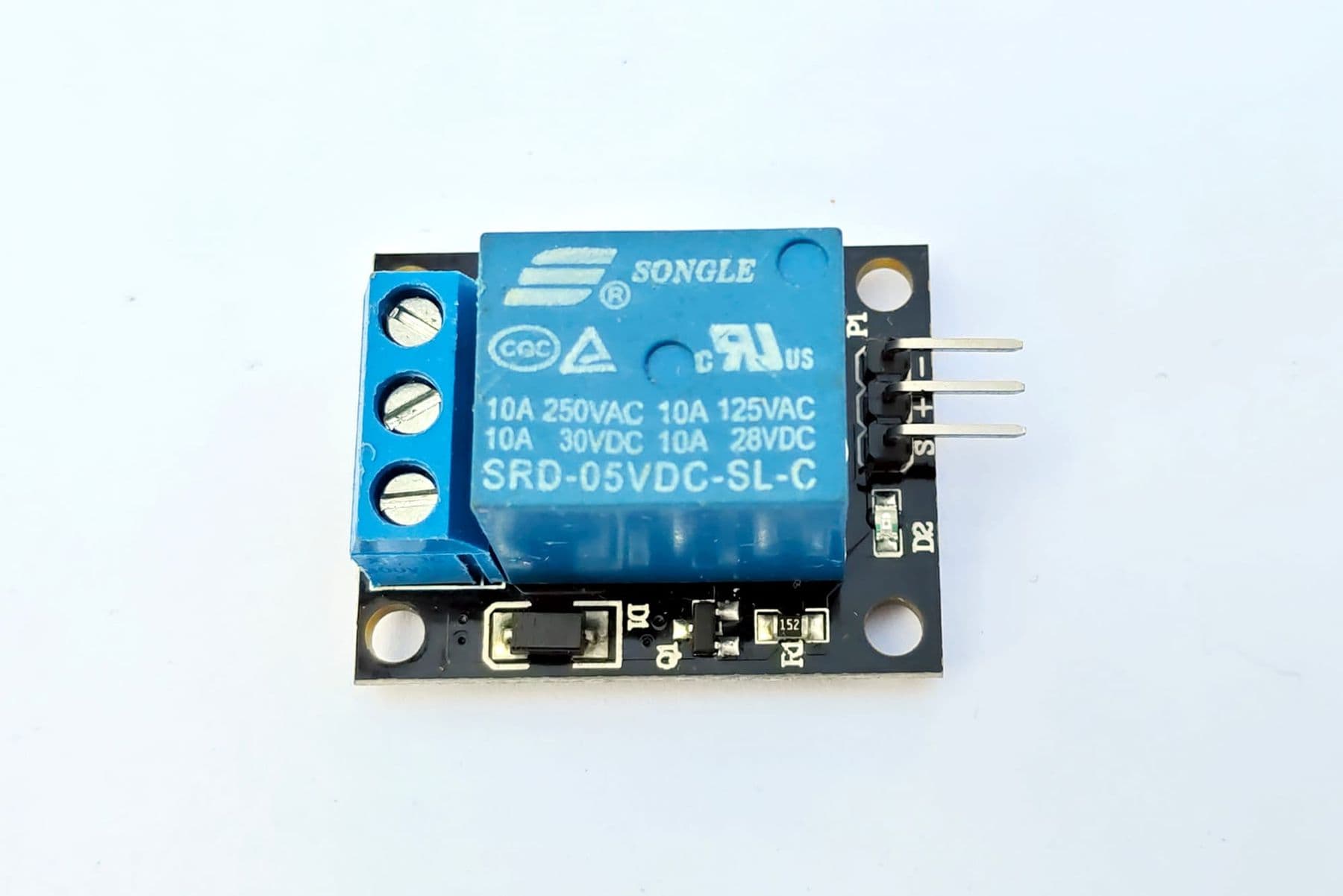
So do it in two steps. While learning, switch low voltage with the relay: a 12 V LED strip or a 5 V fan. For a real socket, buy a certified smart plug that supports ESPHome or local control, or have an electrician install it.
Never build a mains circuit on a breadboard and never touch a powered appliance. Kids and teens work only with 3.3, 5 and 12 V. If a project needs mains power, use a ready-made certified device or ask an electrician. Do not power a motor and the ESP32 from the same supply: the voltage dips when the motor starts and the board resets.
6. An air quality monitor
In a closed room with several people, carbon dioxide (CO₂) builds up quickly. The Sensirion SCD40 or SCD41 measures real CO₂ in ppm, plus temperature and humidity, over I2C. A cheap MQ-135 only gives a rough gas reading and cannot tell you the actual CO₂ level.
For reference: outdoor air is around 420–430 ppm, and Health Canada uses 1000 ppm (24-hour average) as its long-term exposure limit for homes. Set an LED or a notification at 1000 ppm to tell you it is time to air the room.
7. Bringing it all together in Home Assistant
Home Assistant is a free, open-source platform that runs in your home (on a Raspberry Pi, an old computer or a dedicated box) and keeps working when the internet is down. Devices built with ESPHome connect to it automatically over the local network, with no cloud account. On one screen you see temperature, CO₂ and door status, and you can write automations such as “if CO₂ is above 1000 and the window is closed, send me a message”.
ESPHome or the Arduino IDE: which should you choose?
Both are free and both run on the ESP32. The difference is the approach:
- The Arduino IDE (C++) suits you if you want to understand everything from the inside: pins, loops, libraries. You write the code and you have full control.
- ESPHome (YAML) suits you if the goal is a working home device, fast. You describe which sensor sits on which pin, and ESPHome generates the firmware, the Wi-Fi updates and the Home Assistant connection.
In the lab we do both: first we read a sensor with Arduino code so the student understands the principle, then we add the same sensor to the home system with ESPHome. Most Arduino project ideas also work on the ESP32 once you respect the 3.3 V rule.
Common mistakes and how to fix them
- 5 V on an ESP32 pin. The pins are designed for 3.3 V. Connect a 5 V sensor signal through a voltage divider (two resistors) or a level shifter.
- The board does not show up on the computer. Often the cable only charges. Try another one.
- It cannot find the Wi-Fi. The ESP32 only sees 2.4 GHz networks, not 5 GHz.
- Analog readings go crazy when Wi-Fi is on. ADC2 pins cannot be used while Wi-Fi is active. Move the sensor to an ADC1 pin (for example GPIO32–39).
- The board will not boot. GPIO6–11 serve the internal flash, and GPIO0, 2, 5, 12 and 15 set the boot mode. Wire sensors to other pins first.
- The relay clicks on its own at power-up. Some pins pulse briefly during boot. Pick a pin that stays quiet.
Where can you learn to build smart devices?
If electronics is new to you, learn Ohm’s law and simple circuits first, then Arduino, then the ESP32. For children, our guide to an electronics course for kids explains what age to start and in what order.
At Tbilisi Digital School, children aged 10–13 on the Electronics and Smart Devices course program Arduino in C++, use sensors (ultrasonic, DHT11, buttons, line sensors), displays and a servo, and design an enclosure for their device in Tinkercad. They build a smart device every week and finish with a project of their own. The electronics kit and the prototypes they build stay with the child, so the experiments can continue at home. This course and the Advanced level for ages 13–17 are on one page: electronics and Arduino courses.
Frequently asked questions
How much does it cost to build a smart home with ESP32?
Most of the cost is the board and sensors. An ESP32 board and a temperature sensor are among the cheapest parts in any electronics shop, so a first device often costs far less than a commercial equivalent. Home Assistant and ESPHome are free. The most expensive item is often the computer that runs Home Assistant, and an old laptop will do.
ESP32 or Arduino: which should I start with?
If electronics is completely new, start with an Arduino Uno: it runs at 5 V, has more learning material and forgives more mistakes. Once you are comfortable with sensors and code, move to the ESP32 for Wi-Fi. Both are programmed in the Arduino IDE.
Can a child build a smart home device?
Yes, as long as the project is low voltage (3.3–12 V). A weather station, a door sensor and a CO₂ monitor are good projects for a 10–13 year old with an adult nearby. Anything connected to mains power is a job for an adult and a professional.
What is IoT in simple words?
IoT, the Internet of Things, means everyday objects connected to the internet or a home network: a thermometer that sends the temperature to your phone, or a plant pot that waters itself. Each one has a small microcontroller and a sensor inside.
Does Home Assistant need the internet?
No. Home Assistant runs on your home network and talks to ESPHome devices locally, so automations keep working when the internet is down. You only need the internet to check your data from outside the house.
Next step
Pick one project from this list, usually the weather station, and finish it: sensor, code, enclosure. One working device teaches more than ten half-built ones. If you want your child to learn electronics step by step, with a kit and a mentor, book a free consultation and we will help you choose the right course in Tbilisi.
Sources
- ESP32-WROOM-32E Datasheet, Espressif Systems
- GPIO & RTC GPIO (ESP32), ESP-IDF Programming Guide, Espressif
- Installing Arduino-ESP32, Espressif
- ESPHome: Smart Home Made Simple, ESPHome / Open Home Foundation
- SCD4X CO₂ Temperature and Relative Humidity Sensor, ESPHome
- Home Assistant Core, GitHub
- Carbon dioxide in your home, Health Canada
- Plug, socket and voltage by country, WorldStandards