
AI for marketing helps a small business in three places: producing content (posts, visuals, short video), running ads (copy variants, audience ideas, the AI built into Meta and Google) and analytics (reports and conclusions). It does not replace strategy: if you do not know who you sell to and why, AI just produces more generic content, faster.
Below is the full workflow for a small business in Tbilisi (a café, salon, online shop or studio), from brand voice to the ad report. Sales, support and finance are covered in AI in Business: 15 Use Cases; which tool suits which task, in our guide to AI apps.
Where to start: brand voice and instructions for AI
AI writes generic text because it does not know your business. So start with a one-page brief, saved once in a ChatGPT or Claude project or a Gemini Gem. It should cover:
- Buyers: 2–3 types, their common questions and doubts.
- Facts: products, prices, address, opening hours. AI must never invent these.
- Tone: three adjectives and a “we don’t write like this” list.
- Form of address: formal or informal, the same on every channel.
- Examples: your 3–5 best posts.
You are the social media manager of [brand].
We: [one sentence: what we sell, where, to whom].
Audience: [2–3 buyer types and each one’s main question].
Tone: warm, short, precise. We address readers formally.
We never write: “the best”, “unique”, repeated exclamation marks,
more than three emojis per post.
Facts (use only these): [prices, address, hours].
If a fact you need is missing, write [to fill in] and do not invent it.
Examples: [3 best posts].
The second-to-last line matters most: it rules out invented discounts and dates. More on building such instructions: How to Write a Good Prompt.
AI content creation: a month of content in one day
With the brief ready, a month of content takes one working day. The “AI content creator” is you, using AI as an assistant. A day might look like this:
| Step | What you do | Approximate time |
|---|---|---|
| 1. Calendar | 12–16 topics, formats and dates, with your season and holidays | 1 hour |
| 2. Copy | A draft of every post, with two headline options | 2 hours |
| 3. Visuals | Product photos, backgrounds, formats | 2 hours |
| 4. Short video | 3–4 scripts, shooting, editing | 2 hours |
| 5. Review | Facts, language, prices, scheduling | 1 hour |
Calendar and copy. Instead of “30 posts”, ask for a mix: say, half useful (tips, how-tos), a quarter product and offers, the rest team and behind the scenes. Have AI note which buyer question each post answers; a post that answers none does not deserve a slot.
Visuals: real photos first. The most trustworthy visual is a photo of your real product; AI can change its background, extend it to other formats and clean it up. A fully generated product misleads buyers if the real thing looks different. AI often mangles Georgian lettering, so add text afterwards in Canva or Figma. Tools and prompts: How to Create Images with AI.
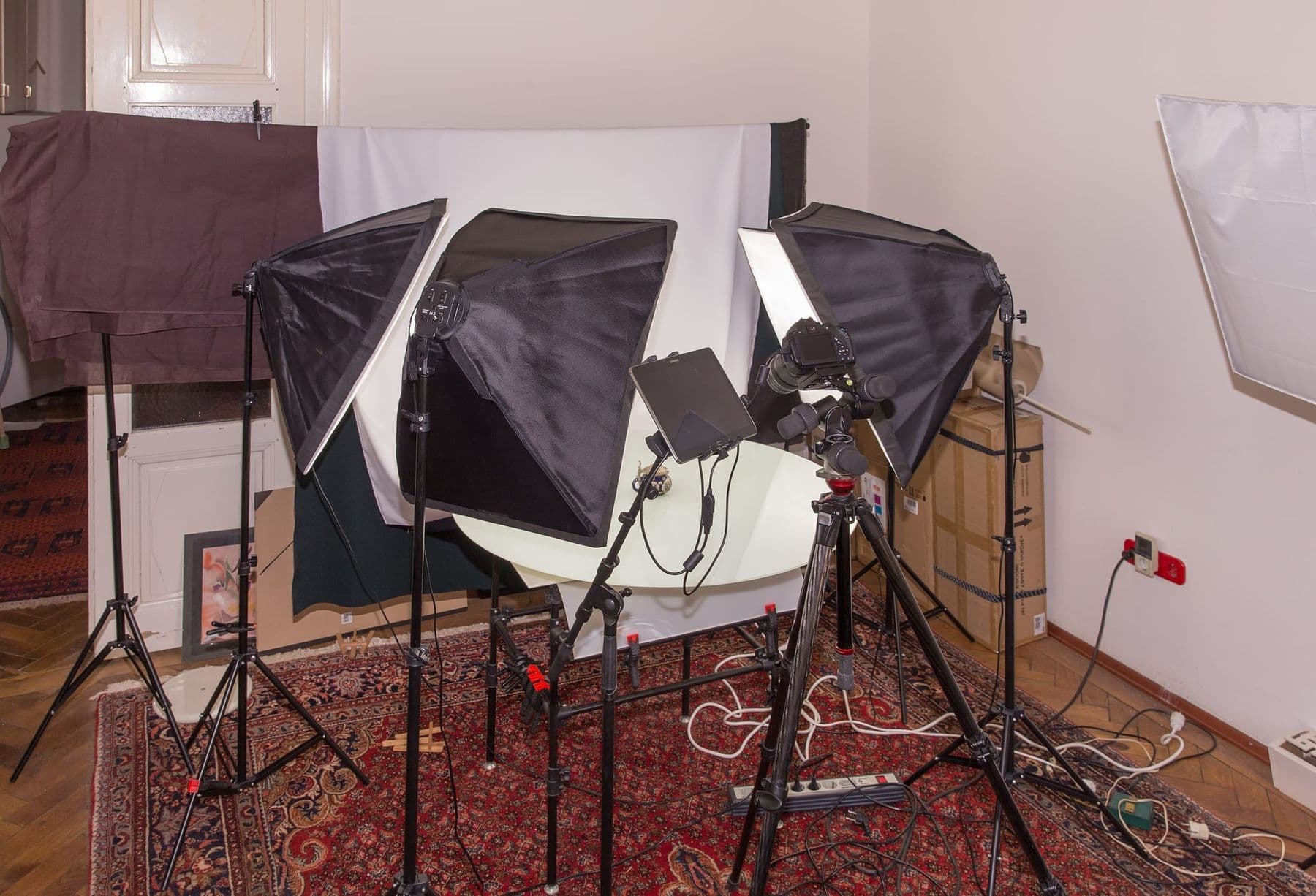
Short video. For Reels and TikTok, AI writes the script: a hook for the first 2 seconds, 3–4 shots, captions. Shoot on your phone with real people and the real product. Use AI video (a scene you did not film) as an extra; How to Make an AI Video with Higgsfield walks through it, and Georgian AI Voice covers voice-over.
 Course at TDSAI Business Co-Pilot: From Assistants to AI Agents4 weeks · 20 h · Starts 17 NovDetails
Ads with AI: copy variants and the platforms’ built-in tools
In ads, AI’s main gift is variants. A Google responsive search ad takes up to 15 headlines (30 characters each) and 4 descriptions (90 characters each), with at least 3 and 2. A job for AI: “Write 15 headlines for our service, 30 characters max each: five on benefits, five on price or terms, five with a call to action.” AI often miscounts characters, so check lengths in a spreadsheet with the LEN formula.
For audiences, ask AI for 3 segments with a key message each, then change one thing at a time (copy, visual or audience) so you know what worked. The platforms have built-in AI too; as of October 2026:
| Platform | AI feature | What it does | What to check |
|---|---|---|---|
| Meta (Advantage+ creative) | Text generation | Suggests copy variants | Language quality and facts |
| Meta (Advantage+ creative) | Image expansion, background generation | Fits images to placements | That the product is unchanged |
| Google Ads | Image generation | Creates images from a description | English prompt, policies |
| Google Ads | Responsive search ads | Tests headline combinations | Length and sense in every combination |
Meta’s Advantage+ creative is built into Ads Manager. Some enhancements are on by default, and any of them can be turned off at any time. Always check the preview before publishing, especially with Georgian text.
In Google Ads, as of October 2026, image generation prompts can be written in English, Dutch, French, German, Italian, Japanese, Portuguese and Spanish; Georgian is not on the list. Images of children are not generated, people are limited to adults, and likenesses of prominent people and brands or logos you did not upload are restricted. Generated images carry an invisible SynthID watermark and open-standard metadata.
SEO and AI search: getting into AI answers
Appearing in AI Overviews and AI Mode takes no special trick. Google says there are no extra technical requirements and no special files, markup or schema.org data: a page must be indexed and eligible to show with a snippet. The rest is SEO fundamentals:
- Key information as text, not only in images: prices, address, hours, how to order.
- Pages that answer buyers’ real questions in the language they search in.
- Structured data that matches the visible text on the page.
- An up-to-date Google Business Profile and, for online shops, Merchant Center.
AI-written text is not a problem for Google in itself; mass-producing pages that give readers nothing is (“scaled content abuse”). Google also recommends checking all AI output by hand, including titles, meta descriptions and alt text. AI-generated images should carry the IPTC DigitalSourceType value “TrainedAlgorithmicMedia”, and Merchant Center requires it.
Analytics and reports: what worked and what didn’t
AI is a good analyst if you give it the numbers and check its conclusions. Before a campaign, choose one goal and one main metric:
| Goal | Main metric |
|---|---|
| Awareness | Reach and views |
| Messages and bookings | Conversations started, cost per conversation |
| Online sales | Orders, cost per order |
| Store visits | Calls and direction requests in Google Business Profile |
At month end, export a CSV from Ads Manager, Instagram insights or Google Analytics and upload it: “Compare the last 4 weeks with the previous 4. Show the 3 best and 3 weakest posts, what they have in common, and 3 hypotheses for next month.” Check the numbers with spreadsheet formulas, not the model’s summary, and add UTM tags to links to see which post brought the order. For an automatic weekly report, see AI Automation with n8n, Make and Zapier.
Georgian-language traps in AI marketing
AI makes some typical mistakes in Georgian marketing copy:
- Calques: English ad clichés such as “discover the magic” sound artificial in Georgian.
- Mixed address: formal and informal “you” in the same post.
- Invented facts: a discount you do not offer, a wrong date or address.
- Georgian in images: distorted letters. Add text separately in an editor.
- Hashtags: a hashtag AI suggests may be one nobody uses. Search it first.
- Character limits: AI often overshoots ad limits. Check lengths with a formula.
The best test is simple: read the text aloud. If you would not say it, do not post it.
AI images, ads and labels: which rules apply?
As of October 2026, the platform rules are:
- Meta ads: ads created or significantly edited with Meta’s generative AI tools get an “AI info” label. Since June 2026 Meta has been rolling out an “About this ad” section and starting to detect ads made with third-party AI tools through industry-standard signals.
- Meta organic posts: when you post a photorealistic video or realistic-sounding audio that was digitally created or altered, you must use the AI disclosure label, and Meta may apply penalties if you do not.
- Google Ads: you can label assets as created or edited with AI. In some regions (the EU, India, New York) such ads may show a visible label.
Georgian law matters too. Under Article 12 of the Law on Personal Data Protection, direct marketing (SMS, email, calls) needs the person’s consent; you must explain how to opt out and stop within 7 working days of a request. AI personalisation does not change this. This is not legal advice; for a disputed case, ask a lawyer. And a rule beyond any law: never create “customer reviews” with AI or use a real person’s face or voice without consent.
Before you publish an AI-made or AI-edited visual, zoom to 200% and check the hands, lettering, logo and product details. The most common mistakes hide where the eye does not land first. One warped finger or letter hurts trust in your brand more than skipping a post.
Frequently asked questions
What are the best AI marketing tools?
There is no single best one. For copy and calendars any big assistant (ChatGPT, Claude, Gemini) is enough; images and video need specialised tools; for ads, start with the platforms’ built-in AI. Compare them in our guide to AI apps.
Can I use AI-generated images in ads?
Yes, if they meet the platform’s policies and do not mislead buyers. The product should look like the real one, and photorealistic people fall under separate rules on Meta and Google. Check the tool’s own terms for commercial use too.
Do I have to say a post was made with AI?
On Meta, labelling is required for photorealistic video and realistic audio, and ads created or significantly edited with Meta’s tools are labelled automatically. Minor changes such as resizing or colour correction do not trigger the label. When in doubt, label it: transparency builds trust.
Does Google rank AI-written content lower?
Google does not penalise text just because AI wrote it. The problem is mass-producing unhelpful pages. Useful, fact-checked text that answers the reader’s question is judged like any other.
Where can I take an AI marketing course?
If you want an AI marketing course built around your own business, see TDS’s AI Business Co-Pilot: From Assistants to AI Agents: 4 weeks, 20 hours, no coding. Session 2, “AI for marketing: from idea to content plan”, covers a 7-day post plan, ad copy and a visual brief.
Next step
Start with one thing: write your one-page brand brief and use it to prepare a week of posts. If you want content, incoming requests and reports to work as one system, the AI Business Co-Pilot course in Tbilisi teaches exactly that, in a hybrid format and in Georgian. Not sure it fits you? Contact us for a free consultation.
Sources
- Expanding GenAI Transparency for Meta’s Ads Products, Meta
- Labeling AI-Generated Images on Facebook, Instagram and Threads, Meta
- Meta Advantage+ creative, Meta for Business
- About generated images in Google Ads, Google Ads Help
- About responsive search ads, Google Ads Help
- AI features and your website, Google Search Central
- Guidance on using generative AI content on your website, Google Search Central
- Law of Georgia on Personal Data Protection, Legislative Herald of Georgia