You can create images with AI from your phone today: in ChatGPT and Gemini (Nano Banana) you describe the shot you want, or upload your own photo and ask for a change. Midjourney is strongest at aesthetic, stylised images, and Adobe Firefly stands out with commercially safe models. The secret to good results is a prompt formula: subject, setting, light, lens, style and format.
This guide is for anyone who needs visuals for social media, a website or a presentation: small businesses, social media managers, teachers. The professional design workflow and licence details have their own article: AI for designers.
Which AI image generator should you choose? (2026 comparison)
The data is as of October 2026. Plans and limits change often, so check the official pages before an important project.
| Tool | Free use | Strong at | Watch out |
|---|---|---|---|
| ChatGPT | Yes, limited | Complex instructions, editing by chat | OpenAI publishes no exact limit |
| Gemini (Nano Banana 2) | Yes, with limits | Editing your own photo, keeping a character | 1K downloads on free, editing 18+ |
| Midjourney (V8.1) | No, from 10 USD a month | Aesthetics and style | Images are public on cheaper plans |
| Adobe Firefly | Daily free limit | Models trained on licensed content | Partner models use credits |
| Grok Imagine | Varies | Images and short video in one app | Free access changed several times in 2026 |
Details that do not fit in a table:
- ChatGPT creates images on every plan, with a limited number on the free plan. Under OpenAI's terms you own the output to the extent the law allows, but other users may receive similar output. Getting started is covered in how to use ChatGPT in Georgia.
- Gemini: according to Google's help page, the default model is Nano Banana 2, while the stronger Nano Banana Pro needs a paid Google AI plan. You can generate images from age 13, but editing existing images is not available to users under 18. Free users download at 1K, paid users at 2K. More in our Gemini guide.
- Midjourney is paid only (the Basic plan starts at 10 USD a month). Since June 2026 the default model is V8.1, which the company says renders text better than earlier versions. Private (Stealth) mode is only on the Pro and Mega plans.
- Adobe Firefly: Adobe says its own Firefly models are trained on licensed Adobe Stock content and public domain material. The partner models built into Firefly (GPT Image, Gemini, FLUX) are a separate matter.
- Grok Imagine is xAI's tool for images and short videos. See our Grok guide.
The prompt formula: how to describe an AI photo
The most common mistake is a prompt that is too short: “nice coffee photo”. The generator fills every missing detail itself, often with clichés. The formula has six parts:
- Subject: what or who is in the frame, precisely (not “sweets” but “two churchkhela on a white plate”).
- Setting: where it happens and what is in the background.
- Light: soft morning window light, sunset, studio lighting.
- Lens and framing: 85 mm portrait, wide angle, close-up, top-down.
- Style: photorealistic, magazine photo, film photo, watercolour.
- Format: vertical 4:5, horizontal 16:9, empty space for text.
A full example: “Photorealistic shot: freshly baked shoti bread on a wooden board on a bakery counter, a tone oven blurred in the background. Warm morning side light, 50 mm lens, close-up, shallow depth of field. Natural colours, magazine photo style. Vertical 4:5, empty space at the top for text. No text or logos.”
ChatGPT and Gemini understand prompts in Georgian. If the result is off, try the same description in English; ChatGPT or Claude can translate it. General prompting rules are in our guide to writing a good prompt.
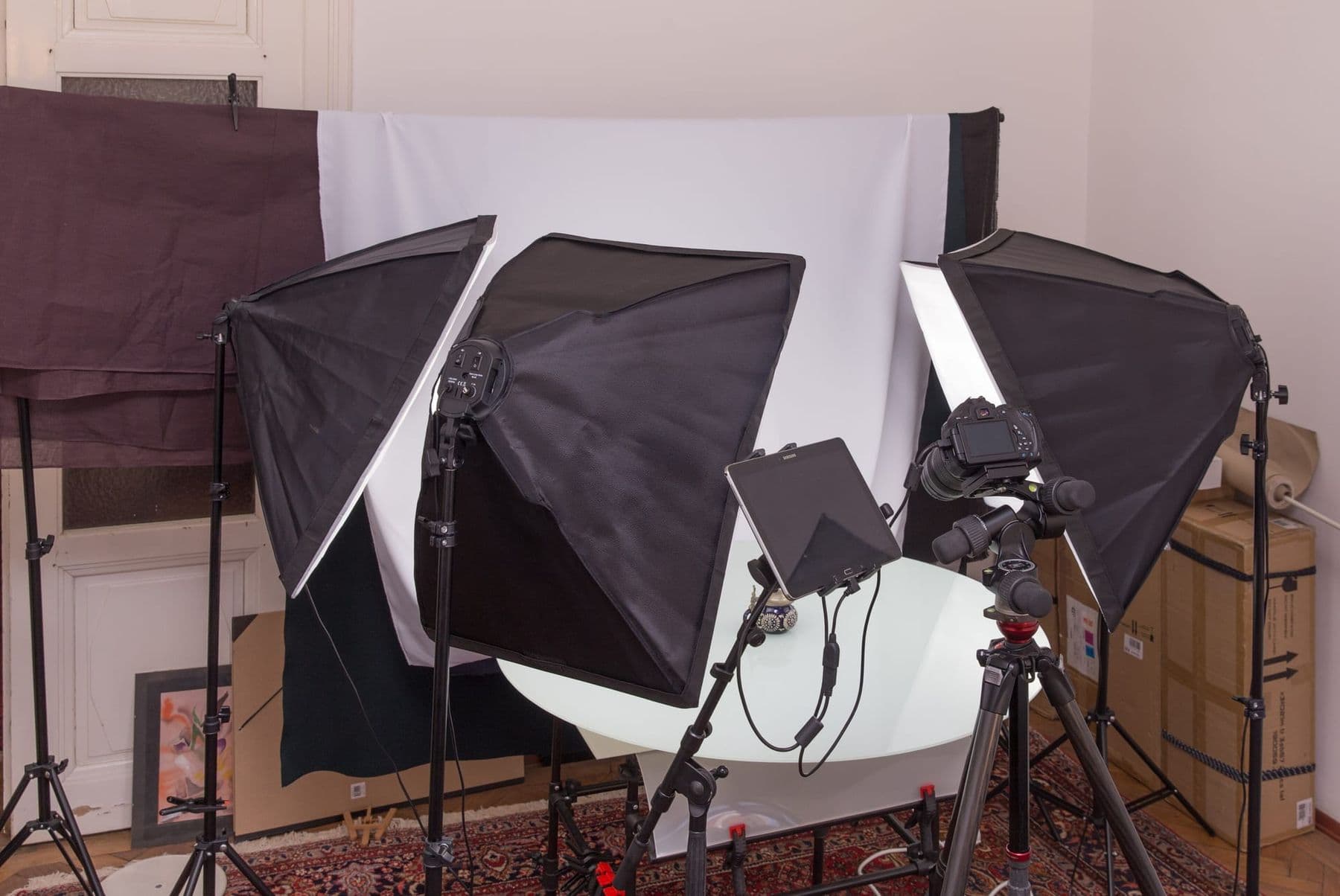
Light and lens are a photographer's vocabulary, and they are exactly the words you use to tell an AI what shot you want.
 Course at TDSAI for Designers: From Idea to Finished Visual4 weeks · 16 hDetails
AI photo editing: your own photo or from scratch?
These are two different jobs. Edit your own photo when the frame shows a real product, place or person: the AI changes the background, the light or removes clutter, while the shape stays true. Generate from scratch for illustrations, concepts, backgrounds or anything you cannot photograph.
Rules for editing:
- One change per message. Five changes at once often alter the whole image.
- Say explicitly what must stay: “keep everything unchanged, replace only the background”.
- If needed, upload several references: the product, a background example, the style you want.
- Check the result closely: labels, hands, reflections, proportions. This is where AI slips most often.
The product should not look better than it really is: if the cup looks bigger or the dish fuller than in reality, the customer will be disappointed.
Georgian text in images: why it breaks and how to add it
A generator does not type letters; it draws shapes it learned from images. Latin text is far more common in training data than Georgian, so Georgian lettering often comes out with missing or extra letters and mixed-up shapes. The 2026 models write text much better than before, but you still check Georgian letter by letter.
The reliable route:
- Add to the prompt: “no text, empty space at the top for a caption”.
- Open the finished image in Canva, Figma or Photoshop.
- Add the Georgian text with a real Georgian font (for example Noto Sans Georgian from Google Fonts).
This way the text is correct, editable and in your brand's font. If you are new to design apps, start with our guide to design software for beginners.
Worked example: a product photo for a social media post
Scenario: a jar of handmade honey for an Instagram post.
Step 1. A real photo. Shoot the jar on your phone in daylight by a window, against a plain background. The label must be readable and the photo sharp.
Step 2. The editing prompt. Upload the photo to Gemini or ChatGPT: “This is a photo of my product. Keep the jar's shape, label and colour exactly as they are. Change only the surroundings: a wooden table, a piece of honeycomb and a beeswax candle beside it, soft morning light from a window, a blurred background. Format 4:5, empty space at the top for text. Do not add any text.”
Step 3. Check. Compare with the original: the letters on the label, the lid, the jar's shape, the reflections. If the label is distorted, ask “do not touch the label” or put the original label back in a design app.
Step 4. Variants. Make 3–4 variants and pick one. For a series, reuse the same prompt and change only one detail.
Step 5. Text. In Canva, add a headline and a call to action in a Georgian font.
Step 6. Transparency. If the image looks realistic, say in the post that the background was made with AI. Meta labels AI images on Facebook, Instagram and Threads when it detects industry-standard AI signals in the file.
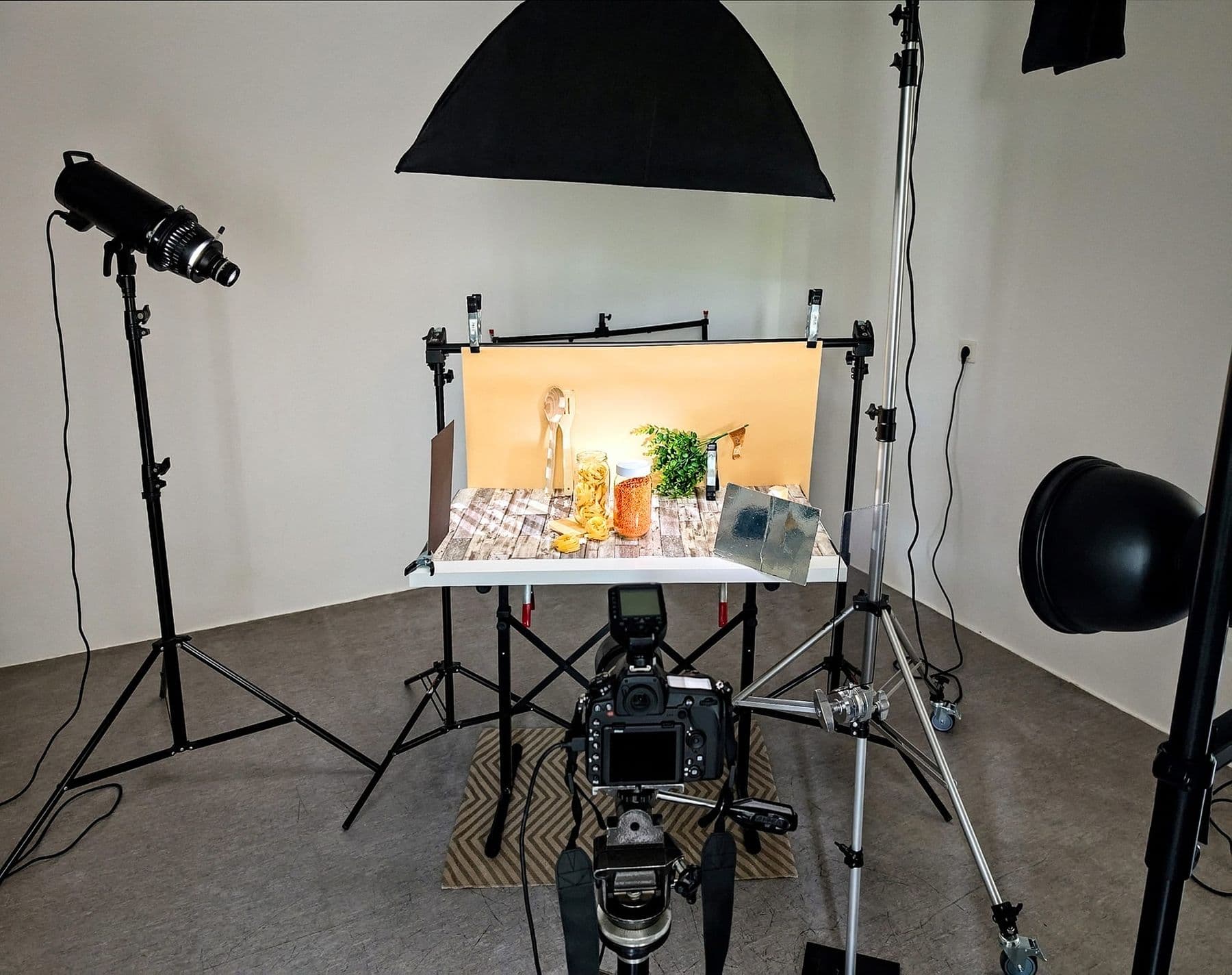
In about an hour you get a shot that used to need a studio. Turning it into a short video is covered in our Higgsfield guide, and planning a whole month of content in AI for marketing.
People, likeness and copyright
- Real people only with consent. Do not create images of a recognisable person in a situation that never happened. Never upload someone else's photo, especially a child's, without their or a parent's permission.
- Commercial use. Under OpenAI's terms the output is yours to the extent the law allows. Google's terms say Google won't claim ownership of content you generate. Midjourney's commercial terms apply to paid plans. None of this means the image is protected by copyright; that depends on the law. Details are in AI for designers.
- Other people's style and brands. Do not use living artists' names, other companies' logos or famous characters in your prompts.
For every AI image you publish, keep a folder with the original photo, the prompt, the tool and the date. If a client or a platform asks what is real and what was changed with AI, you will have the answer in a minute.
How to spot an AI image: C2PA and SynthID
More and more AI images carry a record of their origin:
- [C2PA](https://c2pa.org/) (Content Credentials) is an open standard attached to the file that shows what made it and when. Its steering committee includes Adobe, Google, Microsoft, OpenAI, Meta and others. Firefly outputs include Content Credentials.
- [SynthID](https://deepmind.google/models/synthid/) is Google DeepMind's invisible watermark, which Google says is designed to survive cropping, filters and compression. Upload an image to the Gemini app and ask “Is this AI-generated?”; it recognises only content made with Google's tools.
- ChatGPT images, according to OpenAI, carry both C2PA metadata and a SynthID watermark.
The limit: screenshots and social networks often strip metadata, so a missing signal does not prove a photo is real. And from August 2026, Article 50 of the EU AI Act requires realistic fake images (deepfakes) to be disclosed as such.
Frequently asked questions
What is the best free AI image generator?
There is no single best one. For editing your own photo, Gemini (Nano Banana) is a good start; for complex instructions, ChatGPT; for commercially safe models, Adobe Firefly. All three have free limits, while Midjourney is paid only.
What is Nano Banana?
Nano Banana is the name of Google's image models in Gemini. As of October 2026 the default is Nano Banana 2, with Nano Banana Pro on paid plans. It is especially good at editing an existing photo with text instructions.
How do I make an AI photo of myself?
Upload a sharp photo of yourself to ChatGPT or Gemini and describe what should change: background, clothes, style. In Gemini, editing existing images is only available from age 18. Upload other people's photos only with their permission.
Can I use AI images in ads?
Generally yes: the terms of ChatGPT, Gemini, Firefly and paid Midjourney allow it. Check that the image does not resemble another brand or a real person, and label realistic images as AI-made.
Which app should I use on my phone to create AI photos?
The official apps are ChatGPT (OpenAI), Gemini (Google) and Adobe Firefly (Adobe). App stores are full of look-alike apps that push subscriptions, so check the developer's name before you install. For other tools, see our AI apps guide.
Next step
Take one product or shot you need this week and work through the six steps above. If you want to bring AI into your design process, from moodboards to branding and campaigns, with a trainer and a group in Tbilisi, see the course AI for Designers: From Idea to Finished Visual or book a free consultation.
Sources
- Generate and edit images with Gemini Apps, Gemini Apps Help
- Verify AI-generated images, videos and audio, Gemini Apps Help
- C2PA in ChatGPT images, OpenAI Help Center
- Terms of Use, OpenAI
- Adobe Firefly, Adobe
- Comparing Midjourney Plans, Midjourney Docs
- V8.1 is now the default model, Midjourney
- Labeling AI-Generated Images on Facebook, Instagram and Threads, Meta