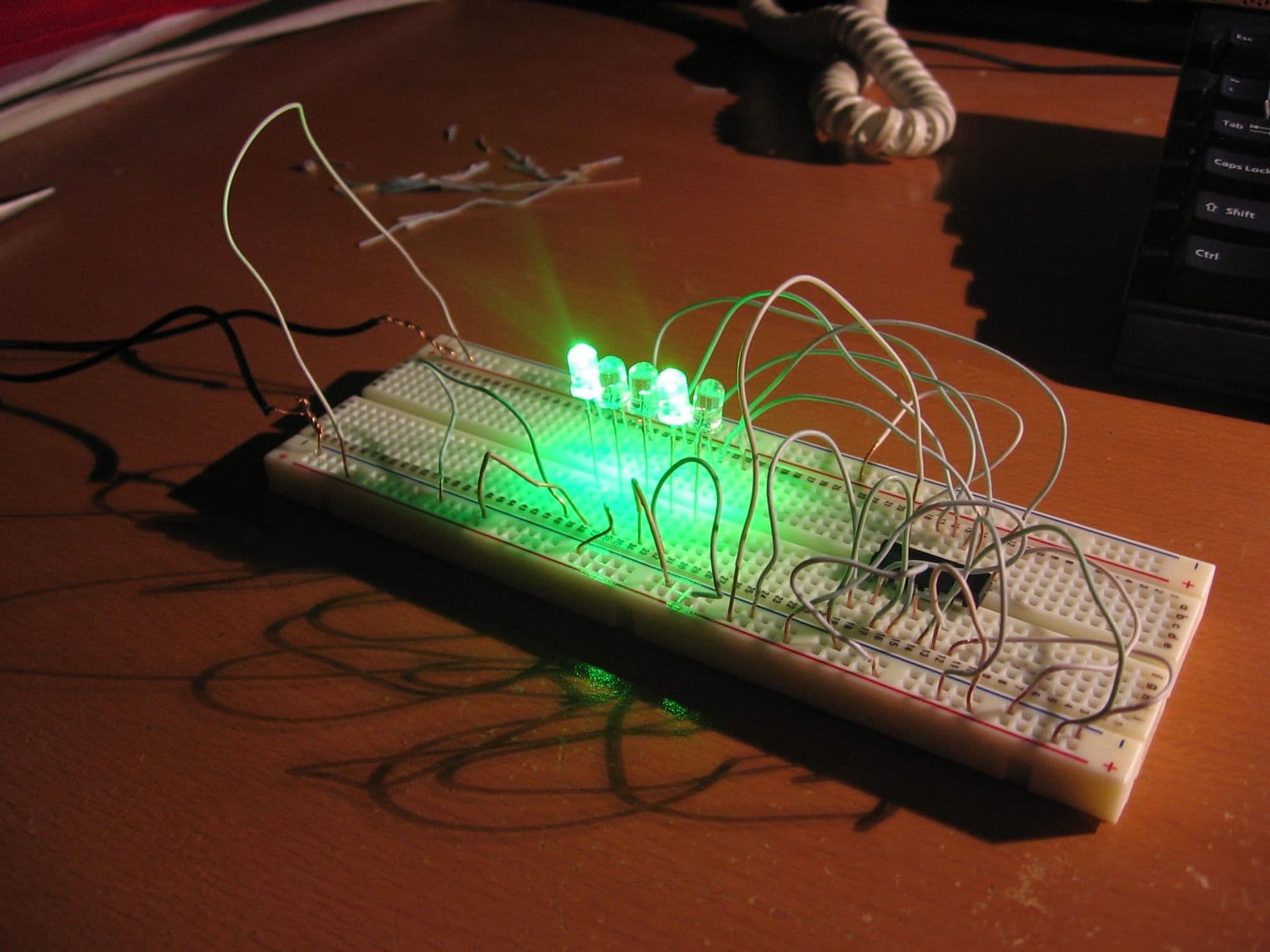
For your first electronic circuit you need four things: a 9-volt battery, an LED, a 470-ohm resistor and a solderless breadboard with a few jumper wires. The battery's plus goes to the resistor, the resistor to the LED's long leg, and the LED's short leg back to minus. No soldering is needed, and the LED lights up within 10–15 minutes.
A breadboard is the LEGO of electronics: you push parts into holes, fix mistakes in seconds and reuse the same parts in the next circuit. Below we first explain how the board is connected inside (this alone prevents half of all beginner mistakes), then build four circuits: a plain LED, a push button, a dimmer and a night light that switches itself on in the dark.
What is a breadboard and how is it wired inside?
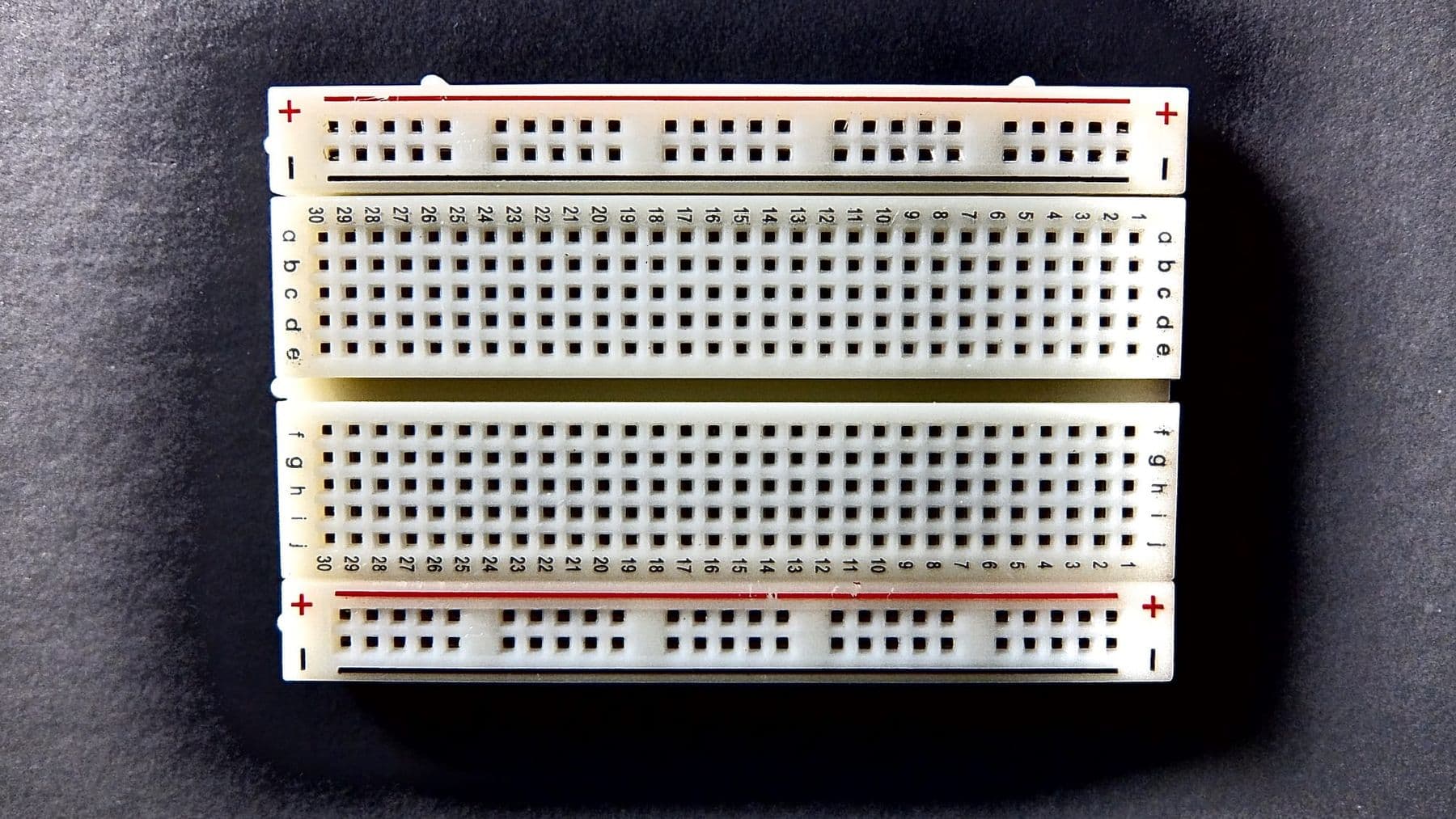
A breadboard is a plastic board with springy metal clips under the holes. Every hole that sits on the same clip is electrically connected. The name goes back to the days when people built circuits on a wooden bread board, held down with nails or drawing pins.
The board has three zones:
- Terminal strips. Each row is split in two by the centre gap. Five holes (a–e) are connected together, and the other five (f–j) separately. Two legs in the same group of five are one electrical point.
- The centre gap. It isolates the two halves. Push buttons and chips straddle it so their legs do not short together.
- Power rails. The long rows along the edges, marked red (+) and blue or black (−). Each rail is connected along its length, but the rails on the two sides of the board are not connected to each other, and on some large boards a rail is split in the middle.
Holes are 2.54 mm (0.1 inch) apart, the standard spacing of component legs. A 400-point "half-size" board is plenty to start.
| Zone | What is connected | Used for |
|---|---|---|
| Terminal strip | 5 holes on one side | joining parts together |
| Centre gap | nothing, it separates halves | buttons and chips |
| Power rail | the whole length | + and − for every part |
What you need: parts list
One small kit covers all four circuits. These parts come in any Arduino starter kit.
| Part | Qty | Note |
|---|---|---|
| Breadboard | 1 | 400 or 830 points |
| 9 V battery and snap connector | 1 | or a 4 × AA holder |
| LEDs, 5 mm | 2–3 | red is the easiest |
| Resistors | 470 Ω, 100 kΩ | use 220 Ω instead of 470 Ω on 5 V |
| Push button, 6 × 6 mm | 1 | four legs |
| Potentiometer | 1 | 10 kΩ |
| Photoresistor (LDR) | 1 | e.g. GL5528 |
| NPN transistor | 1 | BC547 or similar |
| Jumper wires | 10–15 | male-to-male |
Why 470 Ω? A red LED drops about 2 V, and the resistor takes the remaining 7 V: 7 / 470 ≈ 0.015 A, or 15 mA, a safe and clearly visible current. The full calculation is in our guide to Ohm's law and electronics basics.
Simulate first: Tinkercad Circuits
If you do not have parts yet, or simply do not want to burn anything, build the circuit in Tinkercad Circuits first. It is a free tool from Autodesk that runs in the browser, with a virtual breadboard, batteries, LEDs, resistors, buttons and even an Arduino Uno. Build, press "Start Simulation" and see whether the LED lights.
It is a good habit for kids and adults alike: a virtual mistake costs nothing, and once a circuit works on screen, building it on the desk is much faster. In the lab we start the same way: Tinkercad first, real parts second.
Circuit 1: an LED with a resistor
This is the "hello, world" of electronics. Connect the battery last, once everything is on the board.
- Push the snap connector's red wire into the plus (+) rail and the black wire into the minus (−) rail.
- Put the LED into two different rows, say 10 and 11, with the long leg (anode, +) in row 10.
- Put one leg of the 470 Ω resistor in the plus rail and the other in row 10, next to the LED's long leg.
- Use a jumper wire to connect row 11 (the LED's short leg, cathode) to the minus rail.
- Connect the battery. The LED should light.
The resistor can sit on either side of the LED as long as it is in series. If you have a multimeter, measure the current by breaking the circuit and putting the meter in series: you should see 14–15 mA.
Circuit 2: an LED with a push button
Now let us open and close the circuit by hand. Inside a four-leg button the legs are connected in pairs, and pressing the button joins one pair to the other.
- Straddle the button across the centre gap, two legs on each side.
- Run a wire from the plus rail to one leg of the button.
- Continue from the diagonally opposite leg: resistor, LED, minus, as in circuit 1.
- Press: the LED lights; release: it goes out.
The diagonal rule is the most reliable one: diagonal legs always belong to different pairs, so the button works whichever way round it sits.
Circuit 3: an LED dimmer with a potentiometer
A potentiometer is a variable resistor: turning the knob changes the resistance from zero to 10 kΩ. We use the middle pin and one outer pin.
- Connect one outer pin of the potentiometer to the plus rail, leaving the middle pin in its own row.
- From the middle pin's row, run the 470 Ω resistor to the LED's long leg.
- Connect the LED's short leg to the minus rail.
- Turn the knob: the LED fades smoothly up and down.
The 470 Ω resistor is the safety net. With the potentiometer at zero, it still limits the current (about 15 mA). Turned fully, the total is about 10,470 Ω and the current (9 − 2) / 10,470 ≈ 0.7 mA, so the LED is nearly dark. Without the safety resistor, one twist of the knob would kill the LED.
Circuit 4: a night light with a photoresistor
This one is a genuinely "smart" device: the LED stays off in daylight and switches itself on in the dark. A photoresistor (LDR) has low resistance in light (a few kilohms) and hundreds of kilohms in darkness. The transistor acts as an automatic switch.
Identify the BC547's legs like this: flat face towards you, legs down, from left to right collector (C), base (B) and emitter (E). Other transistors, such as the 2N3904, use a different order, so check your part's datasheet.
- Put the transistor into three separate rows.
- Connect the 100 kΩ resistor between the plus rail and the base row.
- Connect the photoresistor between the base row and the minus rail.
- Wire the emitter to the minus rail.
- From the plus rail, run a 470 Ω resistor to the LED's long leg, and put the LED's short leg in the collector row.
- Connect the battery and cover the photoresistor with your hand: the LED should light.
How it works: the 100 kΩ resistor and the LDR form a voltage divider. In light the LDR's resistance is low, the base sits below about 0.7 V and the transistor stays off. In the dark the LDR's resistance rises, the base voltage goes up, the transistor turns on and current flows through the LED. If the LED stays on in normal room light, swap the 100 kΩ for 220 kΩ so it only switches on when it is darker; if it never lights, try 47 kΩ.
Use one colour rule for every circuit: red wires only for plus, black or blue only for minus. Finding a mistake becomes twice as fast. And always connect the battery last, and disconnect it before you change anything.
Common mistakes: why won't my LED light?
Almost every "it doesn't work" comes down to a handful of causes. Check them in order.
| What you see | Likely cause | Fix |
|---|---|---|
| LED never lights | LED is reversed | long leg towards plus |
| LED dark, wiring looks right | both LED legs are in the same row | put the legs in different rows |
| Circuit dead on the other half of the board | power rail split in the middle | bridge the two halves with a wire |
| LED on without pressing | button rotated 90 degrees | use diagonal legs |
| LED very dim | resistor too large (e.g. 47 kΩ) | check the bands or use a multimeter |
| Battery gets warm | short circuit: + wired straight to − | disconnect at once and recheck wires |
The last row matters most. A shorted battery heats up and can be damaged, so look over every new circuit before you power it. And one rule above all: breadboards are for batteries and USB only. A wall socket (230 V in Georgia) is never used for experiments.
What next? Arduino and code
If all four circuits work, you already understand the core of electronics: a closed circuit, polarity, resistors, the voltage divider and the transistor. The next step is a microcontroller that switches the LED on and off by itself. In our Arduino for beginners guide you wire the very same LED to an Arduino and write your first program, Blink.
If you are looking for a structured path for your child, read our guide to the electronics course for kids. On our Electronics and Smart Devices course, students aged 10–13 start with circuits like these, first in Tinkercad Circuits and then on a real Arduino with sensors. They finish by building their own smart device and keep the electronics kit at home. There is a next level for ages 13–17 too: see both on our electronics and Arduino courses page.
Frequently asked questions
What is a breadboard used for?
A breadboard lets you build temporary electronic circuits without soldering. Metal clips under the holes connect the parts, and you can change the circuit in seconds. That makes it the standard tool for learning and prototyping.
What resistor should I use with an LED?
On 9 V a red LED needs about 470 Ω; on 5 V (USB or Arduino), 220 Ω. Blue and white LEDs need more voltage, so 150 Ω is enough on 5 V. The exact formula is R = (supply voltage − LED voltage) / current.
How do I tell the plus and minus of an LED?
A new LED has one longer leg: that is the anode (+). The shorter leg is the cathode (−), and the LED's rim is often flattened on that side. If the legs are already trimmed, use your multimeter's diode test.
Can I keep a circuit on a breadboard permanently?
Breadboards are meant for temporary circuits: parts can fall out and contacts loosen over time. Once a design is final, it is soldered onto a perfboard or a PCB; our guide to soldering for beginners shows how.
Is Tinkercad Circuits free?
Yes. Tinkercad Circuits is Autodesk's free online simulator where you build circuits with breadboards, LEDs and an Arduino in the browser and test them instantly. You only need an account, and it is the best place for a beginner to make mistakes before touching real parts.
At what age can a child build circuits?
A simple circuit with a battery and an LED is fine for an 8–9 year-old with an adult's help. Transistor circuits and Arduino work better from about 10, when a child is comfortable with numbers and can follow instructions precisely.
If you think your child would enjoy electronics but are not sure where to start, book a free consultation and we will suggest the right next step for their age and interests.
Sources
- How to Use a Breadboard, SparkFun Learn
- Light-Emitting Diodes (LEDs), SparkFun Learn
- LED Series Resistor Calculator, Last Minute Engineers
- Night Light Circuit, Build Electronic Circuits
- BC548 (BC547 family pinout and ratings), Wikipedia
- How to Use a Multimeter, SparkFun Learn